 WiseBoard
Look across support categories
Review candidate environmental, instructional, assessment, and behavioral strategies.
Student support
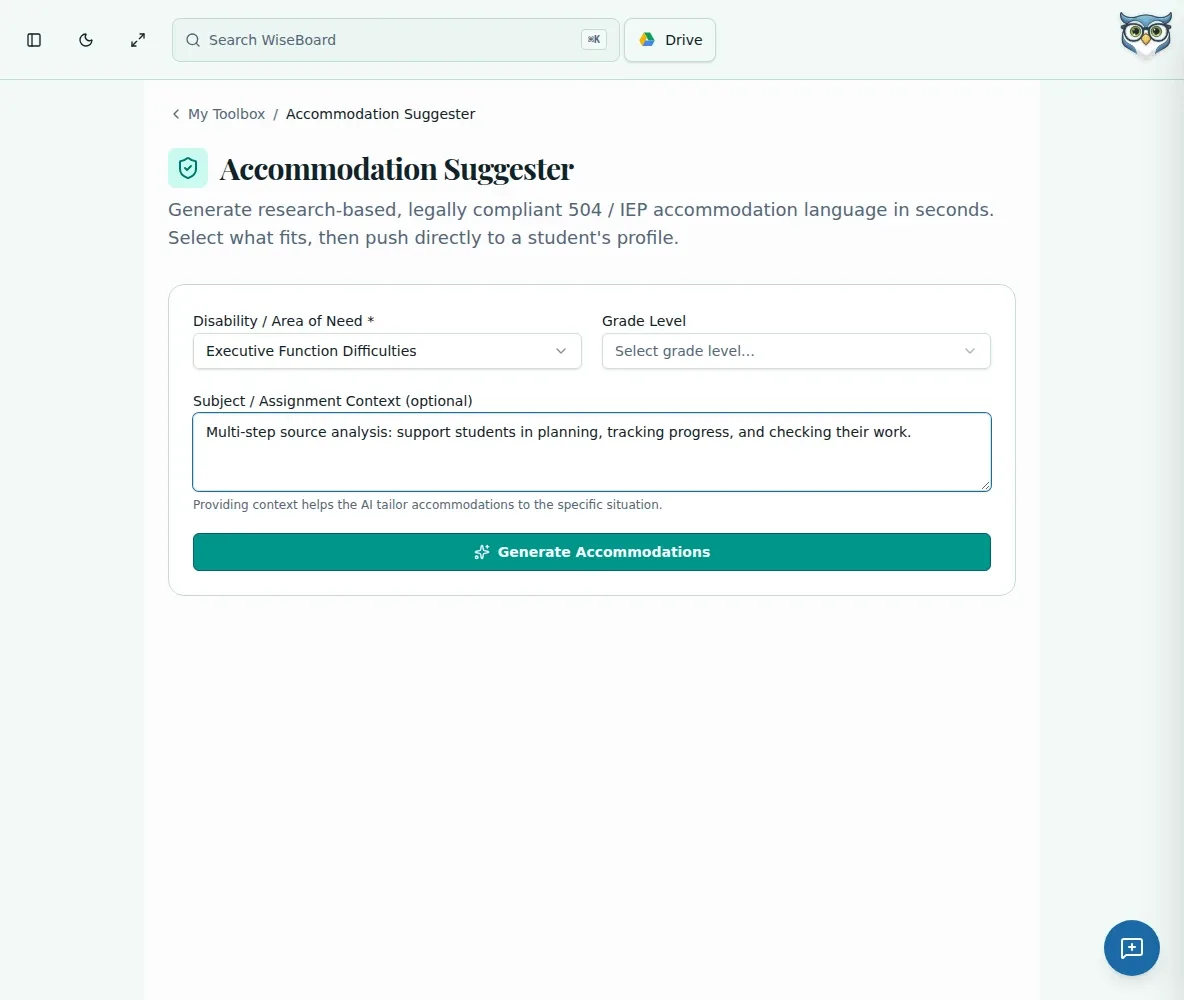
Choose an area of need and add only the grade, subject, or assignment context needed to request possible classroom supports. Review each idea with appropriate professional judgment and the student's approved plan; a generated suggestion is neither a clinical recommendation nor proof of legal compliance.
See the workspace before you sign in.
01 / THE DIFFERENCE
Practical tools that leave the decisions with you.
Review candidate environmental, instructional, assessment, and behavioral strategies.
Add grade and optional subject or assignment details to focus the draft.
Select only appropriate suggestions and push them to the intended student profile after review.
02 / IN PRACTICE
A closer look at how this fits into your day.
Explore the interactive app demoChoose the required category and, for Other, describe the need without unnecessary identifying details.
Add grade and optional context, then review the suggested ideas against the approved plan.
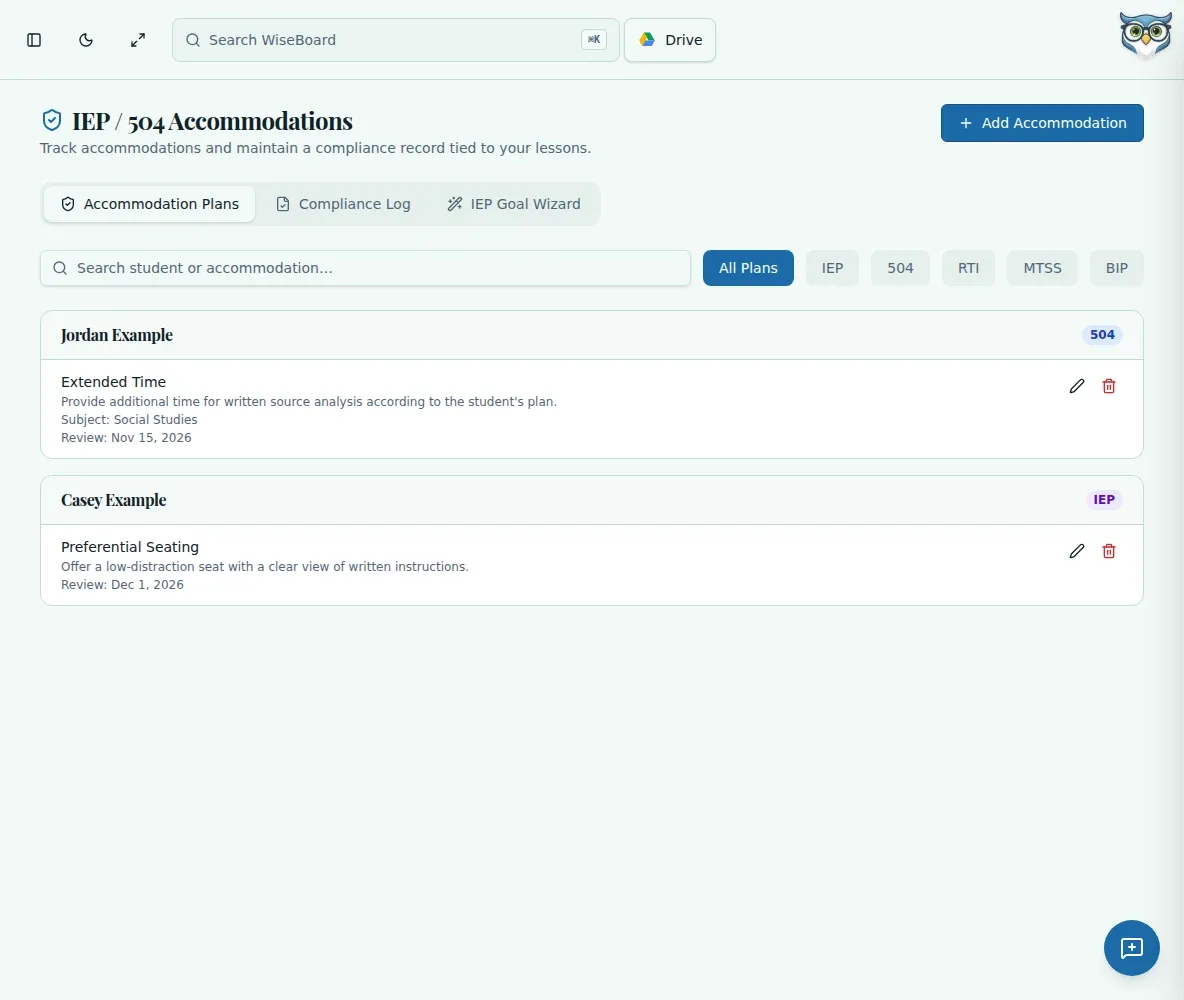
Select appropriate items and use Push to Student Profile with the intended class and student.
03 / A CLOSER LOOK
Related workflow view. This is not another screen of the primary feature.
WHAT THIS COULD LOOK LIKE
Choose the relevant area of need, enter the grade and assignment context, and review possible strategies. Compare each suggestion with the student's approved plan and professional guidance before selecting anything for the profile.
GOOD TO KNOW
A little more detail before you dive in.
No. Suggestions are ideas for teacher and professional review; they do not establish legal compliance or a clinical recommendation.
Review first. Select only appropriate suggestions and check the intended class and student before using Push to Student Profile.
YOUR WORKSPACE AWAITS
Explore WiseBoard on your own terms. Take a look around, or start your free trial.