 WiseBoard
Start from teaching materials
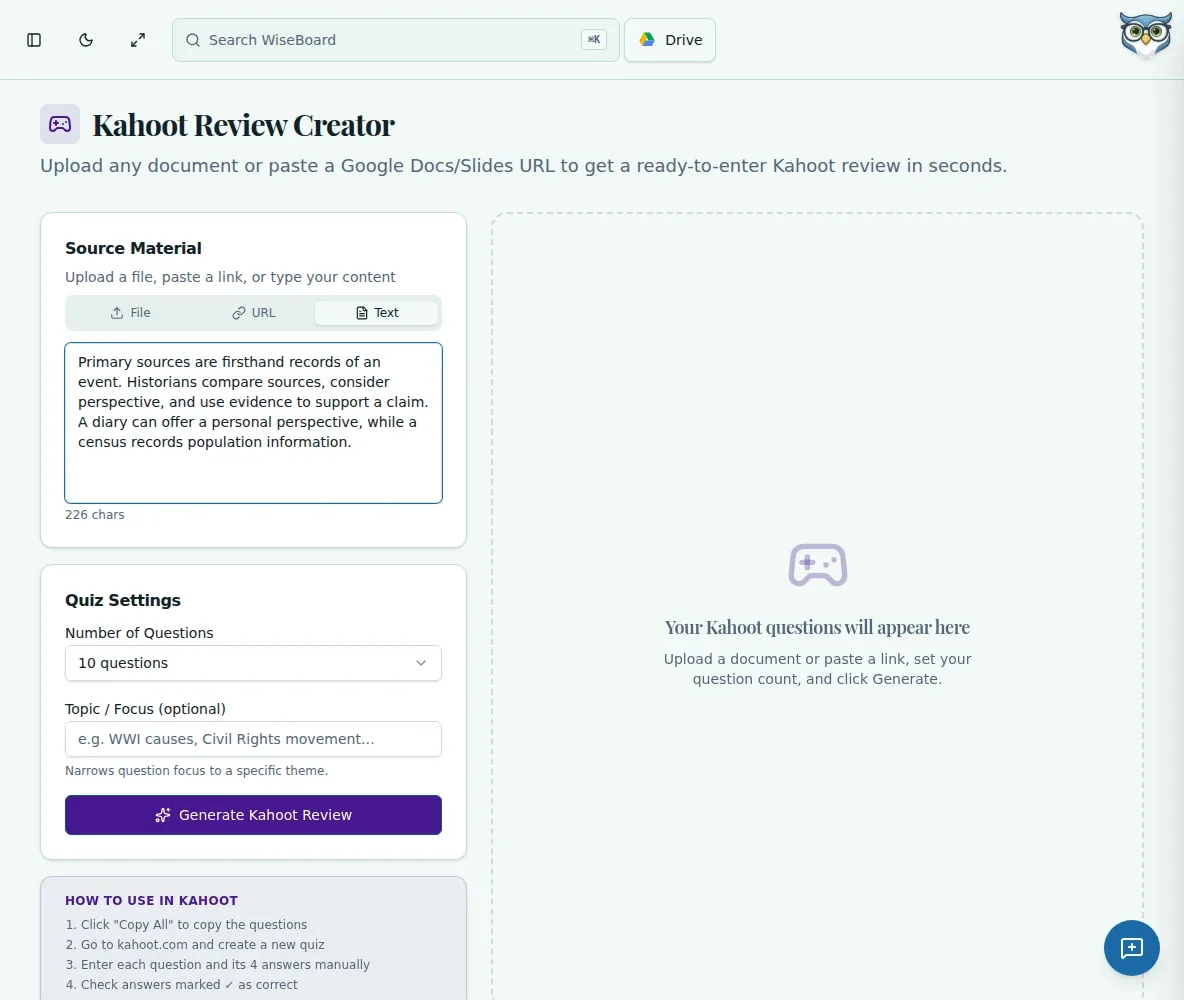
Use pasted notes, a Google Doc, or an uploaded source as the basis for question drafts.
Assessment preparation
Kahoot Creator turns source material into a draft set of multiple-choice questions and distractors. Check every question and answer, use the copy controls, and enter or adapt the content in Kahoot separately. WiseBoard does not publish the game for you.
See the workspace before you sign in.
01 / THE DIFFERENCE
Practical tools that leave the decisions with you.
Use pasted notes, a Google Doc, or an uploaded source as the basis for question drafts.
Choose a question count and optionally name the topic or skill to emphasize.
Copy reviewed content into Kahoot yourself; generated result cards are not a Kahoot integration.
02 / IN PRACTICE
A closer look at how this fits into your day.
Explore the interactive app demoPaste notes, select a Google Doc, or upload appropriate lesson material.
Choose the number of questions and optionally enter a focus before generating.
Review each prompt, answer, and distractor, then use copy controls and adapt the questions in Kahoot.
WHAT THIS COULD LOOK LIKE
Provide notes from the current lesson, request a short question set focused on the key process, and verify every correct answer and distractor. Copy the reviewed questions into Kahoot and check the finished game there.
GOOD TO KNOW
A little more detail before you dive in.
No. Use the copy controls, then enter or adapt the questions in Kahoot separately.
No. Review each question and answer, especially where subject accuracy or precise calculations matter.
YOUR WORKSPACE AWAITS
Explore WiseBoard on your own terms. Take a look around, or start your free trial.