 WiseBoard
Start from a class source
Use a lesson, a sufficiently detailed topic or objective, or an authorized document upload.
Review and practice
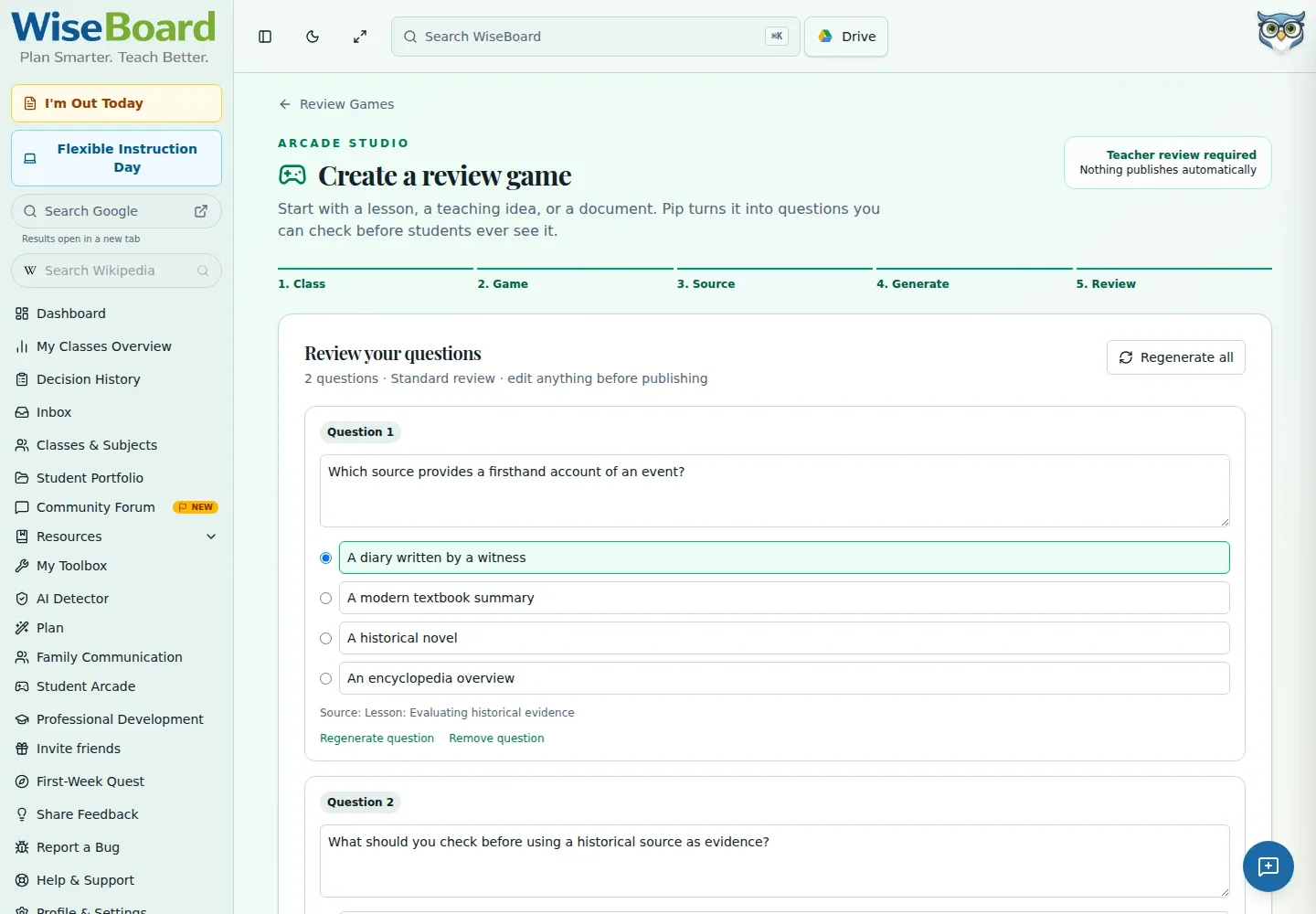
Build a question pack from a lesson plan, a topic or objective, or an uploaded document. Choose Standard review, Jeopardy, Escape Room, or Capture the Flag, then inspect the questions, answers, citations, and warnings before you save or launch anything.
See the workspace before you sign in.
01 / THE DIFFERENCE
Practical tools that leave the decisions with you.
Use a lesson, a sufficiently detailed topic or objective, or an authorized document upload.
Prepare a standard review, Jeopardy board, Escape Room, or Capture the Flag pack.
Edit, remove, or regenerate questions and choose Save for later or Save & launch yourself.
02 / IN PRACTICE
A closer look at how this fits into your day.
Explore the interactive app demoSelect an accessible class, continue, and pick a game format.
Choose a lesson, topic or objective, or supported upload; set question count and difficulty.
Check each prompt, correct answer, supplied citation, and warning before choosing the next action.
WHAT THIS COULD LOOK LIKE
Select the class and Jeopardy format, use a lesson or authorized document as source, and generate the required 25 questions for the 5 by 5 board. Inspect each answer and any citation or duplicate warning, edit the pack, and launch only when ready.
GOOD TO KNOW
A little more detail before you dive in.
No. Wait for extraction to be ready, generate questions, review the complete pack, and explicitly choose Save for later or Save & launch.
The Jeopardy format requires 25 questions for its 5 by 5 board.
Upload only documents you are authorized to use and avoid unnecessary student information.
YOUR WORKSPACE AWAITS
Explore WiseBoard on your own terms. Take a look around, or start your free trial.