 WiseBoard
Find the right format
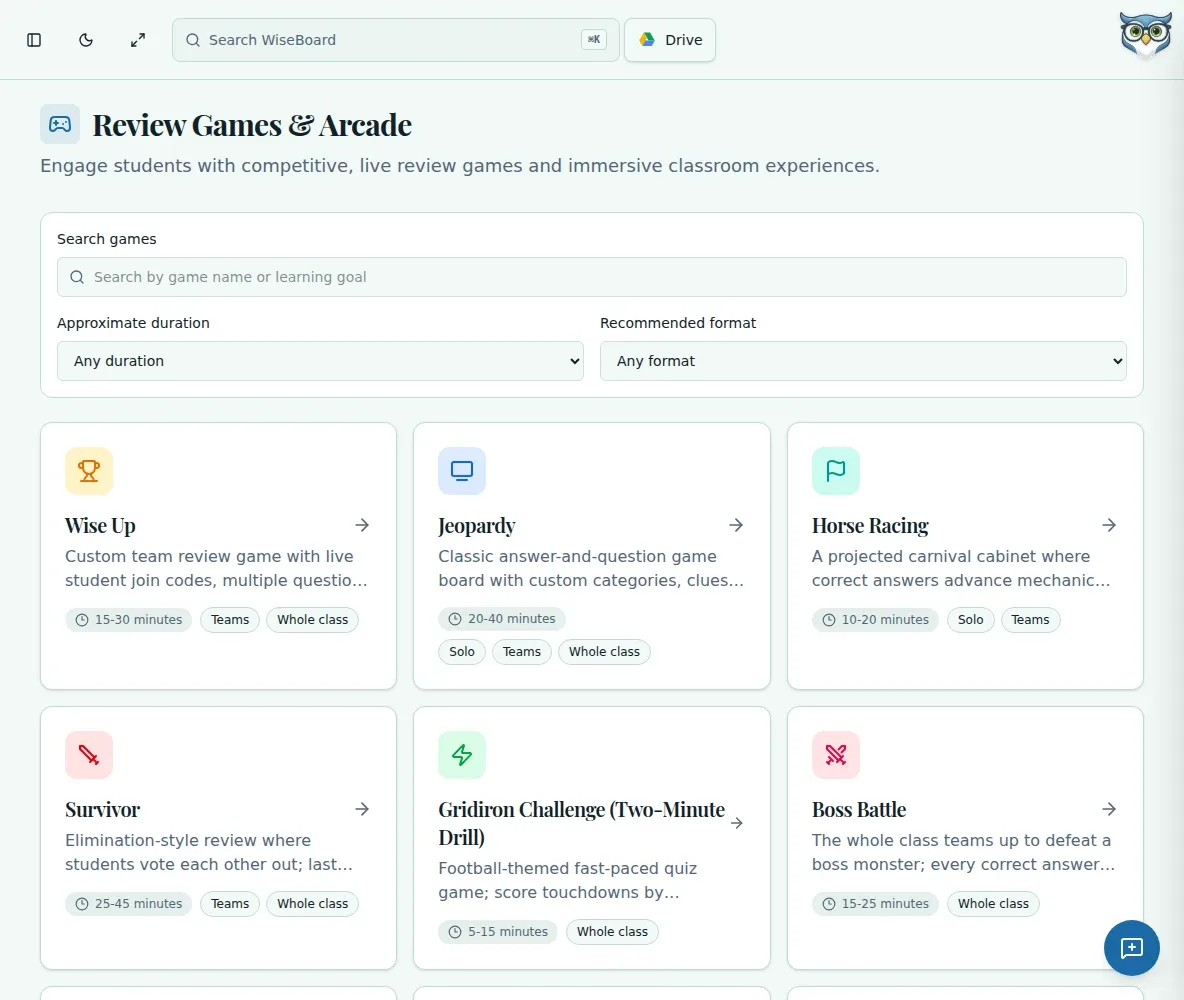
Browse game options for the kind of review session you want to run.
Practice and play
Looking for a classroom review game? Build a question set from a lesson, topic or document, check each question, then choose a teacher-led format. Student Arcade experiences are separate from those class sessions.
See the workspace before you sign in.
01 / THE DIFFERENCE
Practical tools that leave the decisions with you.
Browse game options for the kind of review session you want to run.
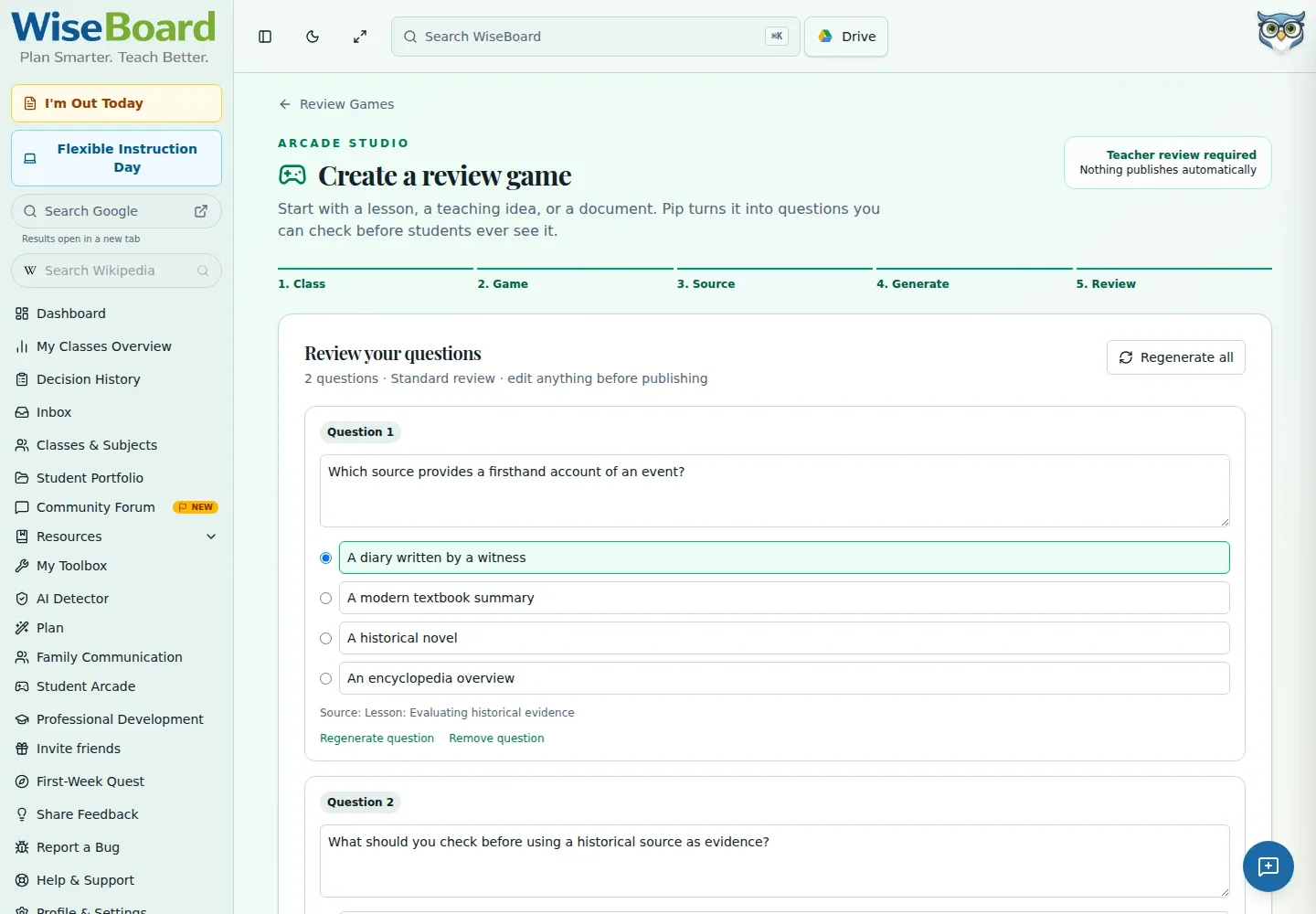
Inspect and edit generated questions before students see them.
Move from a review set to a live format, or explore the separate student Arcade experiences.
02 / IN PRACTICE
A closer look at how this fits into your day.
Explore the interactive app demoBrowse the Review Games hub to see available formats and experiences.
Create a set from a lesson, topic or document; check and change it.
Choose the format and start the teacher-led activity when you are ready.
03 / A CLOSER LOOK
Another view of this feature's workspace.
WHAT THIS COULD LOOK LIKE
Start with a lesson or unit objective. Rewrite ambiguous questions, check that the answers match what students learned, then launch a teacher-led game format for the class. Use the separate Arcade for independent student play.
GOOD TO KNOW
A little more detail before you dive in.
No. The hub includes distinct student Arcade experiences as well as teacher-led review formats.
Yes. The review-game creator lets teachers inspect and edit questions before saving or launching.
YOUR WORKSPACE AWAITS
Explore WiseBoard on your own terms. Take a look around, or start your free trial.