 WiseBoard
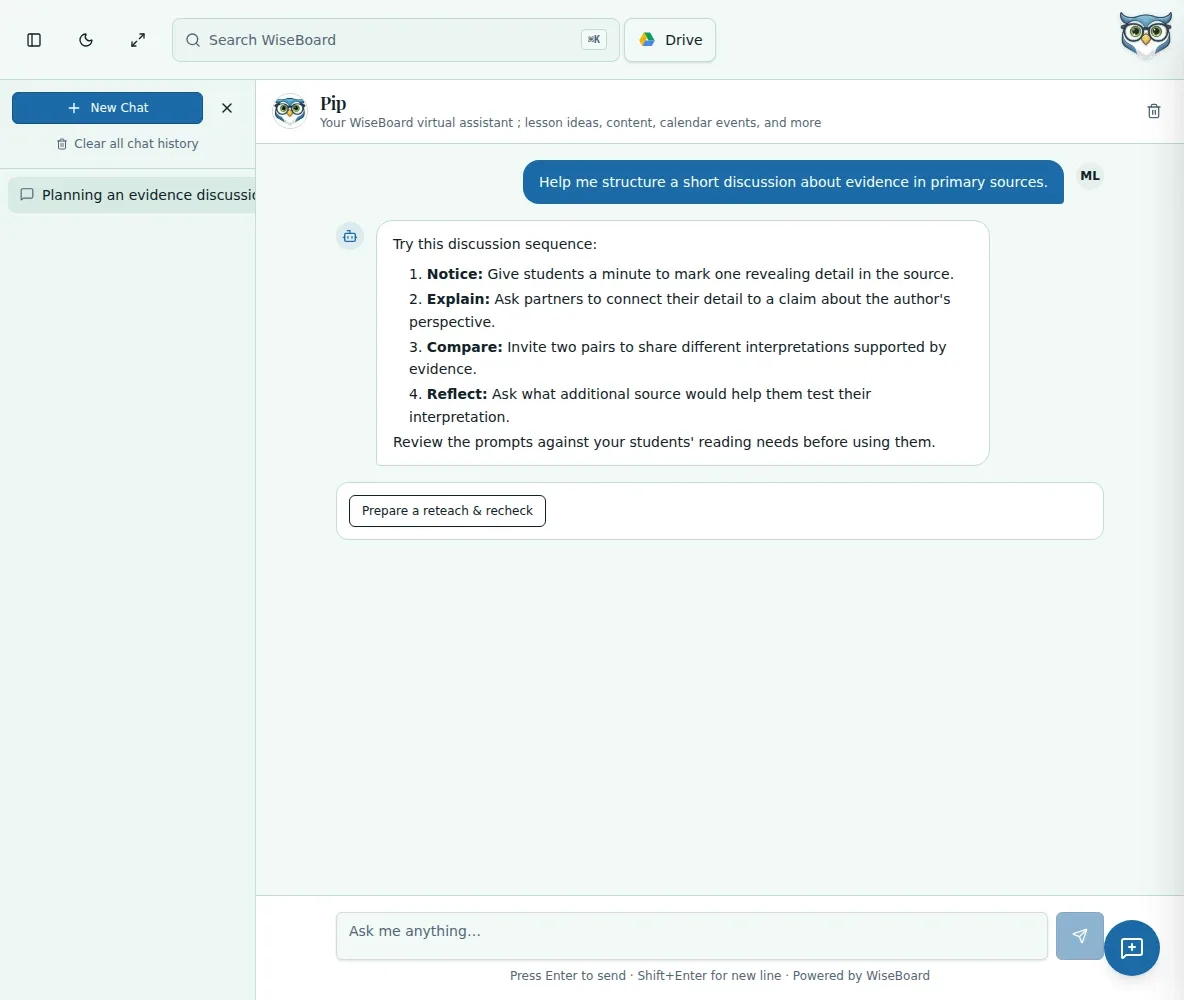
Ask in your own words
Describe the teaching task and provide context instead of searching through disconnected tools.
Meet Pip
Ask Pip for help thinking through a classroom task, planning a lesson or reviewing materials. Keep the conversation and inspect every suggestion before you put it to work.
See the workspace before you sign in.
01 / THE DIFFERENCE
Practical tools that leave the decisions with you.
Describe the teaching task and provide context instead of searching through disconnected tools.
Review material evidence and quality warnings in supported review workflows.
Revise and approve drafts yourself; Pip's suggestions are not verified student outcomes.
02 / IN PRACTICE
A closer look at how this fits into your day.
Explore the interactive app demoDescribe the lesson, question or material you want help with.
Read the draft and check any cited source evidence or quality warnings where provided.
Edit, save or approve the material through the appropriate teacher workflow.
03 / A CLOSER LOOK
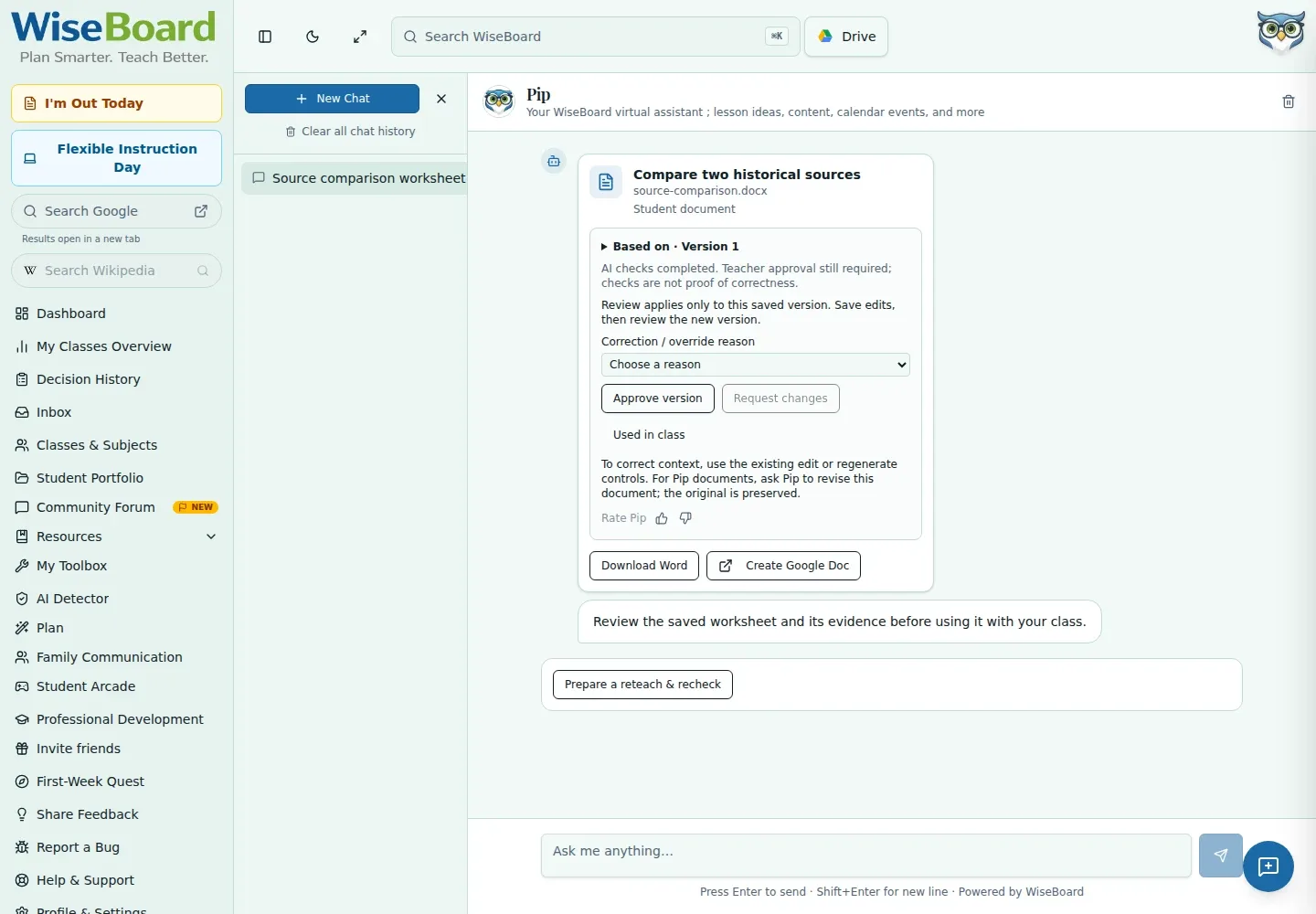
Another view of this feature's workspace.
WHAT THIS COULD LOOK LIKE
Ask Pip for a clearer way to introduce the idea, then adapt the suggestion to the students in front of you.
GOOD TO KNOW
A little more detail before you dive in.
No. Generated content is a suggestion for a teacher to review and approve where applicable.
Supported material-review workflows show source receipts and quality warnings so the teacher can assess the result.
YOUR WORKSPACE AWAITS
Explore WiseBoard on your own terms. Take a look around, or start your free trial.