 WiseBoard
Make shared progress visible
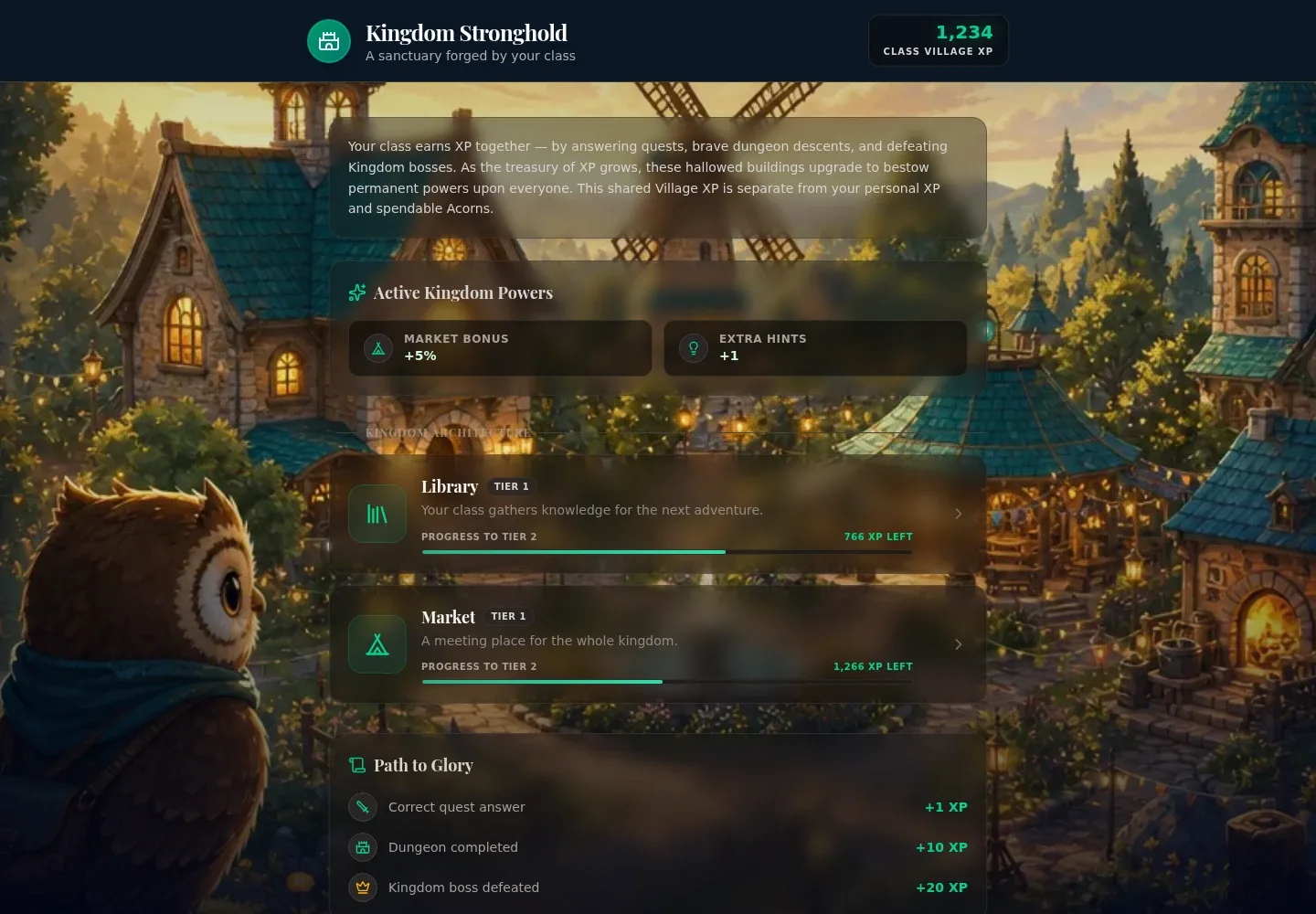
Review the village's displayed building progress and milestones as the class earns shared Kingdom XP.
A shared Arcade destination
Pip's Kingdom is a shared village experience in Arcade, not a teacher-launched review-game room. Students follow the actions and access controls shown in the current village view, while teachers can use Kingdom Analytics to review the experience without treating it as a Classroom Economy ledger.
See the workspace before you sign in.
01 / THE DIFFERENCE
Practical tools that leave the decisions with you.
Review the village's displayed building progress and milestones as the class earns shared Kingdom XP.
The village presents collective progress through buildings and active kingdom powers, giving students a visual touchstone for their Arcade activity.
Use Kingdom Analytics for the teacher view and Classroom Economy separately for teacher-managed awards or transactions.
02 / IN PRACTICE
A closer look at how this fits into your day.
Explore the interactive app demoStudents open Arcade and select Pip's Kingdom; its available actions depend on the current Arcade view.
Look at the village's building progress and milestones, and use its current access controls rather than assuming every action is always available.
Teachers open Kingdom Analytics. Record teacher-managed awards or transactions in Classroom Economy separately.
WHAT THIS COULD LOOK LIKE
Project Pip's Kingdom at the start or end of class and invite students to notice the displayed building progress or milestone. Keep any teacher-managed classroom rewards in Classroom Economy rather than treating village progress as a transaction record.
GOOD TO KNOW
A little more detail before you dive in.
No. It is an Arcade village experience. The available actions depend on the current Arcade view.
Do not assume a classroom-economy connection, purchase approval workflow or automatic behavior rewards. Use Classroom Economy separately for teacher-managed awards or transactions.
Students open Pip's Kingdom in Arcade. Teachers use the Kingdom Analytics view.
YOUR WORKSPACE AWAITS
Explore WiseBoard on your own terms. Take a look around, or start your free trial.