 WiseBoard
Anchor the list in the lesson
Use a lesson or source text rather than starting from an unconnected vocabulary list.
Lesson preparation
Start with a selected lesson or pasted text and ask Vocabulary Builder for terms, definitions, and examples at a chosen grade level. Edit the results, remove terms that do not belong, and print selected word-wall cards or send selected vocabulary to the quiz generator for a separate review.
See the workspace before you sign in.
01 / THE DIFFERENCE
Practical tools that leave the decisions with you.
Use a lesson or source text rather than starting from an unconnected vocabulary list.
Correct terms and definitions, adjust examples, and toggle individual terms on or off.
Print cards for included terms or open the quiz generator with selected vocabulary as source text.
02 / IN PRACTICE
A closer look at how this fits into your day.
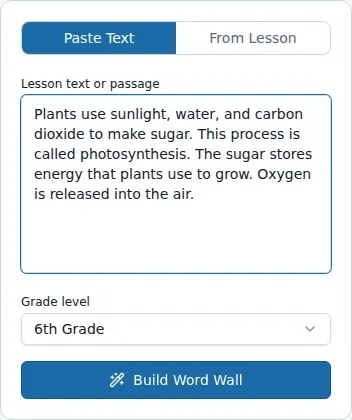
Explore the interactive app demoSelect a lesson or paste text, set the grade level, and choose Build Word Wall.
Edit terms, definitions, examples, and any generated Spanish cognates; add a term manually if useful.
Print cards for included terms or create a vocabulary quiz and review that quiz separately.
WHAT THIS COULD LOOK LIKE
Select a lesson or paste the assigned reading, choose the grade, and generate a word wall. Remove familiar words, correct any definition that misses the lesson's meaning, and print only the cards students will use.
GOOD TO KNOW
A little more detail before you dive in.
No. Review and edit every entry for accuracy and fit with the lesson before printing or sharing it.
It opens the quiz generator with selected vocabulary as source text. Review the quiz separately before using it.
YOUR WORKSPACE AWAITS
Explore WiseBoard on your own terms. Take a look around, or start your free trial.