 WiseBoard
Add the context with the word
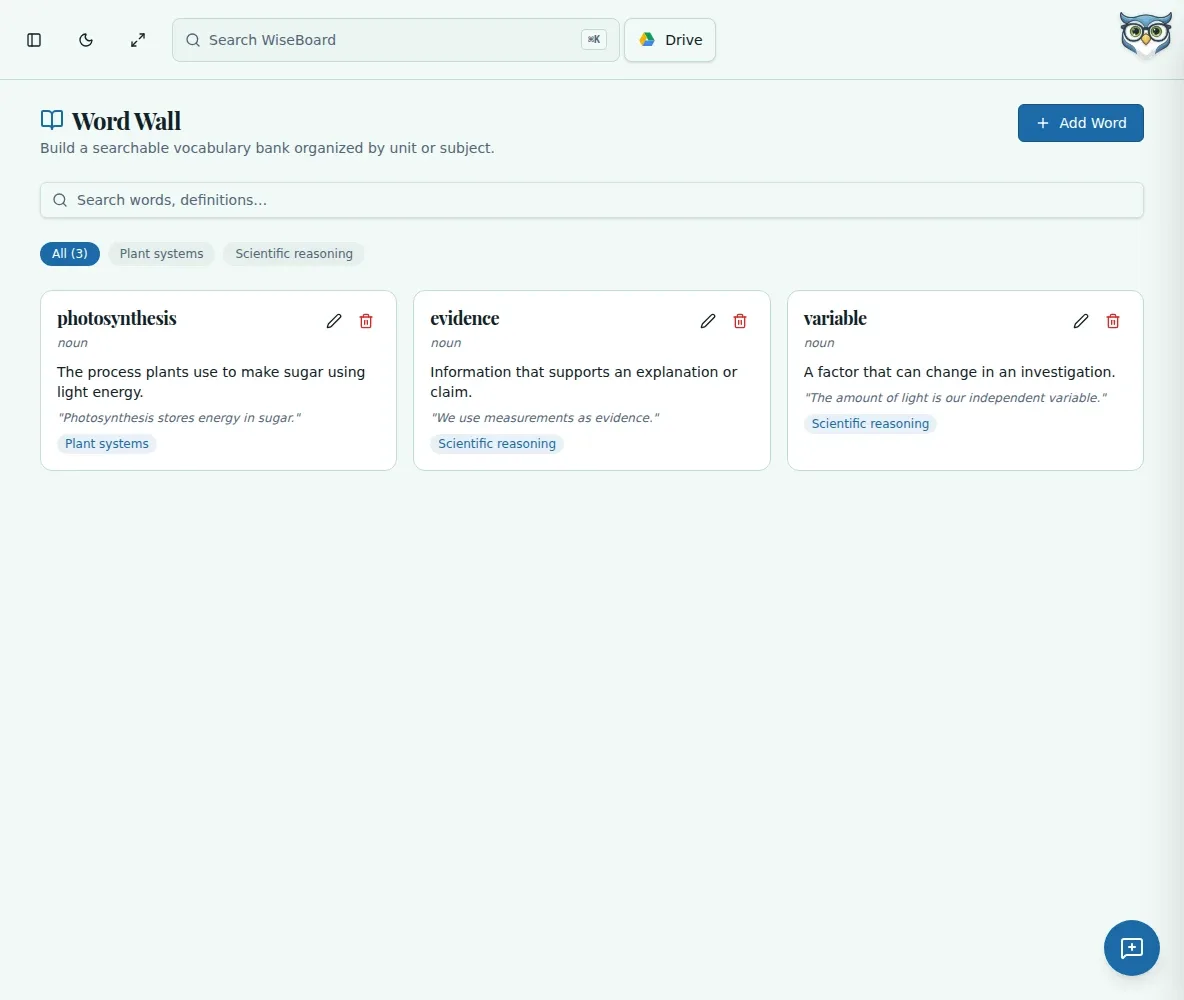
Include a definition, example sentence, part of speech and subject or unit.
Classroom resources
A word wall works best when students can return to it during the task, not only during a vocabulary quiz. Build a searchable list with the definition and context students need to use each term.
See the workspace before you sign in.
01 / THE DIFFERENCE
Practical tools that leave the decisions with you.
Include a definition, example sentence, part of speech and subject or unit.
Search or filter your saved vocabulary list as the unit grows.
Show the page on a classroom display when useful; there is no separate Display Mode or print control.
02 / IN PRACTICE
A closer look at how this fits into your day.
Explore the interactive app demoChoose Add Word and enter the term and definition.
Add an example, part of speech and subject or unit when relevant.
Search, filter, edit or remove entries as your class's vocabulary changes.
WHAT THIS COULD LOOK LIKE
Add terms such as precipitation with a student-friendly definition, a sentence connected to the current unit and its part of speech. Keep the page available during a forecast-writing activity so students can check the language as they draft.
GOOD TO KNOW
A little more detail before you dive in.
No. You can show the page on a classroom display, but the feature does not provide a separate Display Mode or print control.
Yes. Search or filter saved entries and use the available edit or delete controls.
YOUR WORKSPACE AWAITS
Explore WiseBoard on your own terms. Take a look around, or start your free trial.