 WiseBoard
Match the organizer to the thinking
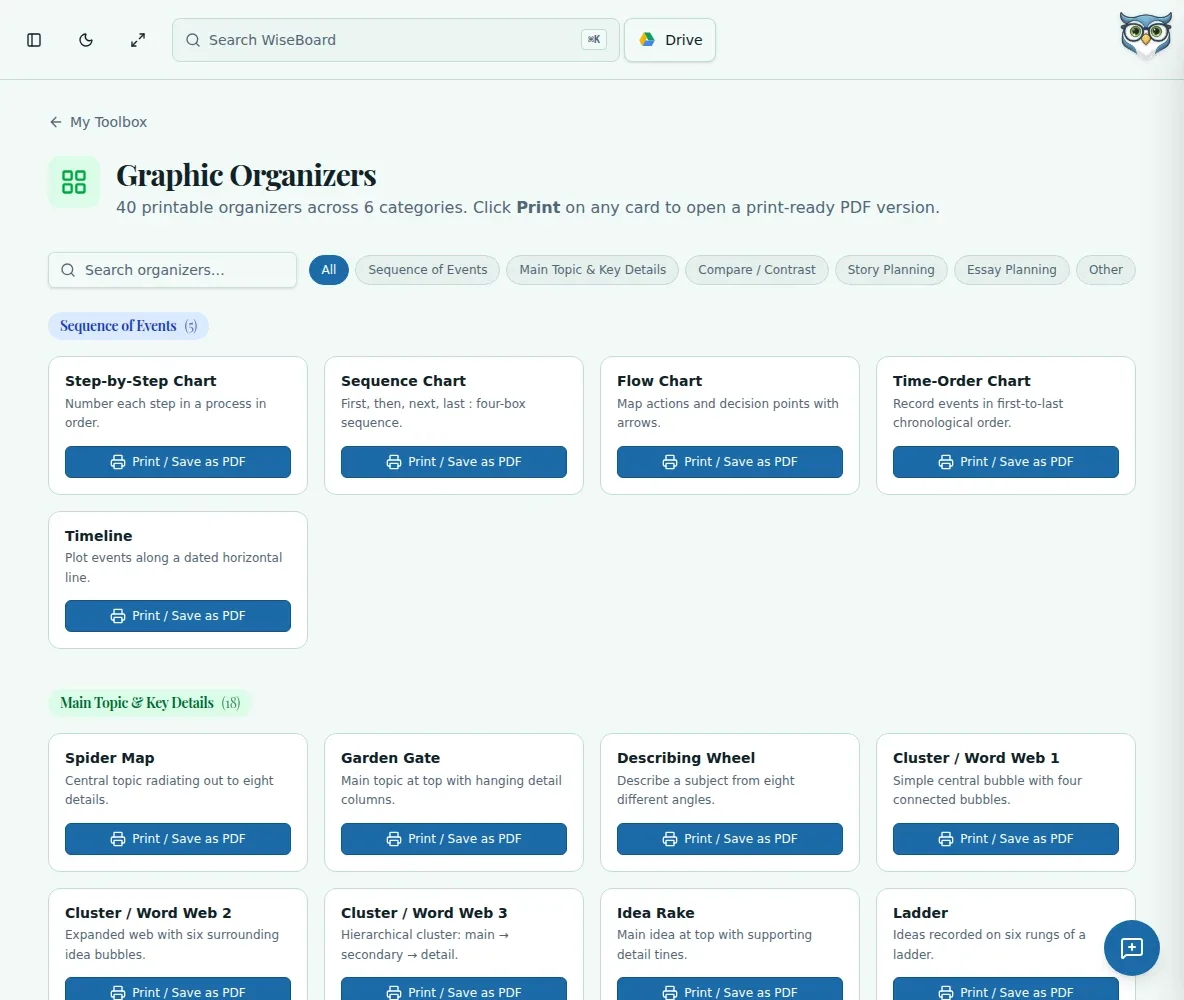
Search or filter templates to find a visual structure for the task.
Teacher resources
Some students need a visible structure before ideas start moving. Search the Graphic Organizers library for a ready-made template, then print it or save it as a PDF for a lesson.
See the workspace before you sign in.
01 / THE DIFFERENCE
Practical tools that leave the decisions with you.
Search or filter templates to find a visual structure for the task.
Choose from a library instead of drawing a new diagram before every lesson.
Open the print-ready document and use browser print settings to adjust the output.
02 / IN PRACTICE
A closer look at how this fits into your day.
Explore the interactive app demoOpen Graphic Organizers and search or filter the available library.
Choose Print / Save as PDF on a template.
Use your browser's print settings to size, print or save the organizer as a PDF.
WHAT THIS COULD LOOK LIKE
Search for a compare-and-contrast organizer before a literature discussion. Print one for each student, ask them to record evidence about each character, and use the shared middle section to prepare a claim about what the characters have in common.
GOOD TO KNOW
A little more detail before you dive in.
The page provides a searchable library of ready-made templates, not an in-app organizer editor.
Choose Print / Save as PDF on the template, then use your browser's print settings.
YOUR WORKSPACE AWAITS
Explore WiseBoard on your own terms. Take a look around, or start your free trial.