 WiseBoard
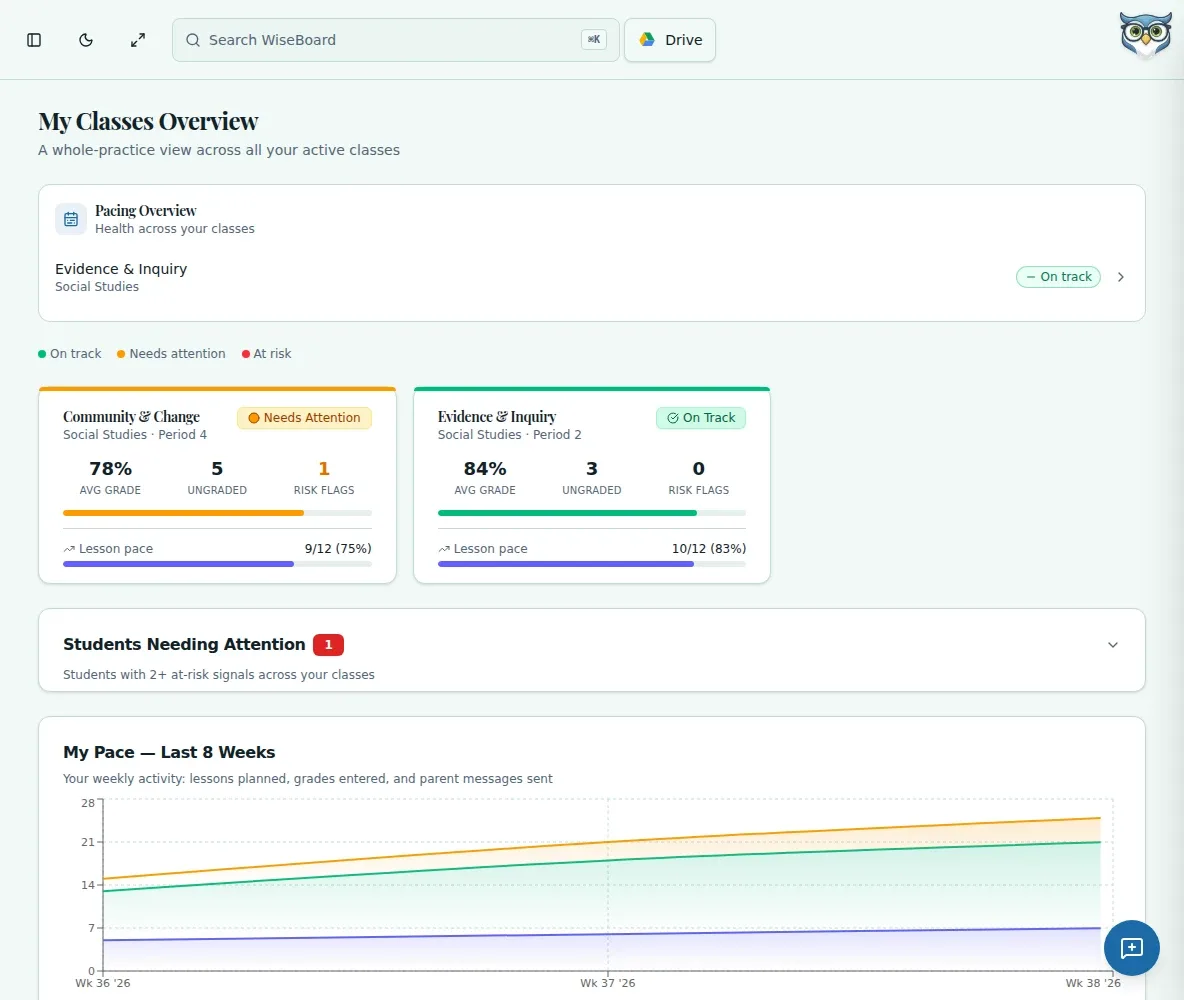
Keep class and student views together
Open available teacher-facing views from the Insights area instead of confusing them with internal product analytics.
Class insight
When a class trend raises a question, open Insights to review the available class or student information. Read the labels and source context, then use your classroom knowledge to decide what, if anything, to do next.
See the workspace before you sign in.
01 / THE DIFFERENCE
Practical tools that leave the decisions with you.
Open available teacher-facing views from the Insights area instead of confusing them with internal product analytics.
Review displayed labels, values and source context before drawing conclusions about a learner or class.
Open a displayed detail or instructional action history when you need more context than the summary view.
02 / IN PRACTICE
A closer look at how this fits into your day.
Explore the interactive app demoChoose Insights from WiseBoard's in-app navigation.
Choose an available class or student view and read its labels, values and source context.
Review supporting detail or action history, then make the instructional decision yourself.
03 / A CLOSER LOOK
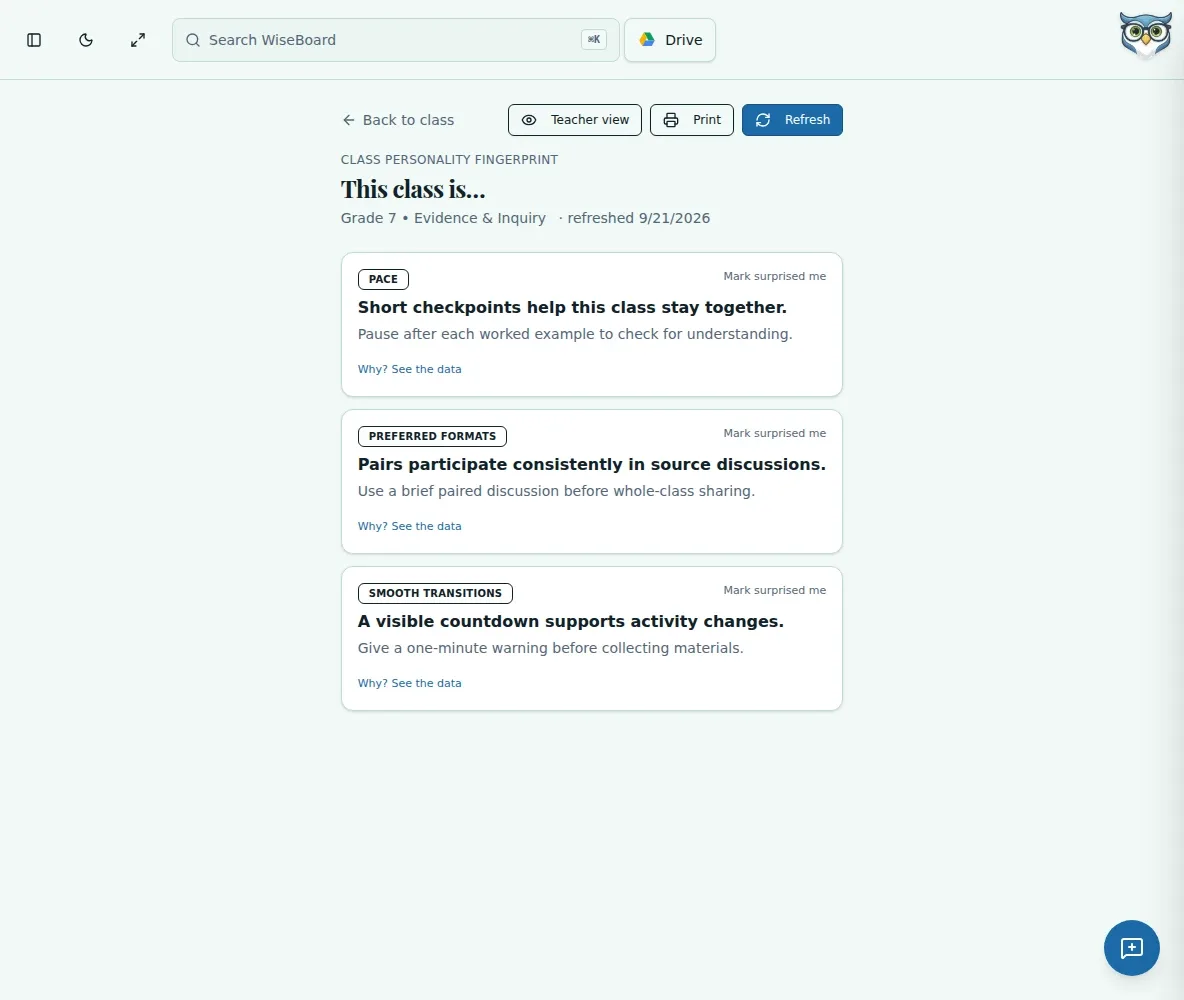
Related workflow view. This is not another screen of the primary feature.
WHAT THIS COULD LOOK LIKE
Review a class view before planning tomorrow's lesson. Open a student detail or action history if you need the underlying context, then decide whether a small-group check-in fits what you know from class.
GOOD TO KNOW
A little more detail before you dive in.
No. Analytics provides information for teacher review; it does not automatically grade, change pacing, message families, group students or open an intervention.
No. Insights is a teacher-facing information area, separate from Teacher Today's queues and from internal product analytics.
YOUR WORKSPACE AWAITS
Explore WiseBoard on your own terms. Take a look around, or start your free trial.