 WiseBoard
Capture the intervention context
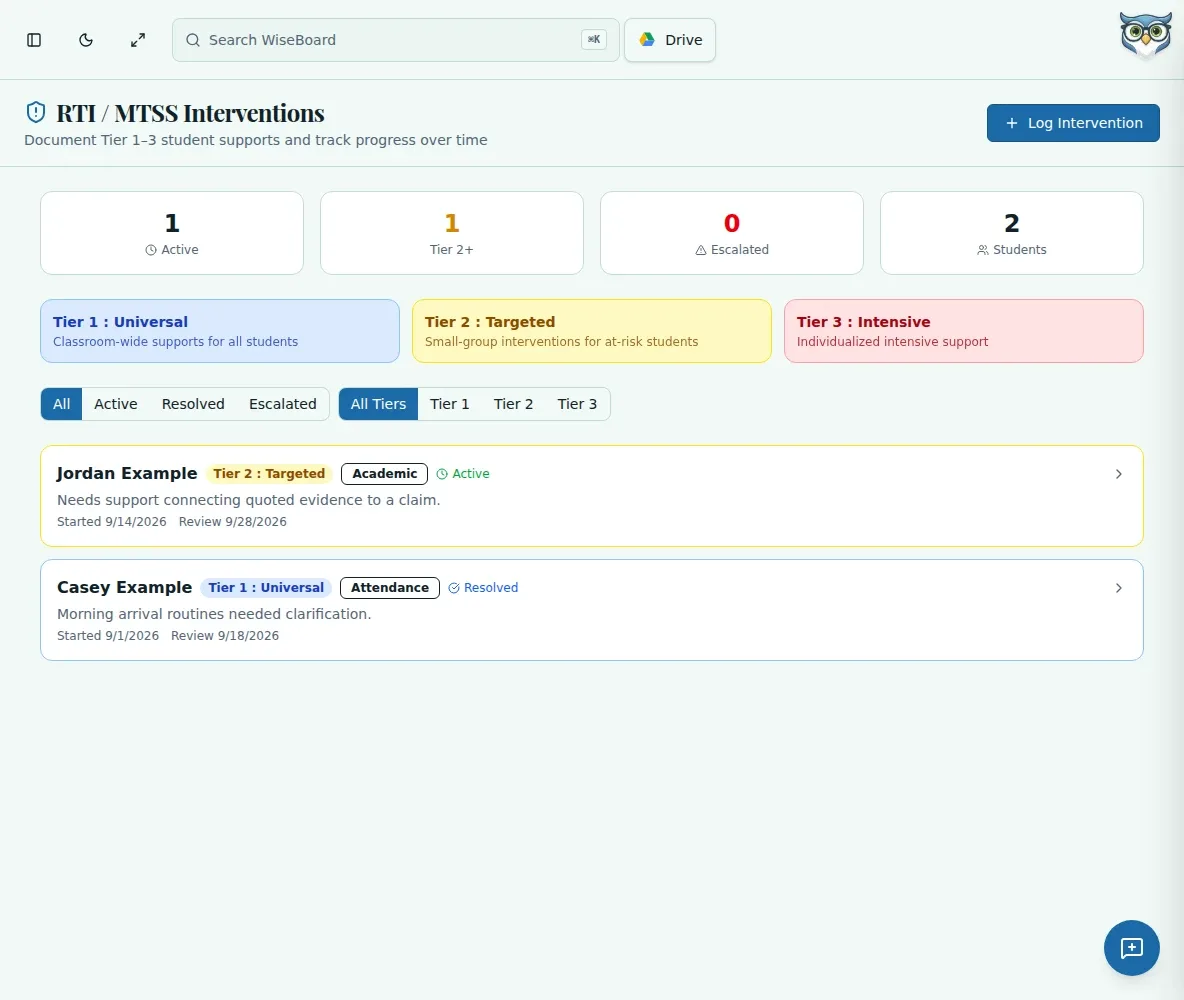
Record a student, Tier 1, 2 or 3, intervention type and the concern you are addressing.
Student support
When a student needs a documented support plan, record the concern, tier, strategy and review date in RTI / Interventions. Add progress notes as you check in, then use the saved record to prepare for a team conversation.
See the workspace before you sign in.
01 / THE DIFFERENCE
Practical tools that leave the decisions with you.
Record a student, Tier 1, 2 or 3, intervention type and the concern you are addressing.
Add a goal, strategy, review date and later progress notes or an outcome.
Use status and tier filters to locate an intervention and mark it Resolved or Escalated when appropriate.
02 / IN PRACTICE
A closer look at how this fits into your day.
Explore the interactive app demoOpen RTI / Interventions and choose Log Intervention.
Enter the student, tier, intervention type and concern, then add an optional goal, strategy and review date.
Filter for the record, expand it to add notes or an outcome, and update its status when the support changes.
WHAT THIS COULD LOOK LIKE
Record the student's concern, select the tier and intervention type, and add the strategy and review date. At the review, expand the record to note what you observed and whether the support should continue, resolve or escalate.
GOOD TO KNOW
A little more detail before you dive in.
Yes, reopen a resolved or escalated record only when the intervention is active again.
The record stores teacher-entered strategy, notes and outcomes for review. It does not establish that an intervention caused an outcome.
YOUR WORKSPACE AWAITS
Explore WiseBoard on your own terms. Take a look around, or start your free trial.