 WiseBoard
See the class context
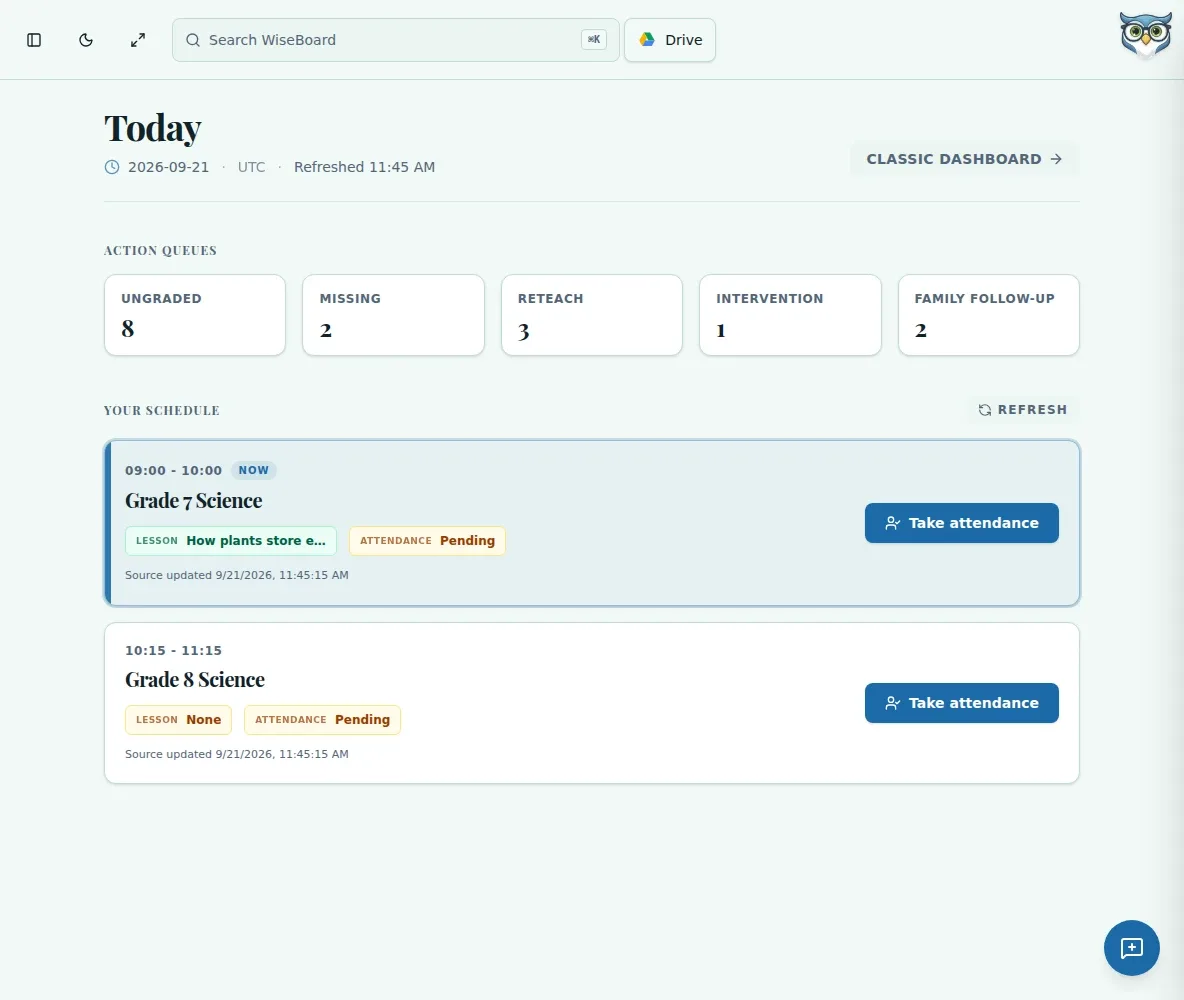
Schedule cards show the class time, linked lesson status, attendance status and the time the source last updated.
Your teaching day
Teacher Today brings schedule cards and teacher action queues into your home view. Check the class, lesson and attendance context for the day, then open an available action when you are ready to work on it.
See the workspace before you sign in.
01 / THE DIFFERENCE
Practical tools that leave the decisions with you.
Schedule cards show the class time, linked lesson status, attendance status and the time the source last updated.
Open an available Ungraded, Missing, Reteach, Intervention or Family Follow-Up action when its link is ready.
Use a schedule card's available action to take attendance, link a lesson, start Live Teach, resume or view the class.
02 / IN PRACTICE
A closer look at how this fits into your day.
Explore the interactive app demoAfter signing in, use the in-app home link to open Teacher Today.
Review available action queues and the timestamps on today's schedule cards. Treat unavailable or stale source data as a reason to check before acting.
Choose the action shown on the relevant schedule card. Use Refresh or Retry when the page reports a source issue.
WHAT THIS COULD LOOK LIKE
Check the first schedule card's linked lesson and attendance status. If the lesson is ready, open Live Teach from that card; if attendance is still needed, use Take attendance instead.
GOOD TO KNOW
A little more detail before you dive in.
Use the visible Refresh control when you need newer schedule data. Do not assume the page refreshes automatically.
The source may not be ready to use. Open a queue only when its link is available and review the displayed status before acting.
YOUR WORKSPACE AWAITS
Explore WiseBoard on your own terms. Take a look around, or start your free trial.