 WiseBoard
Record the status that fits
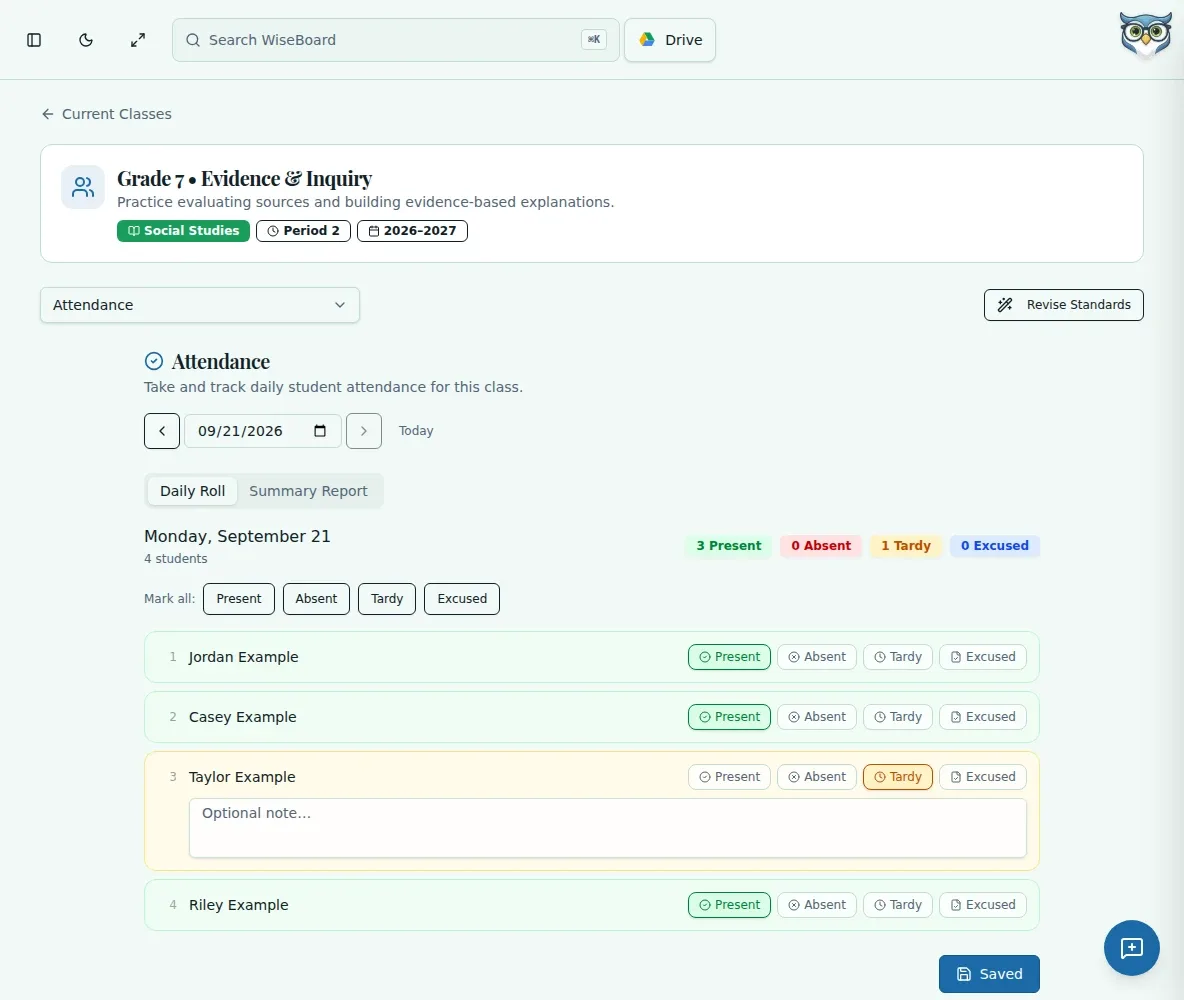
Choose Present, Absent, Tardy or Excused for each student in the selected class.
Daily classroom routine
Take attendance for a selected class and date, mark each student with the appropriate status and save the record. You can open Attendance directly or use the attendance action on an eligible Teacher Today schedule card.
See the workspace before you sign in.
01 / THE DIFFERENCE
Practical tools that leave the decisions with you.
Choose Present, Absent, Tardy or Excused for each student in the selected class.
Include a note beside an individual student when more detail is useful.
Select a past date or use the attendance report view to revisit saved records.
02 / IN PRACTICE
A closer look at how this fits into your day.
Explore the interactive app demoOpen Attendance or use Take attendance from Teacher Today, then select the date and class.
Choose an attendance status for each student. Use Mark all when appropriate, then adjust exceptions.
Choose Save Attendance and check the result. If you see Queued to sync, wait for successful sync before treating it as saved to the server.
WHAT THIS COULD LOOK LIKE
Select today's date and the class that just began. Mark everyone Present if that is accurate, change any absent, tardy or excused students, add a needed note and save before moving into instruction.
GOOD TO KNOW
A little more detail before you dive in.
Check for a successful sync before treating the record as saved to the server.
Yes. Select a past date or use the attendance report view.
YOUR WORKSPACE AWAITS
Explore WiseBoard on your own terms. Take a look around, or start your free trial.