 WiseBoard
Build a class from a subject
Create a class with a name and subject, with optional standards set, period, school year or notes.
Class management
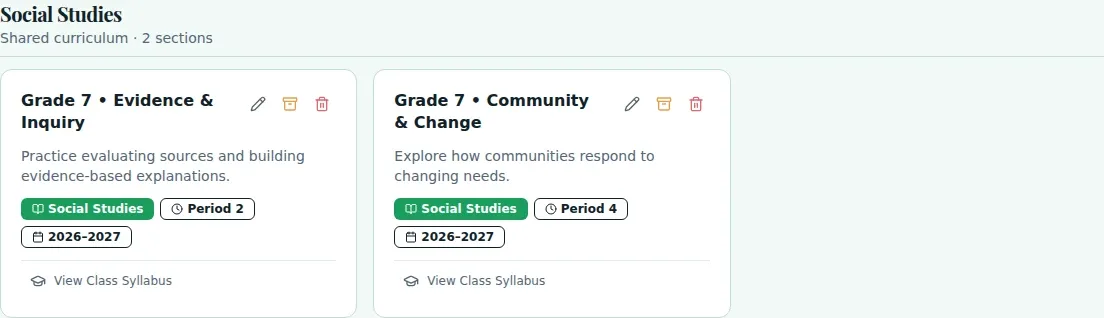
Current Classes is the starting point for managing active classes, archived classes and subjects. Create a class from a subject, optionally start from its curriculum, then open the class areas you need for planning and daily teaching.
See the workspace before you sign in.
01 / THE DIFFERENCE
Practical tools that leave the decisions with you.
Create a class with a name and subject, with optional standards set, period, school year or notes.
Choose the option to start from the subject's curriculum when creating a class.
Open a class to access areas such as Plan Lesson, Schedule, Roster, Attendance, Performance, Student Goals and Sharing & Access.
02 / IN PRACTICE
A closer look at how this fits into your day.
Explore the interactive app demoChoose Current Classes from the in-app navigation.
Choose New Class to enter its name and subject, or select a class name to open its detail page.
Use the class-section menu to open the relevant planning, roster or student workflow.
03 / A CLOSER LOOK
Related workflow view. This is not another screen of the primary feature.
WHAT THIS COULD LOOK LIKE
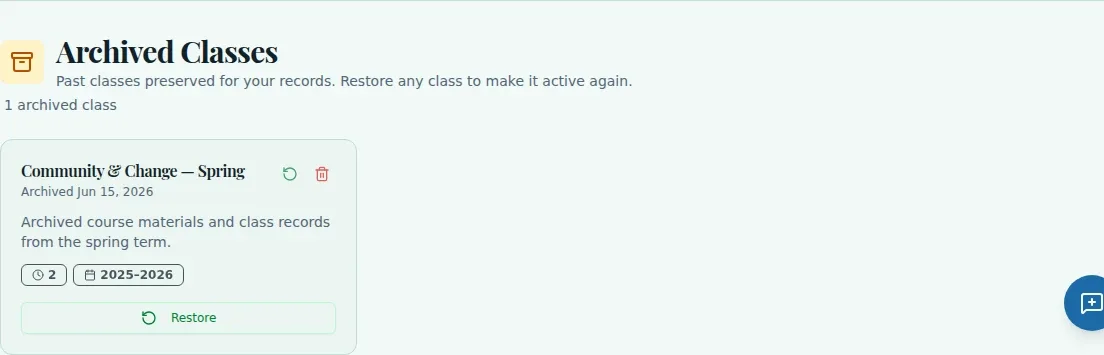
Create a class, select its subject and add the school year and period if useful. If the subject already has curriculum, choose to start from it, then open the class and review its syllabus and roster.
GOOD TO KNOW
A little more detail before you dive in.
No. Current Classes has no Google Classroom sync button. Use a supported integration when one is available for your school.
Archived Classes is a section on the Current Classes page. It is not a separate archive page.
YOUR WORKSPACE AWAITS
Explore WiseBoard on your own terms. Take a look around, or start your free trial.