 WiseBoard
Keep the current list focused
Move a class out of the active view without permanently deleting its historical record.
Class records
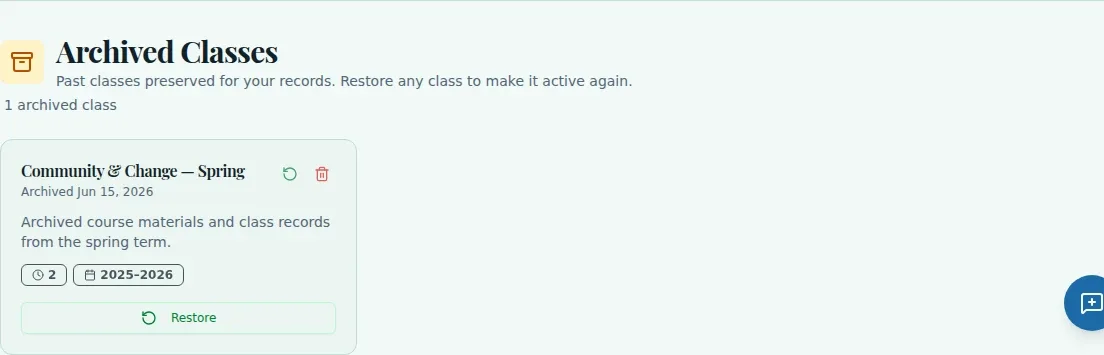
An old class does not need to stay among the classes you teach now. Archive it from Current Classes, then use the Archived Classes section to review its saved details or restore it when you need it again.
See the workspace before you sign in.
01 / THE DIFFERENCE
Practical tools that leave the decisions with you.
Move a class out of the active view without permanently deleting its historical record.
Open archived class cards when you need to look back at a previous class.
Restore an archived class to return it to Current Classes.
02 / IN PRACTICE
A closer look at how this fits into your day.
Explore the interactive app demoGo to Current Classes and scroll to Archived Classes.
Inspect the archived class card and its saved details before changing its status.
Choose Restore and confirm to return a class to Current Classes, or use Archive on an active class card and confirm.
03 / A CLOSER LOOK
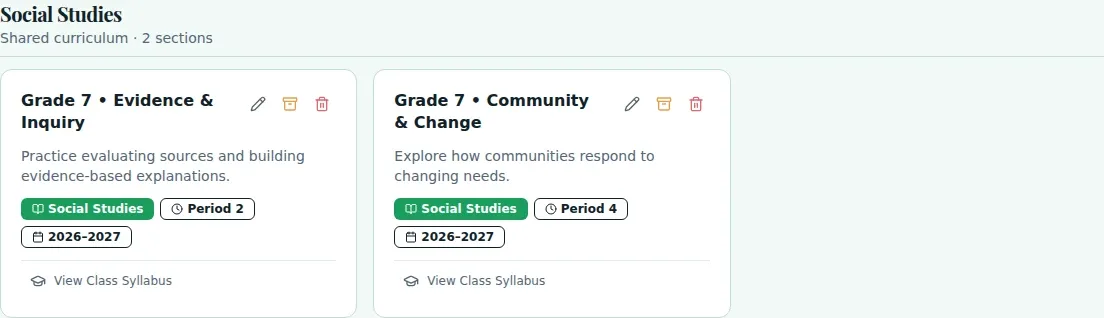
Related workflow view. This is not another screen of the primary feature.
WHAT THIS COULD LOOK LIKE
Open Archived Classes and review the card for the class that is continuing this term. Select Restore and confirm, then check that it appears in the active Current Classes list.
GOOD TO KNOW
A little more detail before you dive in.
No. Scroll to the Archived Classes section on Current Classes.
No. Archived classes retain their records and can be restored. Permanent deletion is not part of the documented archive workflow.
YOUR WORKSPACE AWAITS
Explore WiseBoard on your own terms. Take a look around, or start your free trial.