 WiseBoard
See your day in blocks
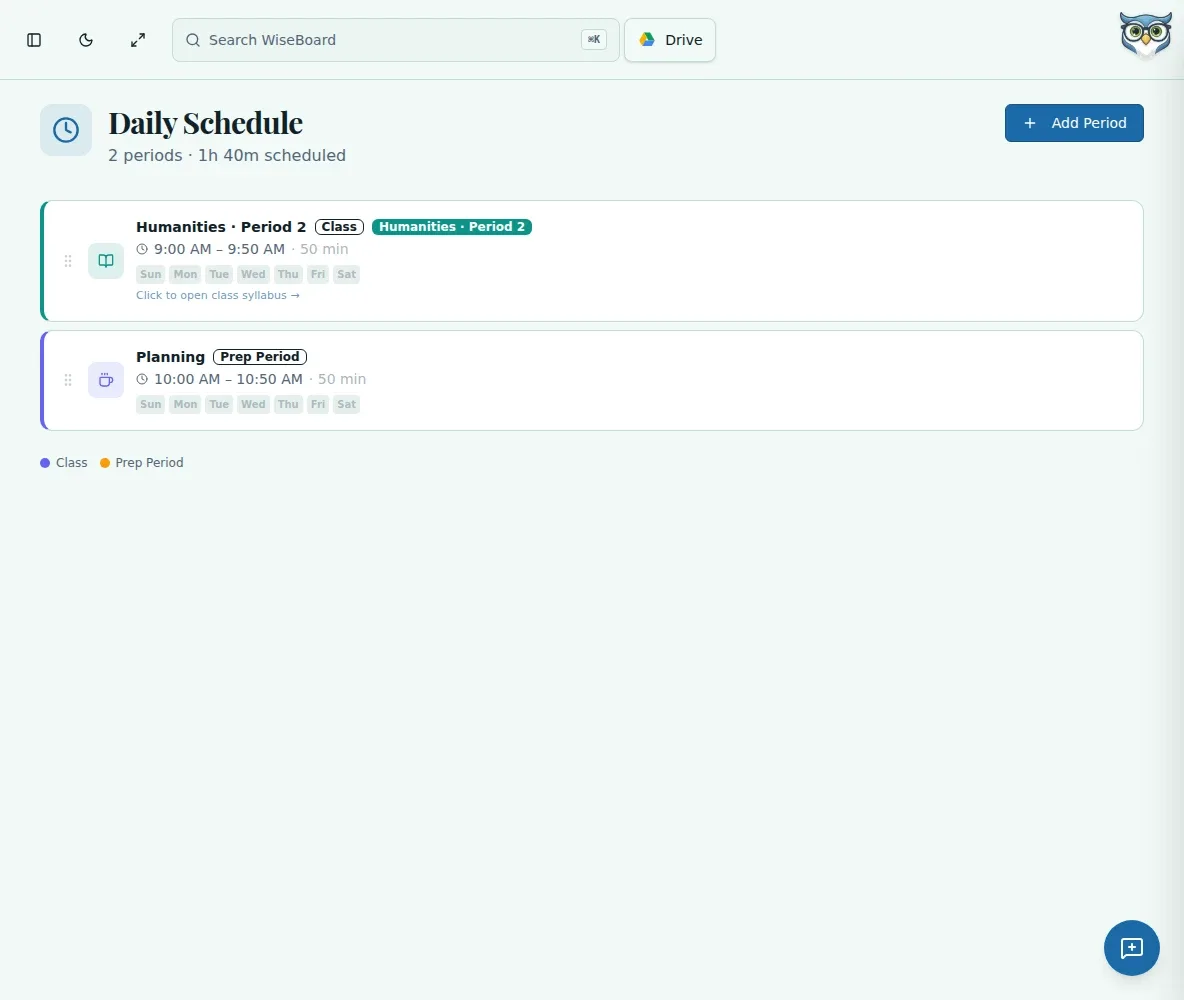
Add the periods, prep time, lunch and duty blocks you want to keep visible.
Plan the school day
Between periods, prep time and school events, the next thing can be easy to lose track of. Build a block schedule that reflects your day, and link class periods to active classes when you want those class details within reach.
See the workspace before you sign in.
01 / THE DIFFERENCE
Practical tools that leave the decisions with you.
Add the periods, prep time, lunch and duty blocks you want to keep visible.
Link a class-type period to an active class; selecting a linked period opens that class's syllabus.
Open an existing period to change or remove a block as your timetable changes.
02 / IN PRACTICE
A closer look at how this fits into your day.
Explore the interactive app demoOpen Daily Schedule and choose Add Period.
Add its name, start and end time, and link an active class when appropriate.
Repeat for the blocks you want to track, then edit or delete a period from its existing entry.
WHAT THIS COULD LOOK LIKE
Add your class periods and prep block, then include lunch duty if it helps a substitute understand the day. Link each class period to its active class so its syllabus is one selection away.
GOOD TO KNOW
A little more detail before you dive in.
No. Schedule blocks can link to active classes; archived classes are not offered for the link.
Yes. Open an existing period to edit or delete it.
YOUR WORKSPACE AWAITS
Explore WiseBoard on your own terms. Take a look around, or start your free trial.