 WiseBoard
Show the actual requirements
Students can inspect point costs, seasonal countdowns, and unlock conditions before deciding what to do.
Student Arcade
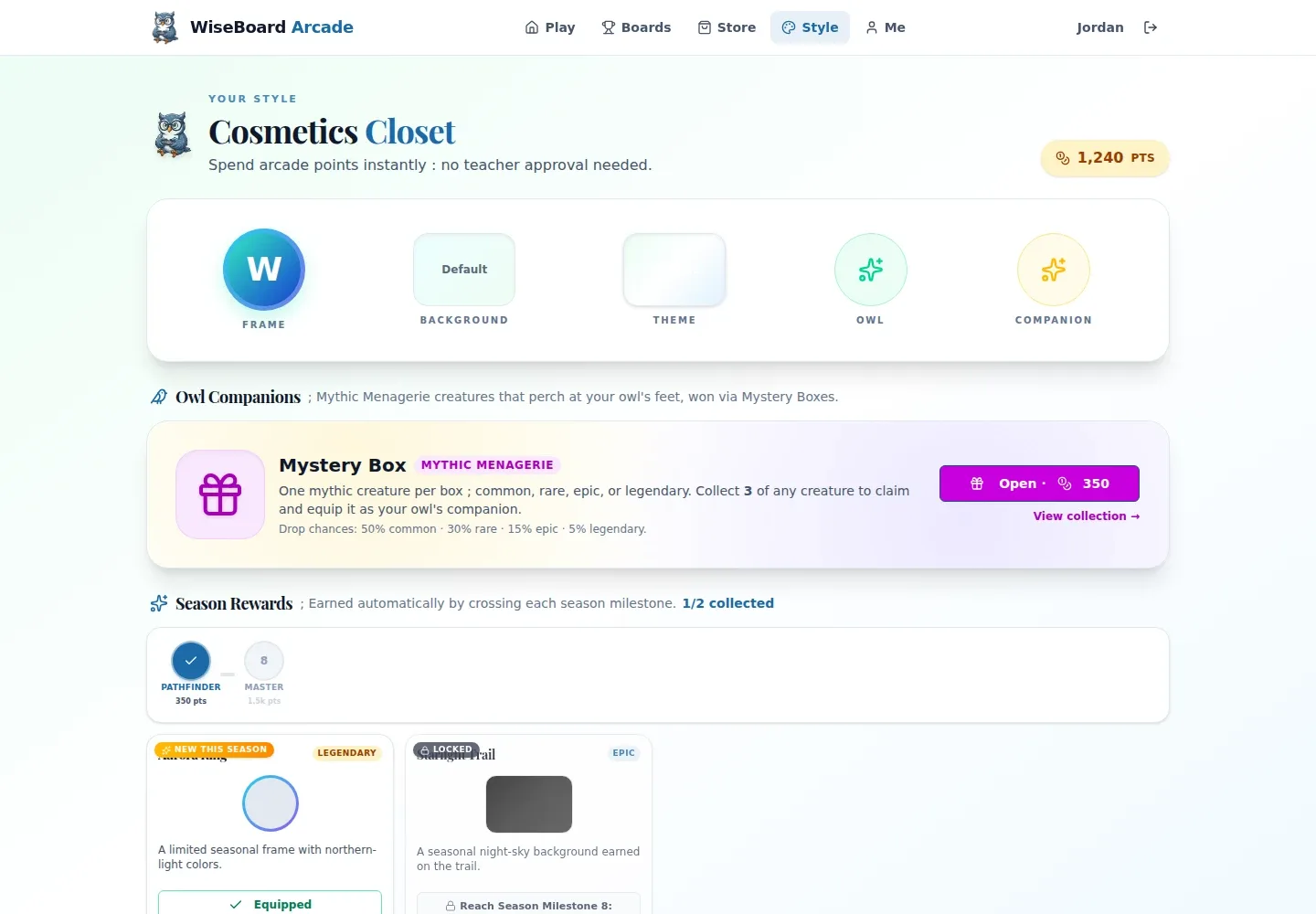
The Arcade Cosmetics Closet gives students one place to see which character items are available, what they cost, and what must be unlocked first. It is separate from the classroom rewards Store, so students can make a style choice without confusing cosmetics with class rewards.
See the workspace before you sign in.
01 / THE DIFFERENCE
Practical tools that leave the decisions with you.
Students can inspect point costs, seasonal countdowns, and unlock conditions before deciding what to do.
Cosmetics live in the Arcade closet, not the classroom rewards Store.
When an item is owned, students can equip it from the same space.
02 / IN PRACTICE
A closer look at how this fits into your day.
Explore the interactive app demoStudents sign in to Arcade and open Your Style / Cosmetics Closet. If access is paused, they should ask their teacher.
Review the displayed item, Arcade point cost, seasonal timer, and unlock requirements.
Use Buy and confirm the displayed cost when purchasing is available, or equip an owned item.
WHAT THIS COULD LOOK LIKE
Before students begin an Arcade activity, point them to the closet to check which looks are available and whether they meet the unlock requirements. Buying and equipping are student choices; seasonal items are not guaranteed to return.
GOOD TO KNOW
A little more detail before you dive in.
No. The Cosmetics Closet is for visual customization in Arcade and is separate from the classroom rewards Store.
No. Availability varies. Students should follow the displayed purchase and unlock rules rather than assume every item is purchasable.
YOUR WORKSPACE AWAITS
Explore WiseBoard on your own terms. Take a look around, or start your free trial.