 WiseBoard
Keep help connected to class learning
Set lesson focus areas; when none are entered, the class subject is used.
Student support
Pip's Study Hall lets a teacher configure student access for a class, choose lesson focus areas and a daily question cap, and select which hub tools are available. Students use a separate sign-in page. Review activity and flagged messages, because AI guidance still needs teacher oversight.
See the workspace before you sign in.
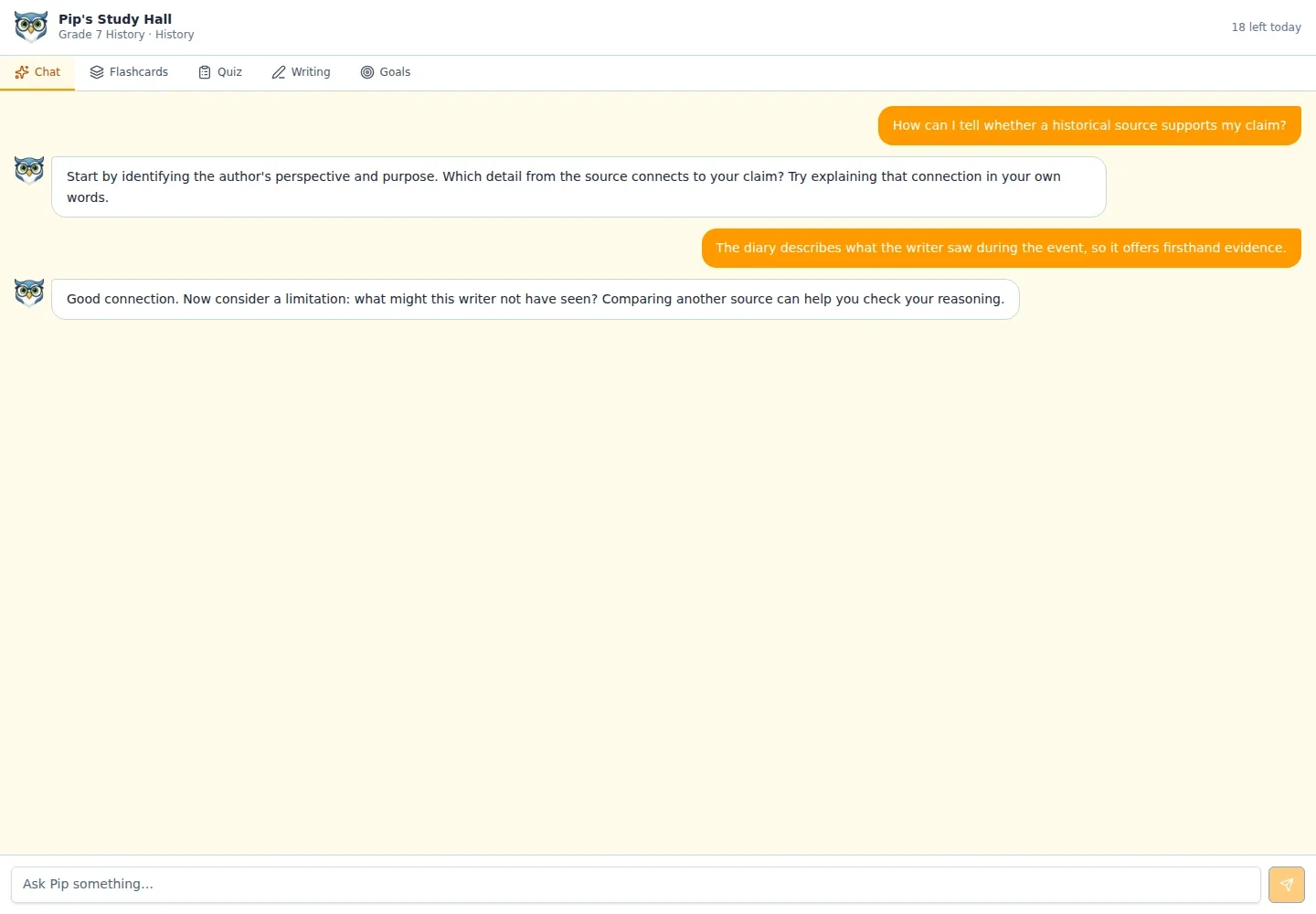
01 / THE DIFFERENCE
Practical tools that leave the decisions with you.
Set lesson focus areas; when none are entered, the class subject is used.
Configure the daily question cap and select the hub tools students can use.
Review recent activity and messages marked as needing teacher review.
02 / IN PRACTICE
A closer look at how this fits into your day.
Explore the interactive app demoOpen the class's Study Hall settings, turn access on, choose focus areas and a question cap, then save.
Review access settings, share the intended join instructions, select available hub tools, and save.
Review recent activity and flagged messages; turn access off and save settings when the session is over.
WHAT THIS COULD LOOK LIKE
Set the current unit as the Study Hall focus, choose a question cap, and enable only the tools appropriate for the class. After the work period, review questions for misconceptions and close access if students should no longer enter.
GOOD TO KNOW
A little more detail before you dive in.
Teachers configure Study Hall from the class settings. Students use the separate Study Hall sign-in page.
No. Topic guidance is not a guarantee that every response is correct or appropriate. Teachers should review available activity and flagged messages.
YOUR WORKSPACE AWAITS
Explore WiseBoard on your own terms. Take a look around, or start your free trial.