 WiseBoard
Recognize more than a score
Choose a badge for effort, growth, academic milestones, behavior or character.
Student recognition
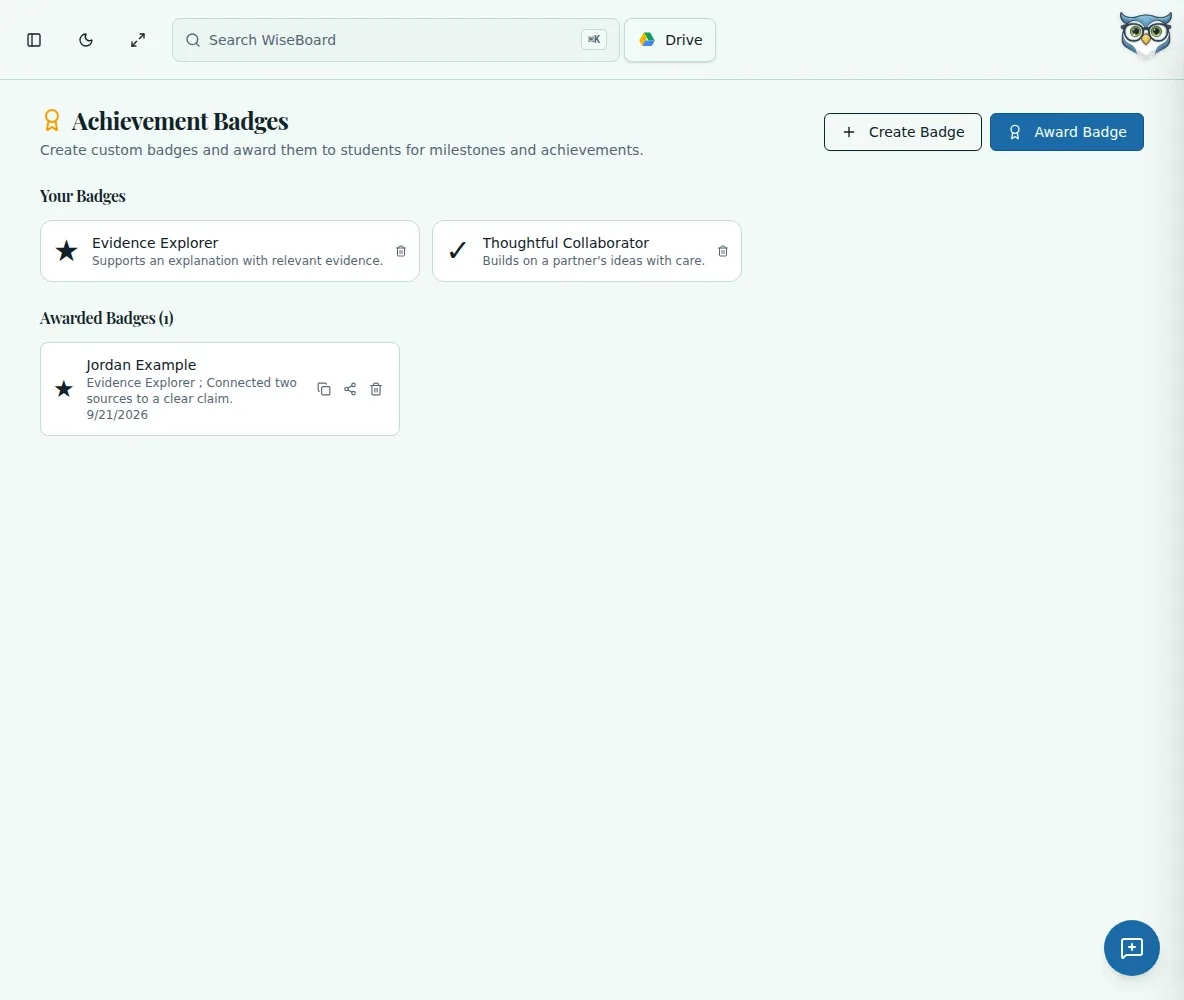
A badge can make a moment of effort or growth visible to a student. Choose an available badge or create one, add an optional message and confirm the award when you are ready.
See the workspace before you sign in.
01 / THE DIFFERENCE
Practical tools that leave the decisions with you.
Choose a badge for effort, growth, academic milestones, behavior or character.
Create a badge with the fields shown or add an optional message when awarding one.
Choose the student and badge, review the award and confirm it yourself.
02 / IN PRACTICE
A closer look at how this fits into your day.
Explore the interactive app demoChoose the page from the in-app navigation.
Choose an available badge or create one with the fields shown.
Choose Award Badge, select the student and badge, add an optional message, then review and confirm.
WHAT THIS COULD LOOK LIKE
Choose an appropriate badge for a student who used feedback to improve a draft. Add a brief message naming the specific revision effort, review the award and confirm it.
GOOD TO KNOW
A little more detail before you dive in.
No. Family visibility or sharing is not automatic.
Yes. The page lets you create a badge using the fields shown.
YOUR WORKSPACE AWAITS
Explore WiseBoard on your own terms. Take a look around, or start your free trial.