 WiseBoard
Aim the warm-up at your current topic
Give the generator the concept you want students to revisit.
Lesson preparation
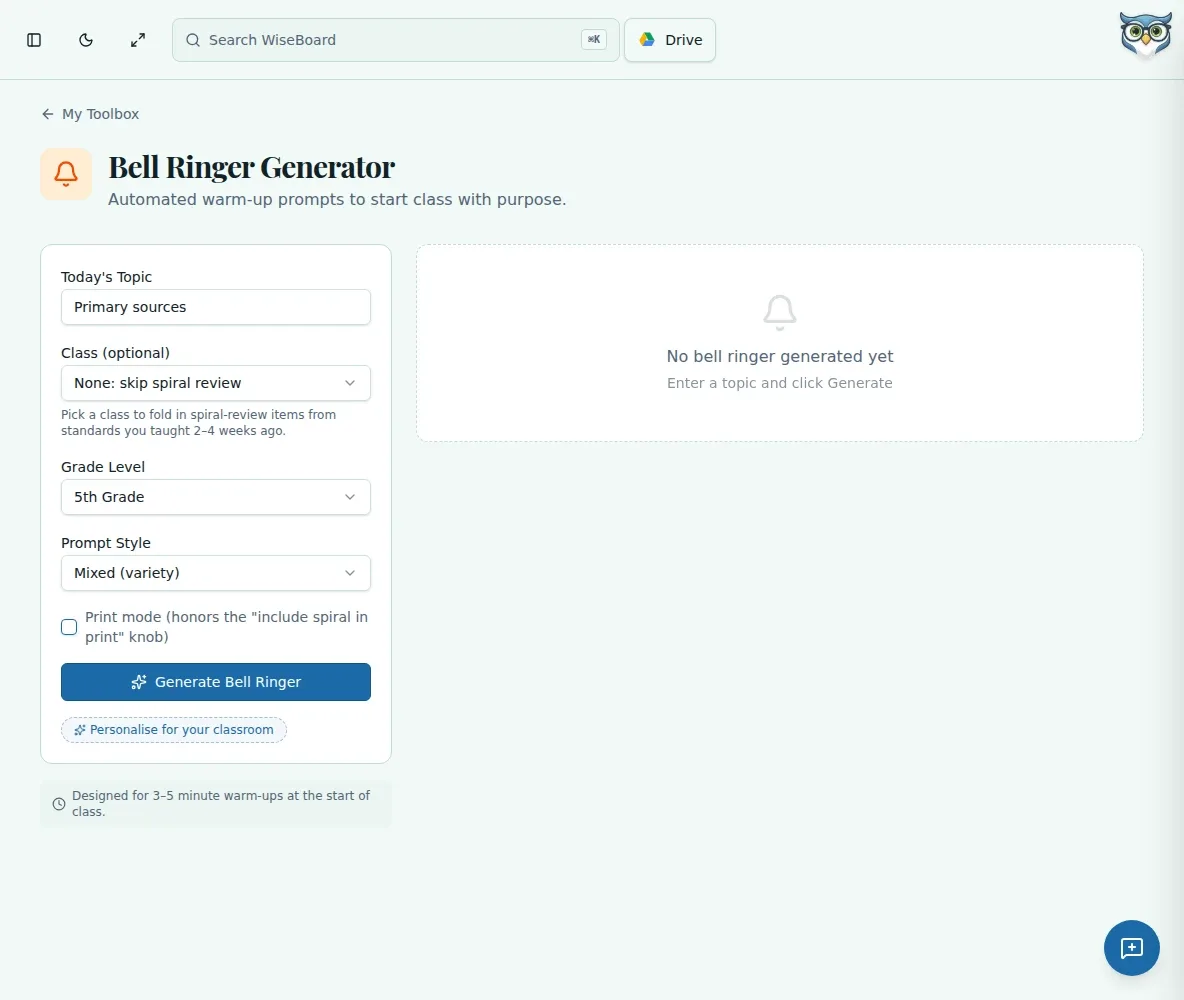
Start class with a warm-up tied to the topic students are learning. Choose a grade and prompt style, optionally add class context for spiral review, and edit the generated draft before displaying or copying it into your lesson.
See the workspace before you sign in.
01 / THE DIFFERENCE
Practical tools that leave the decisions with you.
Give the generator the concept you want students to revisit.
Use Mixed, Discussion Questions, Quick Write, Vocabulary, Review, or Prediction prompt styles.
Edit the draft, then copy it into a lesson or slide deck or display it from the tool.
02 / IN PRACTICE
A closer look at how this fits into your day.
Explore the interactive app demoEnter the topic, grade level, and a prompt style; optionally choose a class for spiral-review context.
Choose Generate and inspect the warm-up prompt and any discussion extension.
Adjust language for your students, then copy it into your materials or display it.
WHAT THIS COULD LOOK LIKE
Enter equivalent fractions as the topic, select the grade and a Quick Write style, and review the generated prompt. Tighten the wording so it matches yesterday's model before putting it on the opening slide.
GOOD TO KNOW
A little more detail before you dive in.
No. Review and edit it, then copy it into your lesson materials or display it from the tool.
You can optionally choose a class to provide spiral-review context, then check that the prompt suits the material students have learned.
YOUR WORKSPACE AWAITS
Explore WiseBoard on your own terms. Take a look around, or start your free trial.