 WiseBoard
Start from the lesson focus
Use the topic, objectives and grade level to shape a question draft.
End-of-lesson check
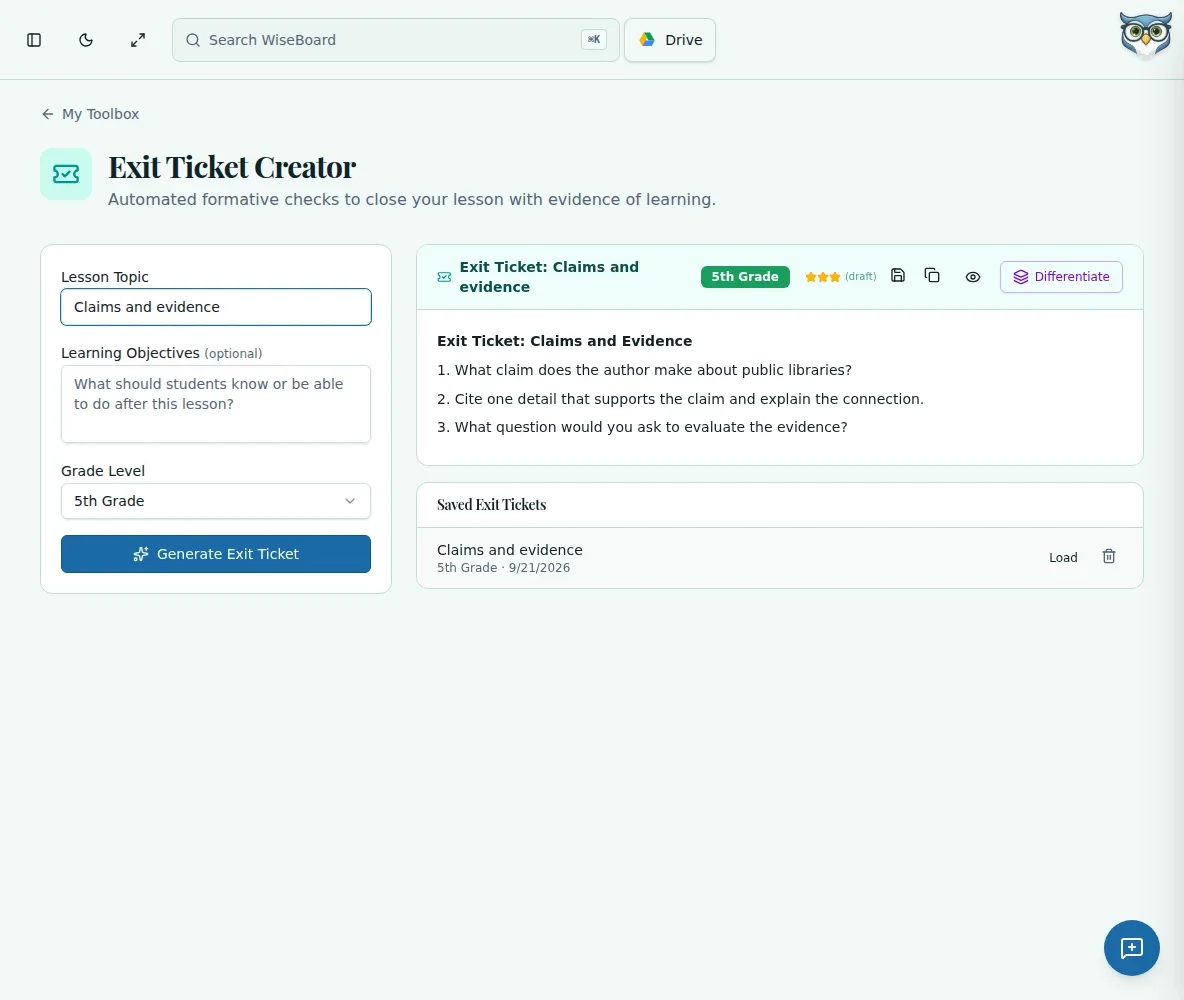
When you want a quick closing check, give the exit ticket tool a topic, optional learning objectives and grade level. Review the generated questions and decide what fits before copying, printing or saving the draft.
See the workspace before you sign in.
01 / THE DIFFERENCE
Practical tools that leave the decisions with you.
Use the topic, objectives and grade level to shape a question draft.
Check the generated questions and adjust the ticket before using it in class.
Copy, print or save tickets in this browser for later review.
02 / IN PRACTICE
A closer look at how this fits into your day.
Explore the interactive app demoChoose Exit Ticket from Teacher Tools.
Enter a topic, optionally add learning objectives, choose a grade level and generate a ticket.
Check the questions, then copy, print or save the ticket. Review a saved ticket before sharing.
WHAT THIS COULD LOOK LIKE
Enter the day's topic, the objective students practiced and their grade level. Generate a ticket, keep the one or two questions that give you a useful snapshot and edit anything that does not match the lesson.
GOOD TO KNOW
A little more detail before you dive in.
No. It drafts questions; it does not launch a student session, score responses or create follow-up groups.
Saved tickets depend on this browser's local storage, not a shared student response record.
YOUR WORKSPACE AWAITS
Explore WiseBoard on your own terms. Take a look around, or start your free trial.