 WiseBoard
Start from reviewed quiz content
Choose an available WiseUp quiz and a boss preset before launching.
Practice and play
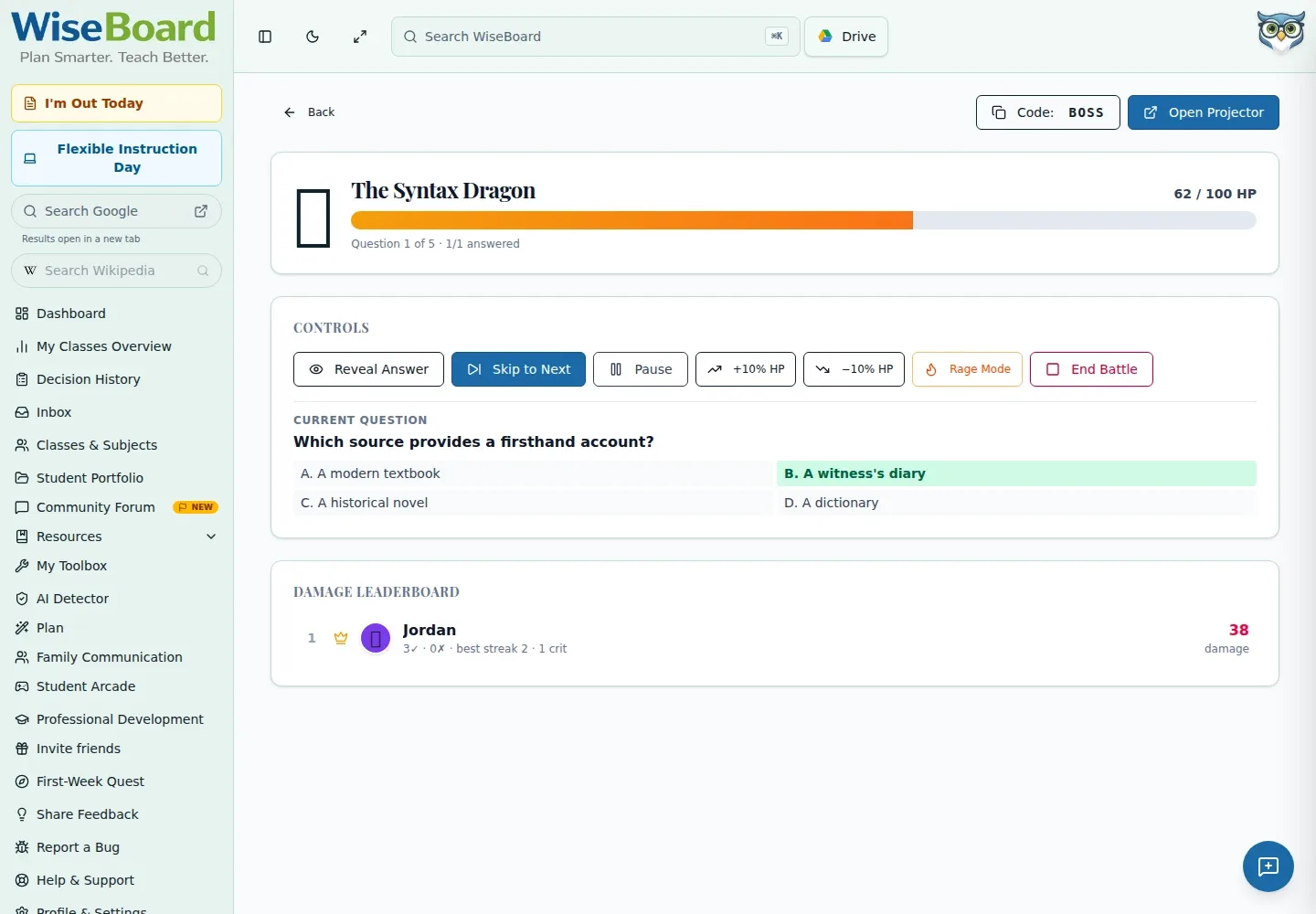
Boss Battle turns an available WiseUp quiz into a teacher-led collaborative session. Choose a boss preset, open the control screen and invite students to join from their own devices.
See the workspace before you sign in.
01 / THE DIFFERENCE
Practical tools that leave the decisions with you.
Choose an available WiseUp quiz and a boss preset before launching.
Share the room code, QR code or join URL displayed on the teacher control screen.
Use results as formative evidence, not as proof that students mastered the material.
02 / IN PRACTICE
A closer look at how this fits into your day.
Explore the interactive app demoOpen Boss Battle and select an available WiseUp quiz and boss preset.
Choose Start Battle to open the teacher control screen.
Share the displayed join details, then use teacher controls and review results after play.
WHAT THIS COULD LOOK LIKE
Choose a WiseUp quiz the class has already studied and a boss preset suited to the time available. Start the battle, share the room code and use the teacher controls to lead the review; revisit missed ideas as formative evidence rather than treating the result as a mastery score.
GOOD TO KNOW
A little more detail before you dive in.
Yes. Share the room code, QR code or join URL shown on the teacher control screen.
No. Review results as formative evidence and use your judgment to decide what the class needs next.
YOUR WORKSPACE AWAITS
Explore WiseBoard on your own terms. Take a look around, or start your free trial.