 WiseBoard
Create a consistent opening
Open a check-in at the start of class and optionally add a prompt or select a class.
Start-of-class routine
A short check-in gives students a moment to say how ready or energized they feel before class begins. Open a session, share its join details and use responses as context for a teacher follow-up, not an attendance or diagnostic record.
See the workspace before you sign in.
01 / THE DIFFERENCE
Practical tools that leave the decisions with you.
Open a check-in at the start of class and optionally add a prompt or select a class.
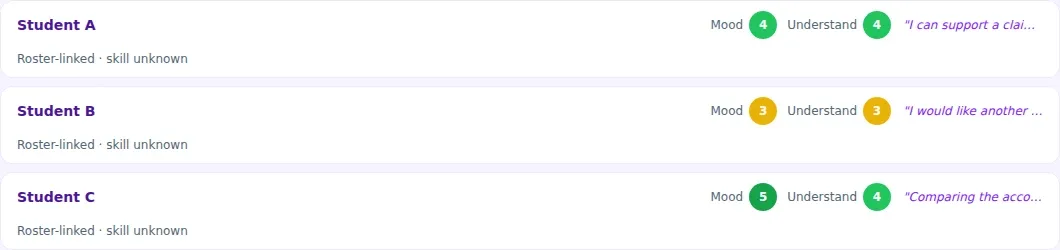
See submitted responses and inspect evidence or reconciliation when you need to understand an attempt.
Use the response as context for a teacher check-in; the tool does not automatically intervene.
02 / IN PRACTICE
A closer look at how this fits into your day.
Explore the interactive app demoChoose Open Check-In, optionally choose a class and enter a prompt, then confirm in the form.
Give students the session join information displayed on the page.
Read submitted responses and use manual check-in or a new attempt only when appropriate to the student's actual response.
WHAT THIS COULD LOOK LIKE
Open a session with a prompt such as what students need to feel ready to learn. Share the join details, review responses and privately follow up where appropriate before beginning instruction.
GOOD TO KNOW
A little more detail before you dive in.
No. Daily Check-In is not attendance, a diagnosis or an automatic intervention.
Use View evidence to inspect attempts and reconciliation. Start a new attempt or enter a manual check-in only when it fits the student's actual response.
YOUR WORKSPACE AWAITS
Explore WiseBoard on your own terms. Take a look around, or start your free trial.