 WiseBoard
Keep today's class entries together
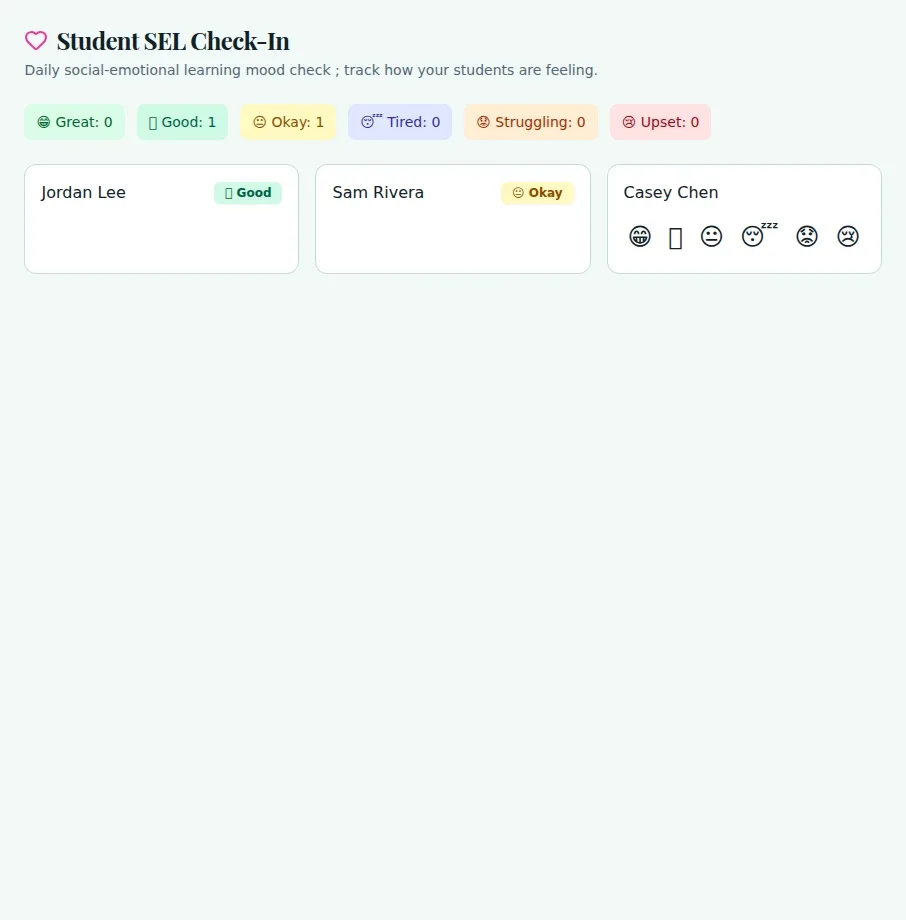
Choose a class and record a mood for students who do not yet have a check-in today.
Class check-in
A quick mood check can give you a reason to pause and follow up with a student. Record the mood they report for the selected class, then use the daily counts and attention prompt as context for a teacher conversation, not as a diagnosis.
See the workspace before you sign in.
01 / THE DIFFERENCE
Practical tools that leave the decisions with you.
Choose a class and record a mood for students who do not yet have a check-in today.
Review today's mood counts and repeated recent low-mood entries for teacher follow-up.
Use the check-in as context; it does not create a support record or send a notification automatically.
02 / IN PRACTICE
A closer look at how this fits into your day.
Explore the interactive app demoOpen SEL Check-In and select a class when more than one is available.
For each student without a check-in today, select the mood they report or that you are recording.
Look at daily counts and the Attention Needed prompt, then decide whether a conversation is appropriate.
WHAT THIS COULD LOOK LIKE
Select the class and record each student's reported mood. If the page calls attention to repeated low-mood entries, check in privately and use your school support process as appropriate.
GOOD TO KNOW
A little more detail before you dive in.
No. It is a teacher-entered daily mood check, not a diagnosis, attendance record or automatic intervention.
No. Entries save when selected; they do not send notifications or create support records automatically.
YOUR WORKSPACE AWAITS
Explore WiseBoard on your own terms. Take a look around, or start your free trial.