 WiseBoard
Show the countdown
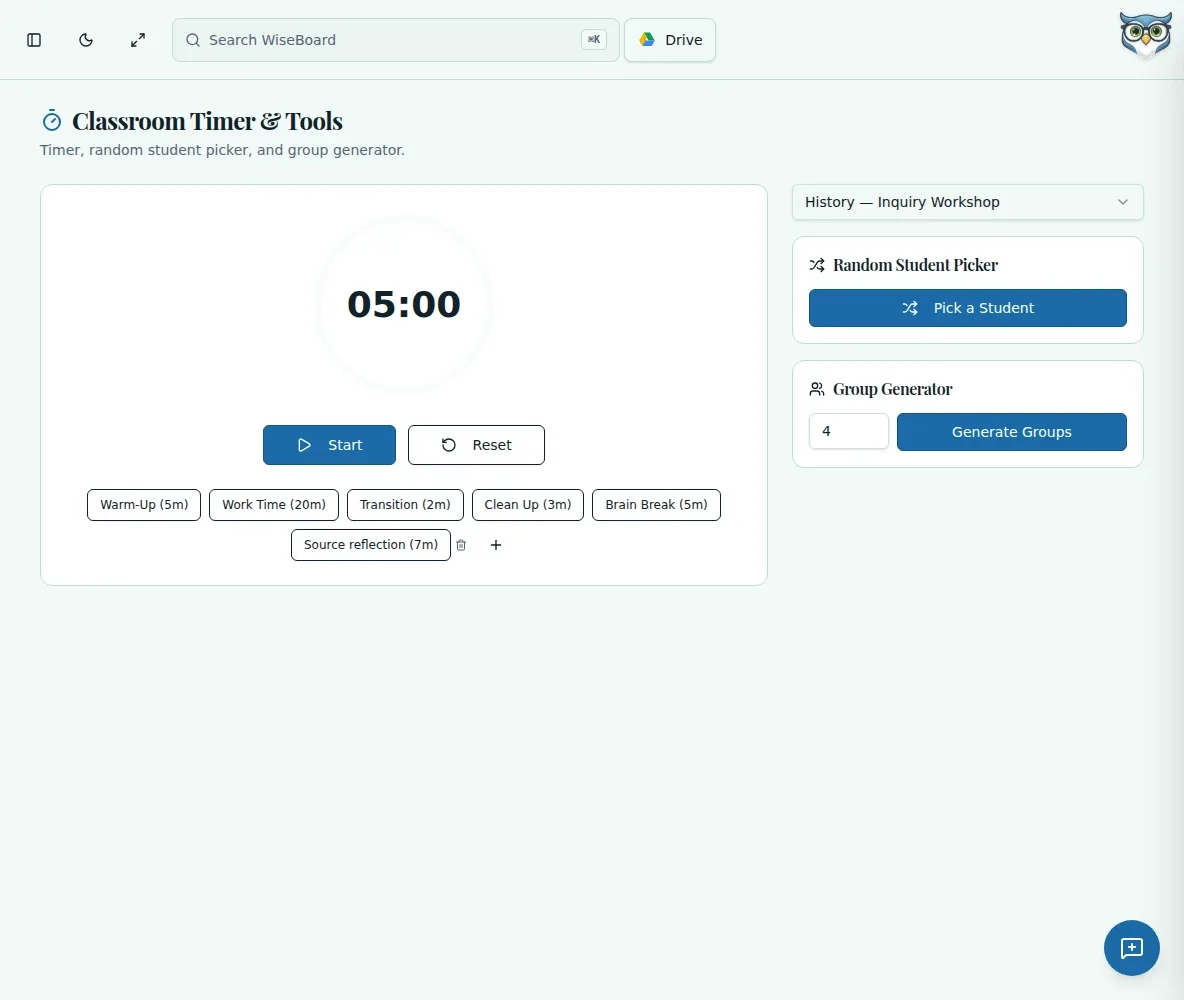
Project the timer page when you want students to see the time remaining.
Everyday classroom tools
During a transition, partner share or independent task, a visible countdown gives students a shared sense of the time remaining. Set a preset, start the timer and use its pause or reset controls as the routine unfolds.
See the workspace before you sign in.
01 / THE DIFFERENCE
Practical tools that leave the decisions with you.
Project the timer page when you want students to see the time remaining.
Choose a preset or save a named preset with a duration in minutes.
Select a class to use Random Student Picker or set a group size and generate groups.
02 / IN PRACTICE
A closer look at how this fits into your day.
Explore the interactive app demoOpen Classroom Timer and select a preset, or use the plus button to save a named preset in minutes.
Select Start, then Pause or Reset when the routine calls for it.
Select a class to pick a random student or enter a group size and choose Generate Groups.
WHAT THIS COULD LOOK LIKE
Set a five-minute countdown for packing up, project the page and start the timer. Pause if an instruction needs repeating, then reset before the next transition.
GOOD TO KNOW
A little more detail before you dive in.
Only if you choose to project the page.
Select a class to use Random Student Picker or generate groups.
YOUR WORKSPACE AWAITS
Explore WiseBoard on your own terms. Take a look around, or start your free trial.