 WiseBoard
See established coaching relationships
Review the teachers connected through accepted invitations rather than searching for arbitrary accounts.
Professional learning
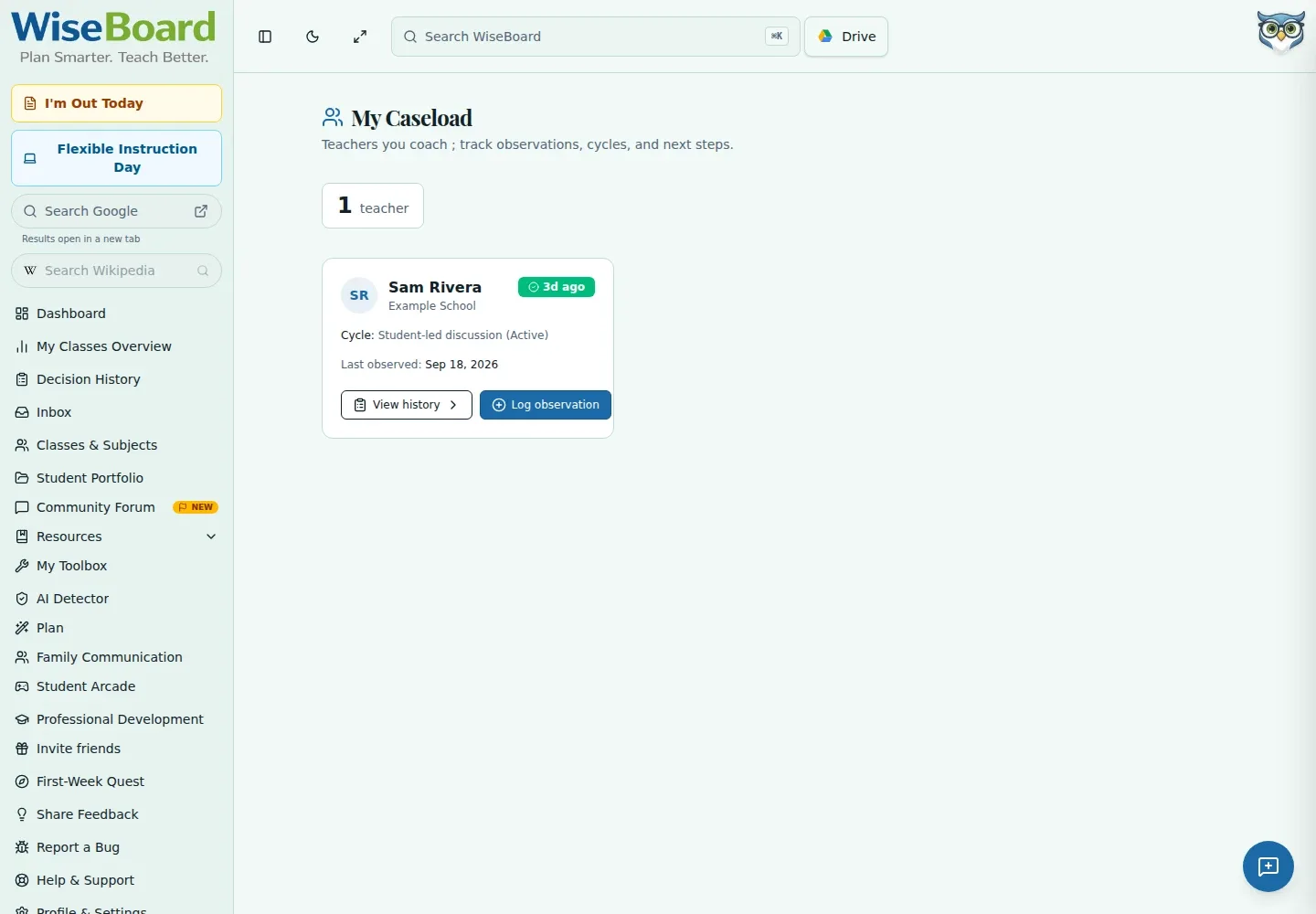
Coaching Caseload brings accepted teacher-coach relationships, current cycle information, and recent observations into one view. Open a teacher's available detail to inspect shared coaching information. A teacher appears only after inviting the coach and the coach accepting.
See the workspace before you sign in.
01 / THE DIFFERENCE
Practical tools that leave the decisions with you.
Review the teachers connected through accepted invitations rather than searching for arbitrary accounts.
Check current cycle information and observation recency before opening available shared details.
Teachers invite coaches by email from Settings; the relationship appears after the coach accepts.
02 / IN PRACTICE
A closer look at how this fits into your day.
Explore the interactive app demoGo to Coaching Caseload to review accepted teacher relationships.
Review cycles, recent observations, and available shared coaching detail.
Ask a teacher to send an invitation from Settings and accept it; the caseload does not claim arbitrary teachers.
WHAT THIS COULD LOOK LIKE
Open the teacher's caseload detail and review the current cycle and recent shared observations. If the teacher is missing, ask them to invite you and accept the invitation rather than searching for an unconnected account.
GOOD TO KNOW
A little more detail before you dive in.
A teacher appears after they invite the coach by email from Settings and the coach accepts the invitation.
No. The page shows accepted relationships and does not search for or claim arbitrary teachers.
YOUR WORKSPACE AWAITS
Explore WiseBoard on your own terms. Take a look around, or start your free trial.