 WiseBoard
Return to analyzed sessions
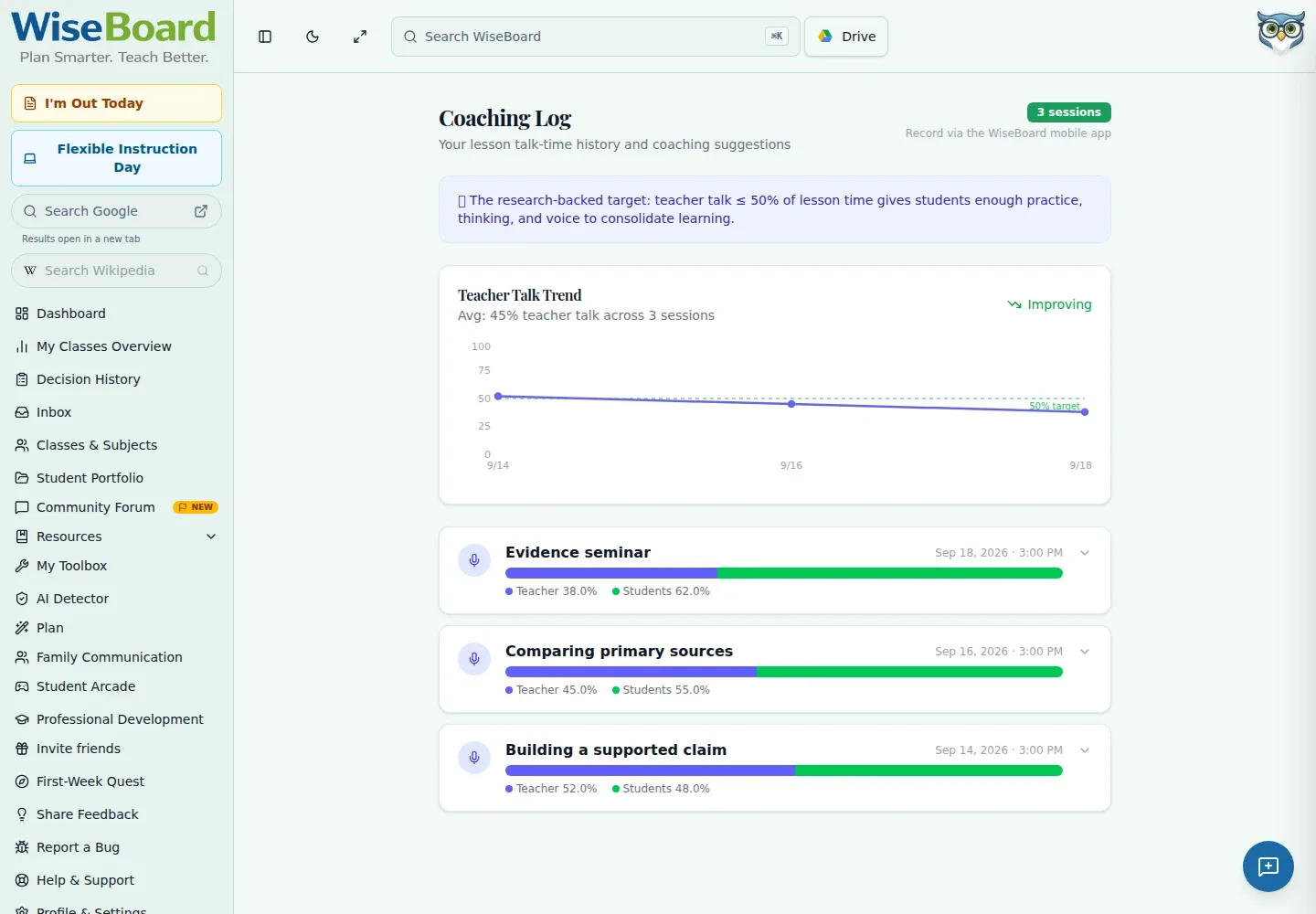
Keep recorded talk-time metrics and coaching tips together for review.
Professional learning
Coaching Log collects analyzed talk-time sessions from Talk Time Analyzer in Live Lesson Mode. Review the teacher-student ratio, trend, wait time, monologue, engagement, and coaching tips as context for reflection, not as a rating of teaching quality.
See the workspace before you sign in.
01 / THE DIFFERENCE
Practical tools that leave the decisions with you.
Keep recorded talk-time metrics and coaching tips together for review.
Expand a session to see wait time, monologue, engagement, and related detail.
Use the explicit share-link control only when you choose to share that particular session with a coach.
02 / IN PRACTICE
A closer look at how this fits into your day.
Explore the interactive app demoUse Talk Time Analyzer in Live Lesson Mode to create a session record.
Open Coaching Log and inspect talk ratio, trends, and expanded session information.
Use the session's share-link control only when you intend to provide that session to a coach.
WHAT THIS COULD LOOK LIKE
Open the analyzed session and review wait time alongside the teacher-student talk ratio. Compare those measures with the lesson's goal and your own recollection before choosing one discussion practice to try next.
GOOD TO KNOW
A little more detail before you dive in.
No. Treat metrics as context for reflection, not a rating of teaching quality or a generic coaching-meeting record.
No. Use the explicit share-link control only when you intend to share a session.
YOUR WORKSPACE AWAITS
Explore WiseBoard on your own terms. Take a look around, or start your free trial.