 WiseBoard
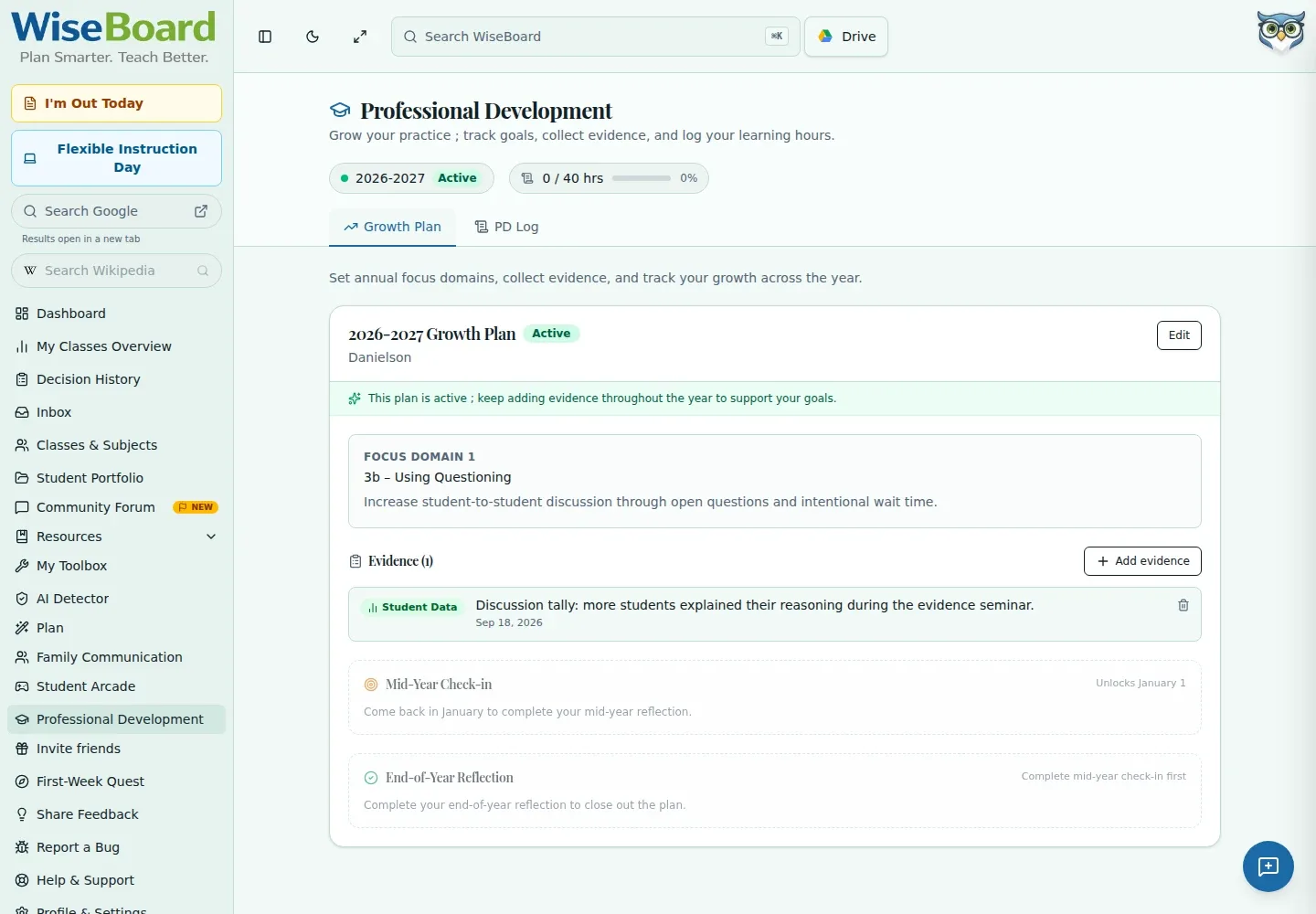
Connect a focus to a goal
Keep your school year, focus domain, and goal together in a saved plan.
Professional learning
Growth Plans is a teacher professional-development workflow, not a student intervention tracker. Set an annual focus, describe a goal, add evidence as the year unfolds, and return for structured mid-year and end-year reflection.
See the workspace before you sign in.
01 / THE DIFFERENCE
Practical tools that leave the decisions with you.
Keep your school year, focus domain, and goal together in a saved plan.
Add observation notes, student data, artifacts, or peer feedback as evidence.
Use the plan's mid-year and end-year controls to review progress before closing it.
02 / IN PRACTICE
A closer look at how this fits into your day.
Explore the interactive app demoOpen Growth Plan in Professional Development and enter the displayed school-year, focus-domain, and goal fields.
Save the plan, activate it when ready, and add evidence connected to your focus.
Complete the mid-year check-in and end-year reflection, then review the plan before closing.
WHAT THIS COULD LOOK LIKE
Set a focus on improving student-to-student discussion. Add observation notes or an artifact from a discussion lesson, then use the mid-year reflection to decide what to keep practicing.
GOOD TO KNOW
A little more detail before you dive in.
No. Growth Plans is for a teacher's professional development. Use the student-support workflow for individual student interventions.
Yes. The workflow supports adding evidence such as observation notes, student data, artifacts, or peer feedback.
YOUR WORKSPACE AWAITS
Explore WiseBoard on your own terms. Take a look around, or start your free trial.