 WiseBoard
Review several kinds of context
See available standards, work samples, behavior, check-ins, intervention and parent-communication information in one view.
Conference preparation
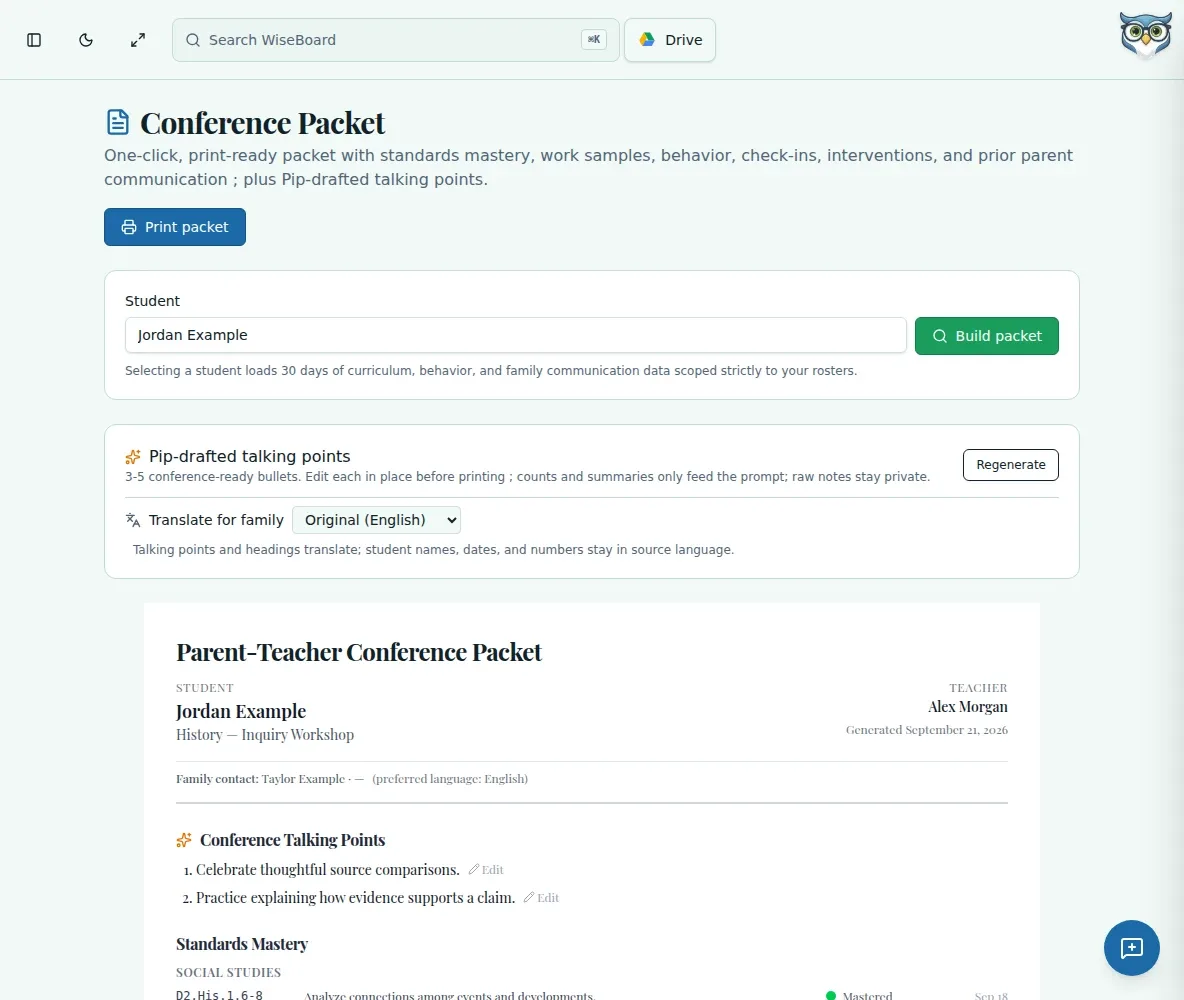
Prepare for a parent-teacher conversation by reviewing available information for one roster-linked student. Conference Packet gathers supported sections into a printable view, while keeping talking points editable and sharing in your hands.
See the workspace before you sign in.
01 / THE DIFFERENCE
Practical tools that leave the decisions with you.
See available standards, work samples, behavior, check-ins, intervention and parent-communication information in one view.
Generate talking points if useful, then review and edit each point before printing.
Where available, choose a parent language for talking points and headings; names, dates and numbers stay in the source language.
02 / IN PRACTICE
A closer look at how this fits into your day.
Explore the interactive app demoOpen Conference Packet, search for the student and select their record.
Read the packet sections and note any area that has no saved data.
Generate optional talking-point drafts, edit each one, optionally choose a parent language and print when ready.
WHAT THIS COULD LOOK LIKE
Select the student and review the available work samples, reading context and related sections. Generate talking points only if helpful, check every statement against the packet, edit as needed and print when you are ready to share.
GOOD TO KNOW
A little more detail before you dive in.
No. It is a teacher-reviewed conference view, not an official record or automatic family communication.
No. Student names, dates and numbers remain in the source language when you choose a parent language.
YOUR WORKSPACE AWAITS
Explore WiseBoard on your own terms. Take a look around, or start your free trial.