 WiseBoard
Keep the evidence
Curate student-specific work rather than relying on a single score.
Student work
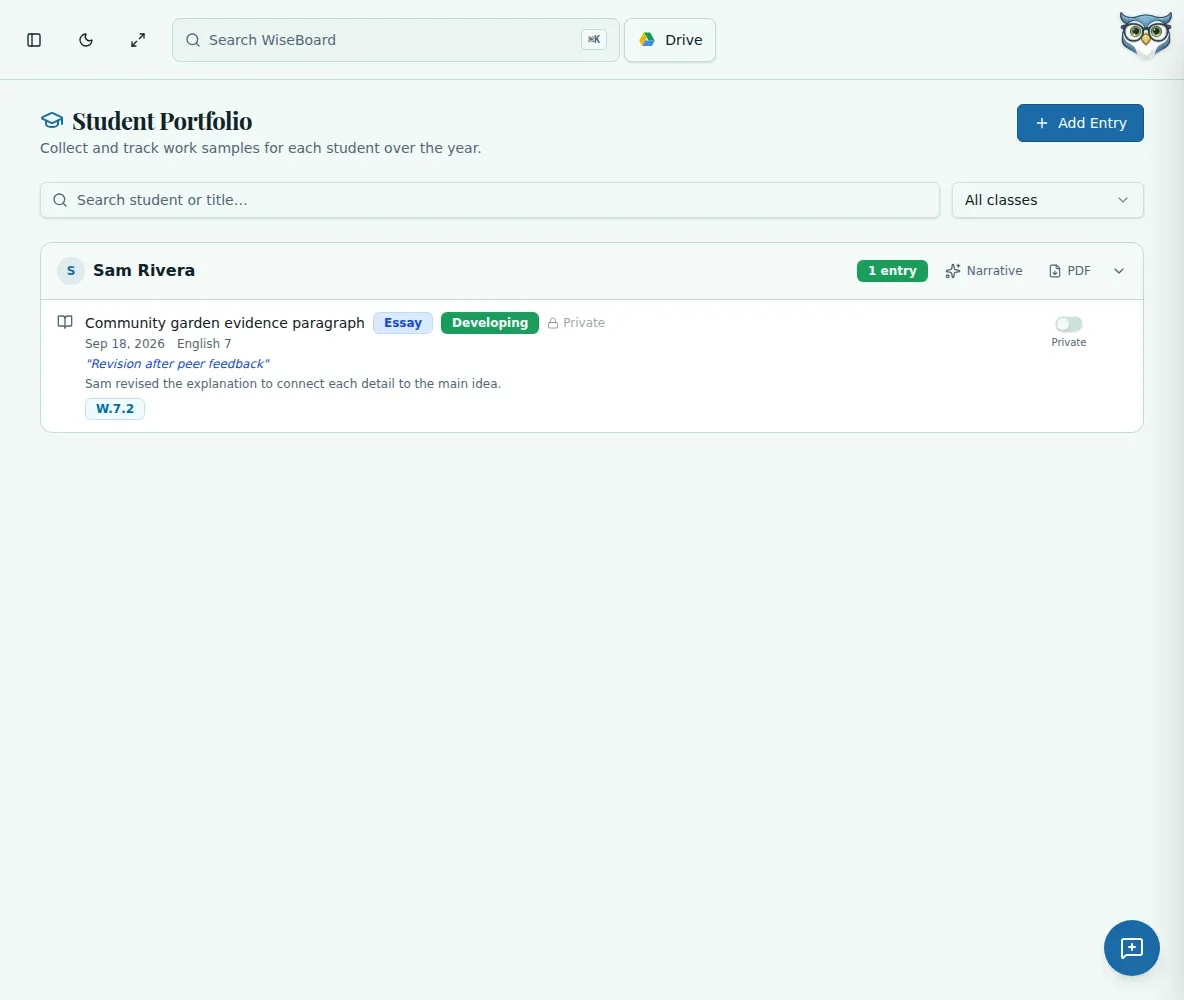
Collect work samples in a student portfolio, choose what can be shared with families and return to the evidence when you need to describe progress.
See the workspace before you sign in.
01 / THE DIFFERENCE
Practical tools that leave the decisions with you.
Curate student-specific work rather than relying on a single score.
Family visibility is an explicit choice, not an automatic side effect of adding an entry.
Review an optional AI narrative draft or export a student's portfolio to PDF.
02 / IN PRACTICE
A closer look at how this fits into your day.
Explore the interactive app demoOpen a roster-linked portfolio and add the relevant work samples.
Decide what, if anything, should be shared with family viewers.
Check the evidence before editing a narrative draft or exporting a PDF.
WHAT THIS COULD LOOK LIKE
Choose two pieces of work that show how a skill developed. Use the portfolio to discuss the student's process, not only the final score.
GOOD TO KNOW
A little more detail before you dive in.
No. Teachers control family visibility; adding an entry does not automatically share it.
AI can offer a draft, but the teacher reviews it before using it.
YOUR WORKSPACE AWAITS
Explore WiseBoard on your own terms. Take a look around, or start your free trial.