 WiseBoard
Make curriculum gaps visible
Review standards marked as covered or uncovered for the class.
Curriculum alignment
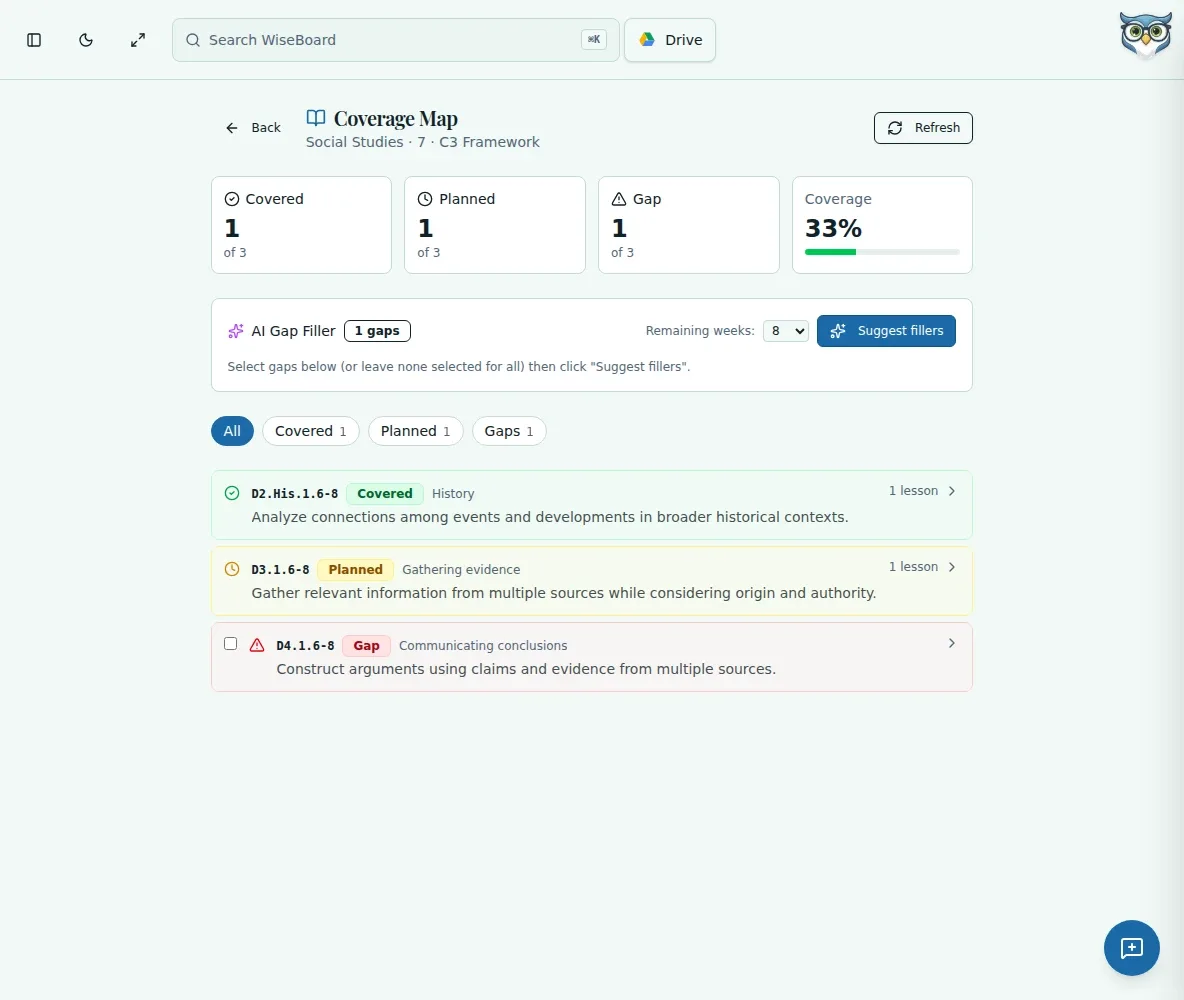
Open a class's Coverage Map to review standards coverage counts, status filters, and linked lessons. For gaps, select standards and the weeks remaining before requesting AI suggestions. Coverage describes curriculum connections, not whether students mastered the standard.
See the workspace before you sign in.
01 / THE DIFFERENCE
Practical tools that leave the decisions with you.
Review standards marked as covered or uncovered for the class.
Expand a standard to inspect its description and the lessons linked to it.
Request gap-filling ideas for selected standards and remaining weeks, then decide what to use.
02 / IN PRACTICE
A closer look at how this fits into your day.
Explore the interactive app demoSelect a class and open its Coverage Map.
Review coverage counts and filters, then expand a standard to see its description and linked lessons.
Select uncovered standards and remaining weeks, request suggestions, and review before taking a planning action.
WHAT THIS COULD LOOK LIKE
Filter the class map to uncovered standards, inspect which lessons are already linked, and request suggestions for the standards you still expect to teach. Review the ideas against your calendar; coverage does not demonstrate student mastery.
GOOD TO KNOW
A little more detail before you dive in.
No. Coverage Map represents curriculum coverage and lesson links, not student participation or mastery.
No. Review suggestions and use an available planning action only when it fits your instruction.
YOUR WORKSPACE AWAITS
Explore WiseBoard on your own terms. Take a look around, or start your free trial.