 WiseBoard
Scan a prompt's response signal
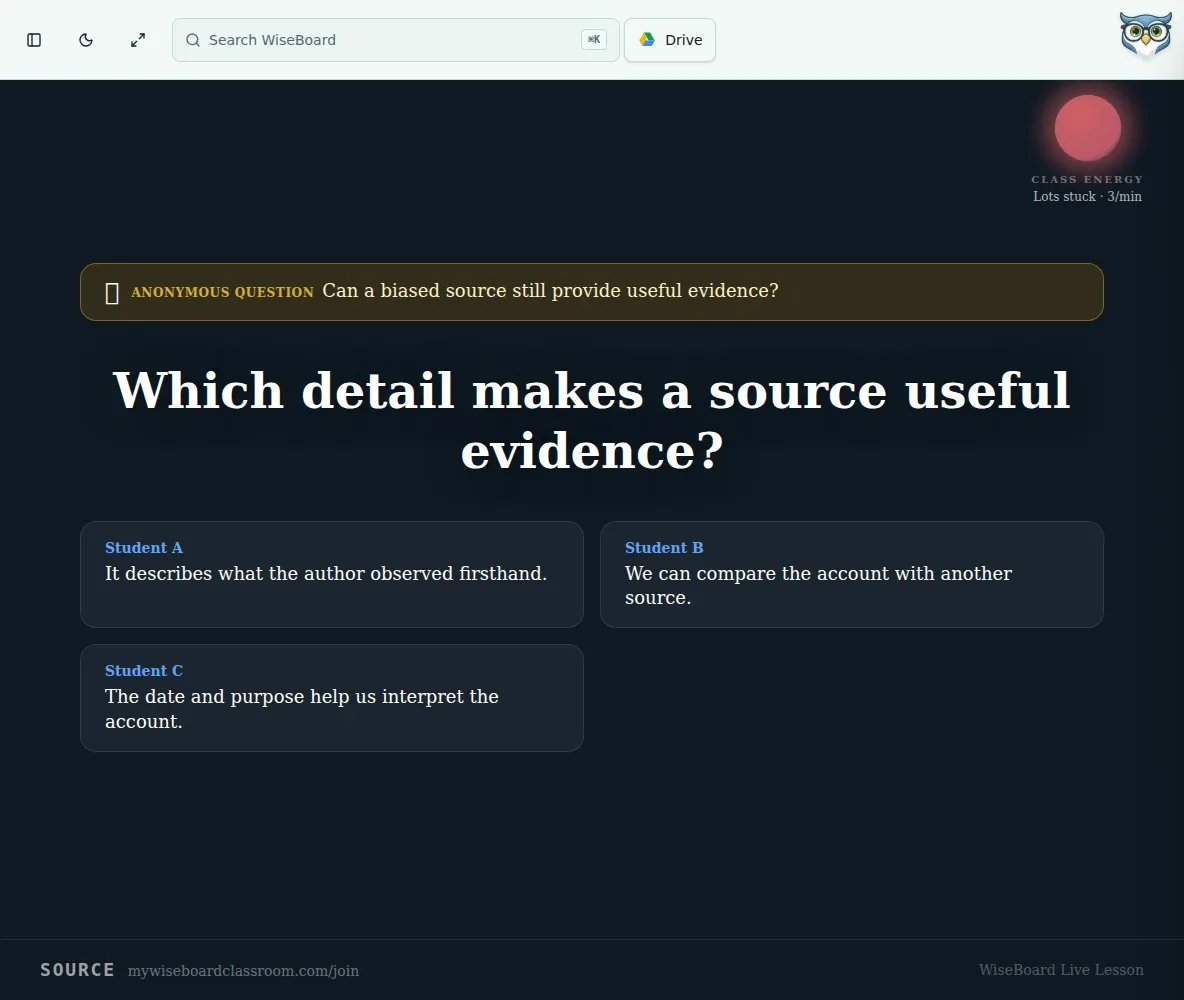
See a glanceable visual alongside an active prompt on the Live Teach projector display.
Live lesson signal
The Energy Orb is a projector-display indicator available with an active Live Teach prompt. It can help you decide when to pause or ask a follow-up, but it is a response signal, not a measure of engagement or understanding.
See the workspace before you sign in.
01 / THE DIFFERENCE
Practical tools that leave the decisions with you.
See a glanceable visual alongside an active prompt on the Live Teach projector display.
Use the visual as one input when deciding whether to pause or ask another question.
Inspect student responses directly before deciding what the signal means for instruction.
02 / IN PRACTICE
A closer look at how this fits into your day.
Explore the interactive app demoStart Live Teach and open its projector display.
Use an available prompt or check so the indicator has a response context.
Consider the visual alongside actual responses and participation before deciding whether to move on.
WHAT THIS COULD LOOK LIKE
Launch a prompt, glance at the orb and then inspect the responses. If few responses appear, check participation and connectivity before interpreting the signal or changing the lesson.
GOOD TO KNOW
A little more detail before you dive in.
No. Those colors reflect a submitted confusion ratio, not a diagnosis or proof of learning.
It can mean there were few recent responses. Check participation and connectivity before interpreting it.
YOUR WORKSPACE AWAITS
Explore WiseBoard on your own terms. Take a look around, or start your free trial.