 WiseBoard
Connect questions to a challenge
Use the room's question set as the content students work through during the activity.
Puzzle-based review
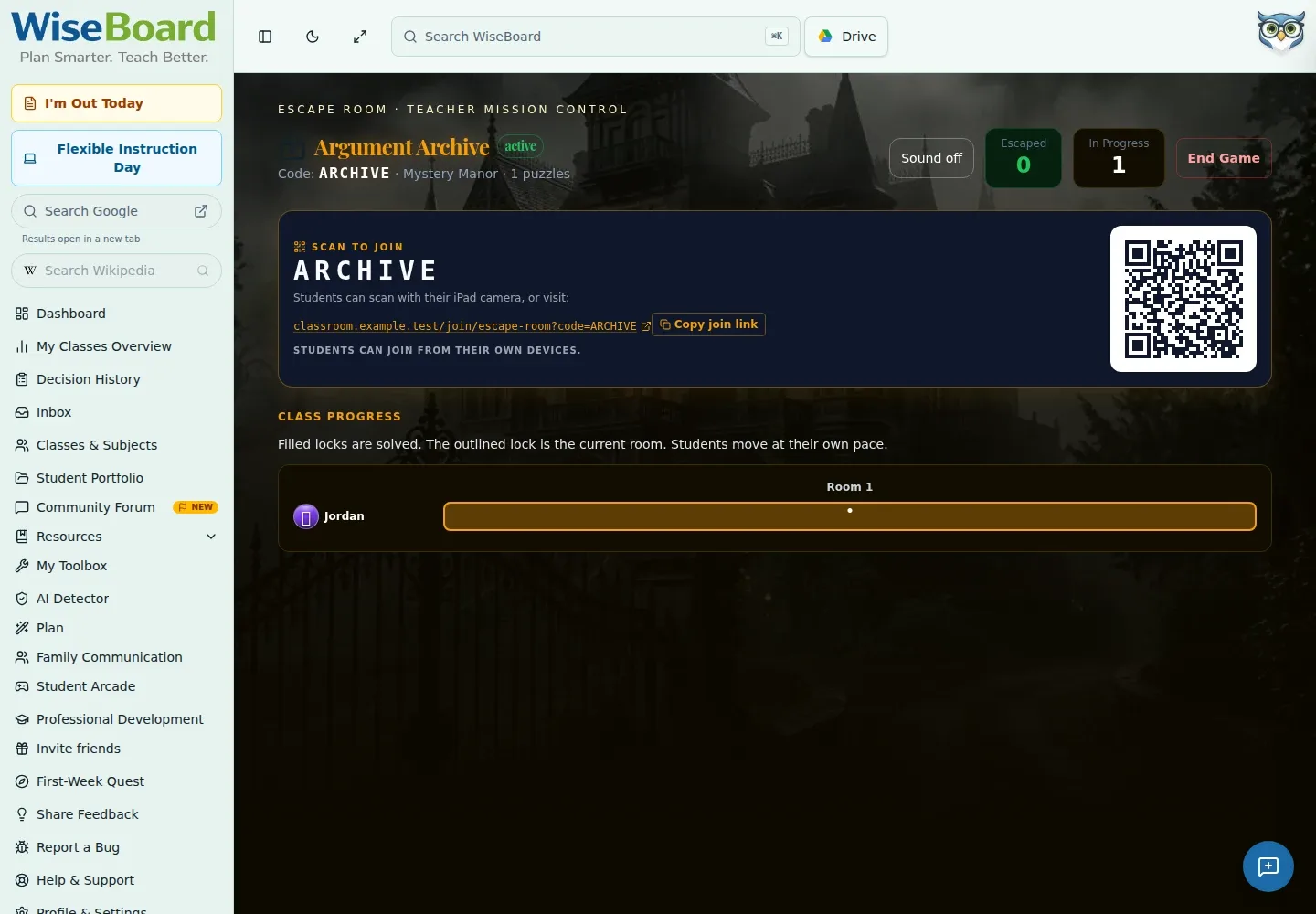
Escape Room pairs content questions with a puzzle-solving game format. Create a room, add questions or use the available Pip generation option, then launch and facilitate the activity from the teacher game screen.
See the workspace before you sign in.
01 / THE DIFFERENCE
Practical tools that leave the decisions with you.
Use the room's question set as the content students work through during the activity.
Give students a puzzle-style format for discussing and solving the challenge together.
Use the visible teacher game state to guide the activity as it unfolds.
02 / IN PRACTICE
A closer look at how this fits into your day.
Explore the interactive app demoOpen Escape Room and create a room with questions, or use the available Pip generation option.
Select Launch to open the Escape Room teacher game route.
Share the QR code, room code or displayed join URL, then use the visible game state to guide students.
WHAT THIS COULD LOOK LIKE
Build a question set from the unit vocabulary, inspect each item, then launch Escape Room and share the join details. Let students discuss their responses as they work through the visible game state.
GOOD TO KNOW
A little more detail before you dive in.
An available Pip generation option can help prepare questions. Review the generated content before launching.
The guide describes the format as suitable across subjects and grade levels when questions are customized appropriately.
YOUR WORKSPACE AWAITS
Explore WiseBoard on your own terms. Take a look around, or start your free trial.