 WiseBoard
Record the purchase details
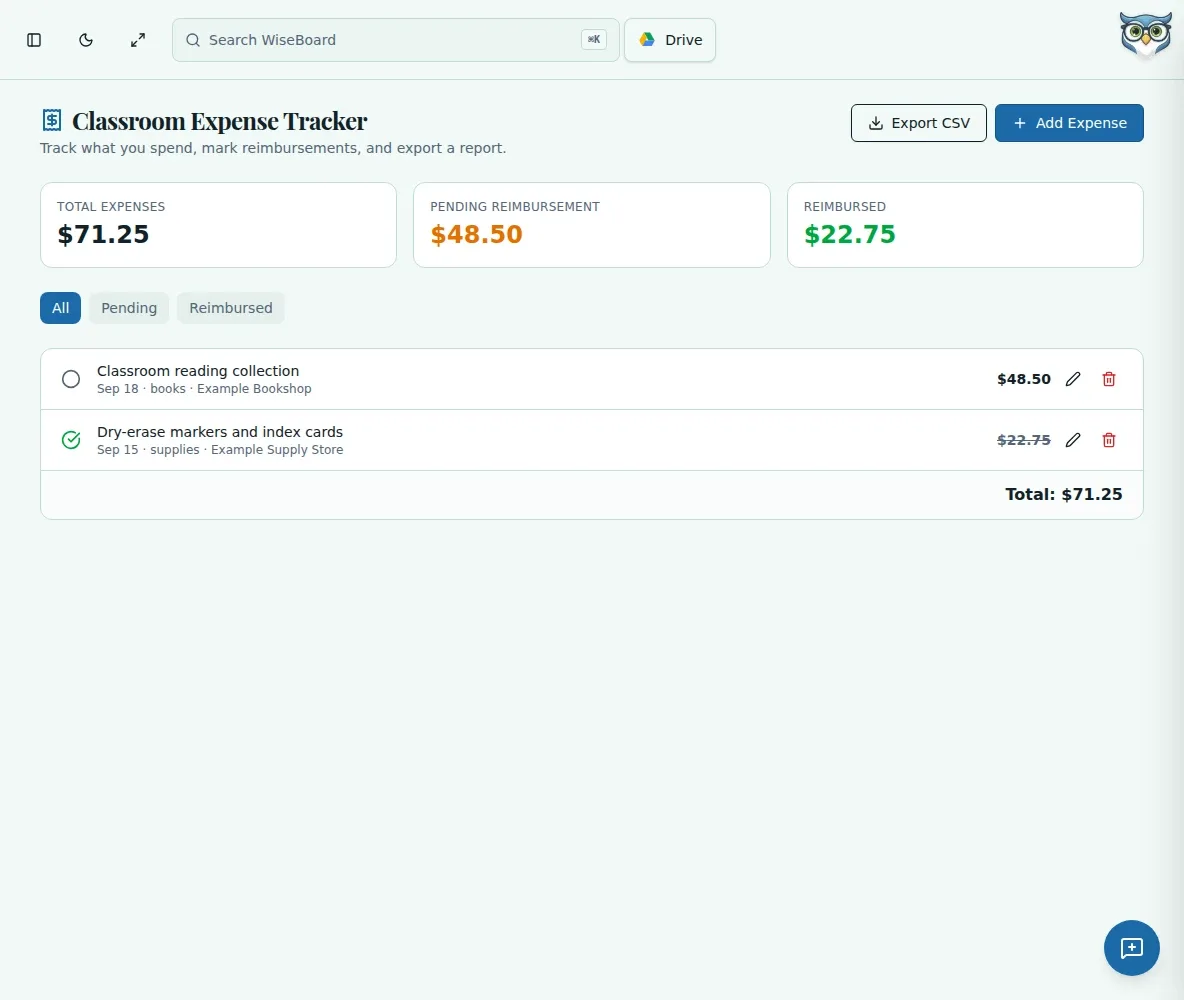
Enter the date, amount, category and description, with optional store and notes.
Teacher organization
When you purchase classroom supplies yourself, it helps to keep the date, amount and receipt connected. Expense Tracker records details you enter, but it does not provide tax, reimbursement or financial advice.
See the workspace before you sign in.
01 / THE DIFFERENCE
Practical tools that leave the decisions with you.
Enter the date, amount, category and description, with optional store and notes.
Attach a receipt when appropriate and record reimbursement details if useful.
Use the displayed totals, filters, CSV export or reimbursement controls as needed.
02 / IN PRACTICE
A closer look at how this fits into your day.
Explore the interactive app demoChoose Add Expense and enter its date, amount, category and description.
Add an optional store or reimbursement note and attach a receipt when appropriate.
Save, review available totals or filters, and keep records required by your employer or adviser separately.
WHAT THIS COULD LOOK LIKE
Enter the purchase date, amount and category for project materials, attach the receipt and note the class purpose. Review the record when preparing a reimbursement request, following the school's required process.
GOOD TO KNOW
A little more detail before you dive in.
No. It does not provide tax or financial advice. Consult the appropriate adviser and retain the records your employer or tax professional requires.
The page provides a CSV export control. Review the records and retain any required documentation separately.
YOUR WORKSPACE AWAITS
Explore WiseBoard on your own terms. Take a look around, or start your free trial.