 WiseBoard
Record an opportunity
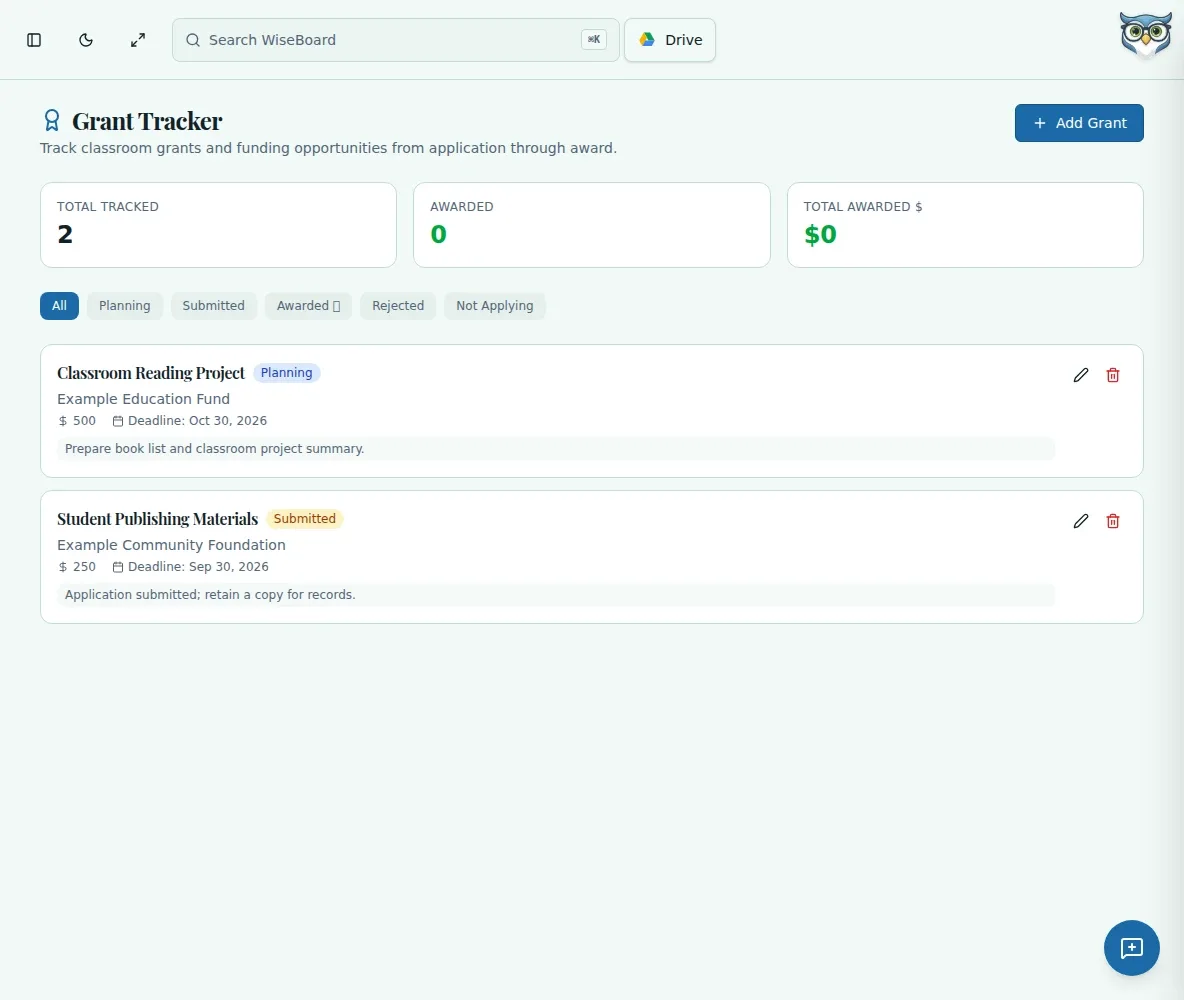
Enter the grant name, funding organization, amount and application deadline.
Teacher organization
When several classroom funding applications are in motion, the next date and status can get hard to see. Grant Tracker organizes opportunities you enter, while the provider's own process remains where applications and reporting happen.
See the workspace before you sign in.
01 / THE DIFFERENCE
Practical tools that leave the decisions with you.
Enter the grant name, funding organization, amount and application deadline.
Add an application URL and notes about what you need to prepare.
Update its status as you plan, submit, receive a decision or opt out.
02 / IN PRACTICE
A closer look at how this fits into your day.
Explore the interactive app demoEnter its name, funding organization, amount and deadline.
Include the application URL and your preparation notes.
Choose Planning, Submitted, Awarded, Rejected or Not Applying as appropriate.
WHAT THIS COULD LOOK LIKE
Add the funder, amount and submission deadline, then paste the application URL and note the project budget items to gather. Change the status to Submitted after completing the provider's application, and use that provider's process for award reporting.
GOOD TO KNOW
A little more detail before you dive in.
No. It organizes grant opportunities you enter yourself; it is not a grant-discovery service.
The page keeps deadlines visible for review but does not promise reminders. Use your own calendar or reminder process too.
YOUR WORKSPACE AWAITS
Explore WiseBoard on your own terms. Take a look around, or start your free trial.