 WiseBoard
Find focused tool guidance
Look for posts that explain a particular WiseBoard feature in more detail.
Tool guidance
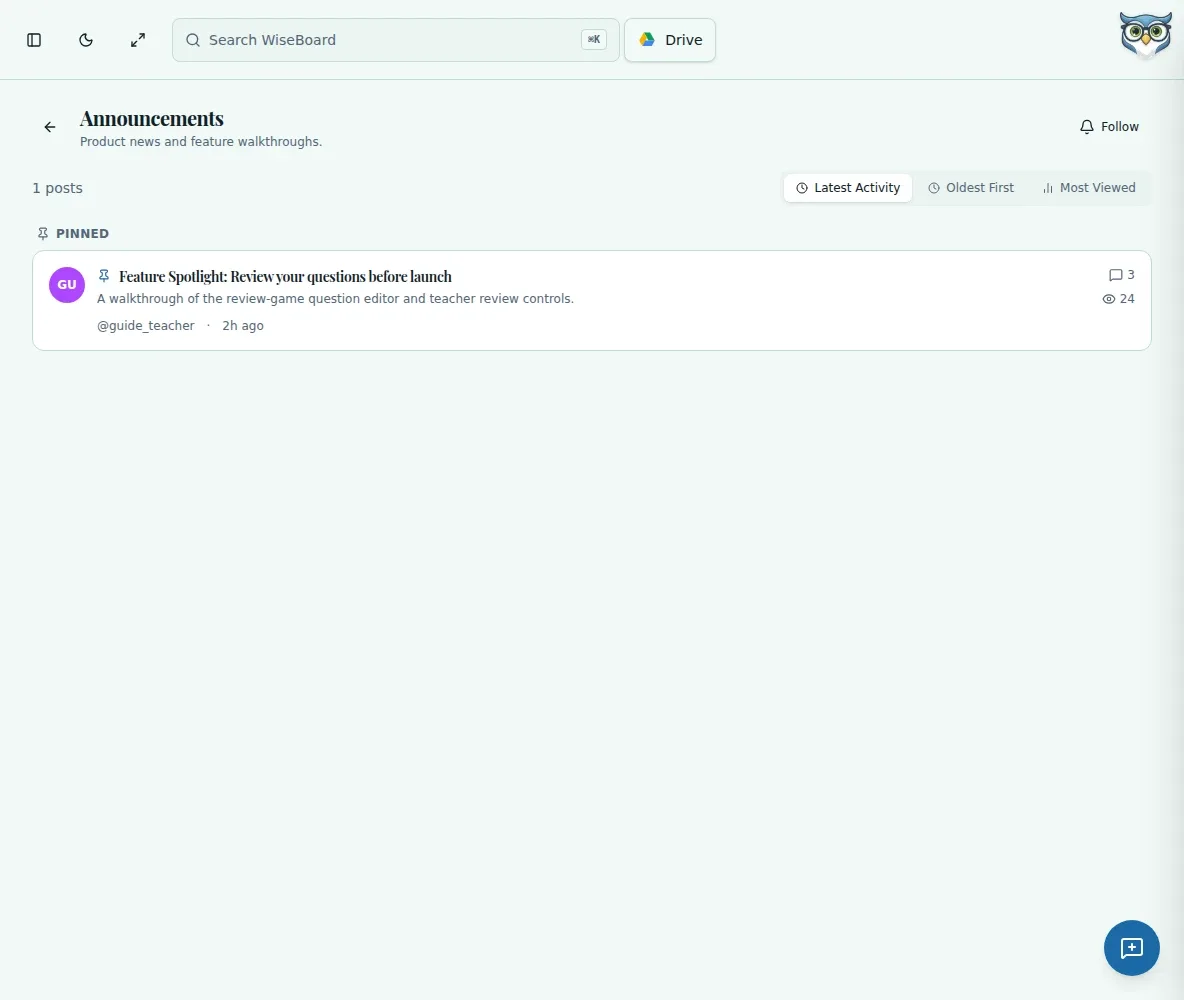
Feature Spotlights are announcement posts that may offer focused guidance on a WiseBoard tool. Browse the Announcements category when you want to see whether a spotlight has been published, then open its post to follow the guidance.
See the workspace before you sign in.
01 / THE DIFFERENCE
Practical tools that leave the decisions with you.
Look for posts that explain a particular WiseBoard feature in more detail.
Spotlight guidance appears alongside product announcements in Community Forum.
Pinned announcements appear first, making them a useful place to check.
02 / IN PRACTICE
A closer look at how this fits into your day.
Explore the interactive app demoOpen the forum from the in-app navigation.
Check the category for a published Feature Spotlight, including pinned posts.
Read the post and use its feature-specific instructions where they fit your classroom.
WHAT THIS COULD LOOK LIKE
Before introducing a tool to students, check Announcements for a related spotlight. If one is available, read its guidance and adapt the suggestions to your class.
GOOD TO KNOW
A little more detail before you dive in.
No. They are announcement posts that may be published. Check the category for available posts.
Open Community Forum, choose Announcements and check pinned posts first.
YOUR WORKSPACE AWAITS
Explore WiseBoard on your own terms. Take a look around, or start your free trial.