 WiseBoard
Learn from classroom practice
Browse peers' strategies and discussions grounded in their work with WiseBoard.
Teacher community
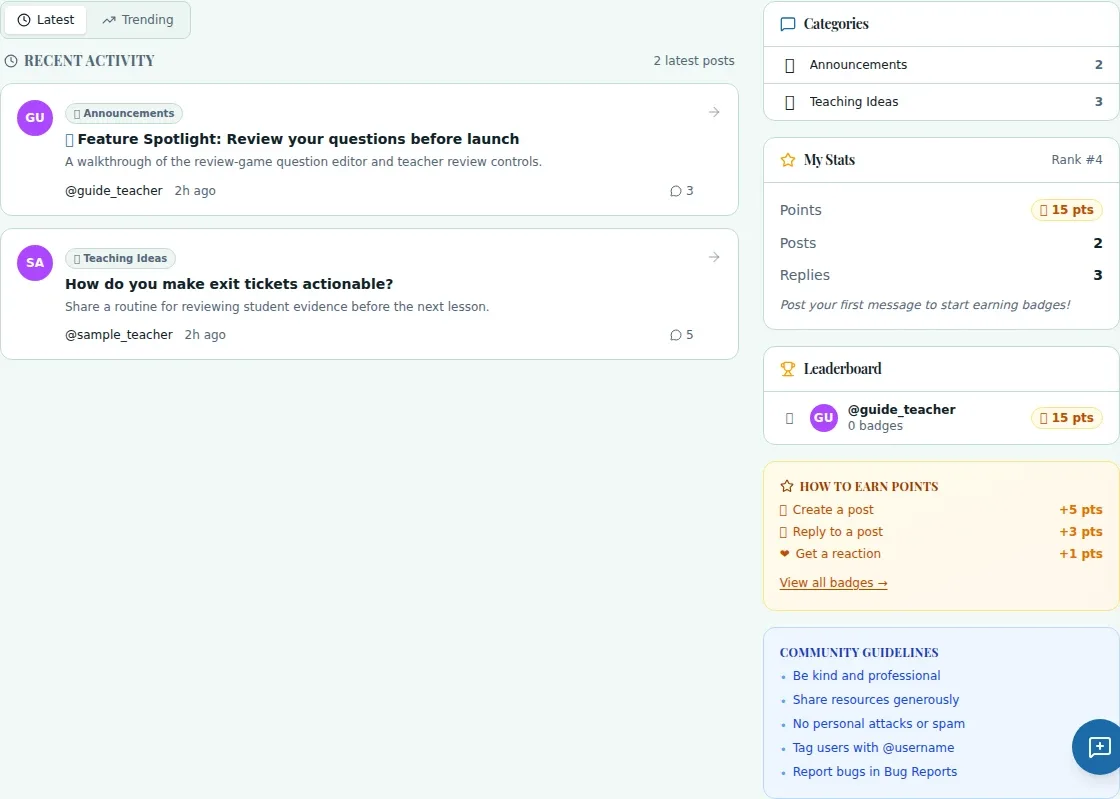
Some teaching problems are easier to solve with another educator's perspective. Community Forum gives WiseBoard teachers a place to browse conversations, share resources and ask questions in the categories available to them.
See the workspace before you sign in.
01 / THE DIFFERENCE
Practical tools that leave the decisions with you.
Browse peers' strategies and discussions grounded in their work with WiseBoard.
Create a post with a title, body and optional tags in an available category.
Return to a thread and use the forum notification bell to review replies and mentions.
02 / IN PRACTICE
A closer look at how this fits into your day.
Explore the interactive app demoOpen Community Forum and choose a category or thread that interests you.
When signed in and permitted, choose New Post, select an available category and add a title, body and optional tags.
Read replies and respond only when the thread allows it. Locked threads and restricted categories may limit participation.
WHAT THIS COULD LOOK LIKE
Describe the routine you are trying, the age group and the snag you have encountered. Avoid including identifiable student information, then return to the thread to review peer suggestions.
GOOD TO KNOW
A little more detail before you dive in.
Sign in to create posts or reply. Some categories and threads also have their own access restrictions.
The thread may be locked, or your account may not have access to that discussion.
YOUR WORKSPACE AWAITS
Explore WiseBoard on your own terms. Take a look around, or start your free trial.