 WiseBoard
One place for announcements
Find product update posts alongside the community space where teachers can discuss them.
Product updates
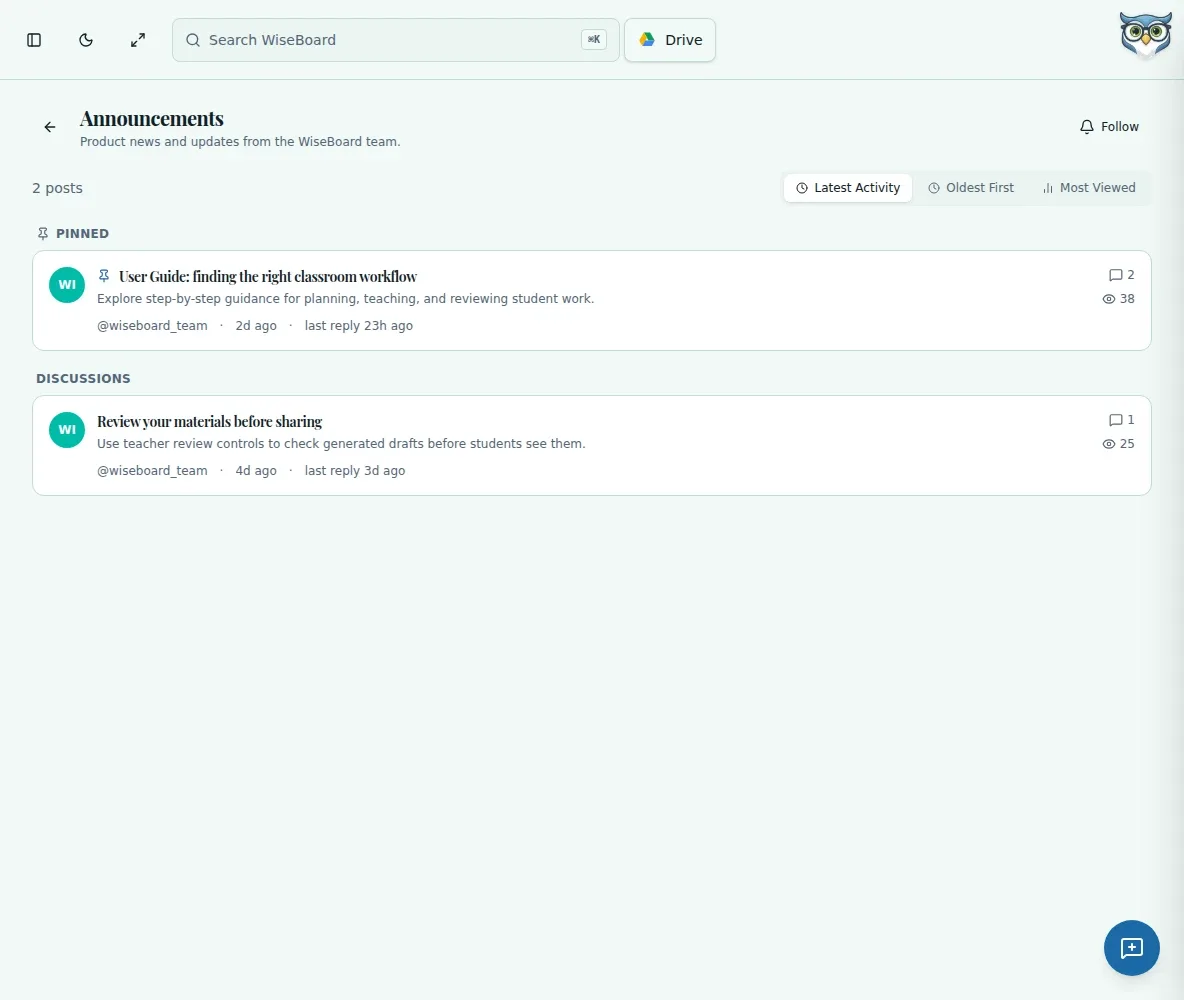
WiseBoard product updates are posted in Community Forum, not a separate changelog workflow. Open Announcements to see available posts, then read the details and any discussion attached to an update.
See the workspace before you sign in.
01 / THE DIFFERENCE
Practical tools that leave the decisions with you.
Find product update posts alongside the community space where teachers can discuss them.
Read an announcement post to see its details rather than relying on a short summary.
Review any discussion available on the announcement thread.
02 / IN PRACTICE
A closer look at how this fits into your day.
Explore the interactive app demoUse the in-app navigation to go to the forum.
Open the Announcements category to browse product update posts.
Open an announcement to review its details and available discussion.
WHAT THIS COULD LOOK LIKE
Before preparing a lesson around a tool you have not used recently, open Announcements and scan the available update posts. Read any relevant post for details before changing your classroom routine.
GOOD TO KNOW
A little more detail before you dive in.
Product updates are available in the Community Forum Announcements category. The /whats-new route redirects there.
Open the post to see any available discussion. Whether you can reply depends on the thread's settings and your access.
YOUR WORKSPACE AWAITS
Explore WiseBoard on your own terms. Take a look around, or start your free trial.