 WiseBoard
Bring trip logistics together
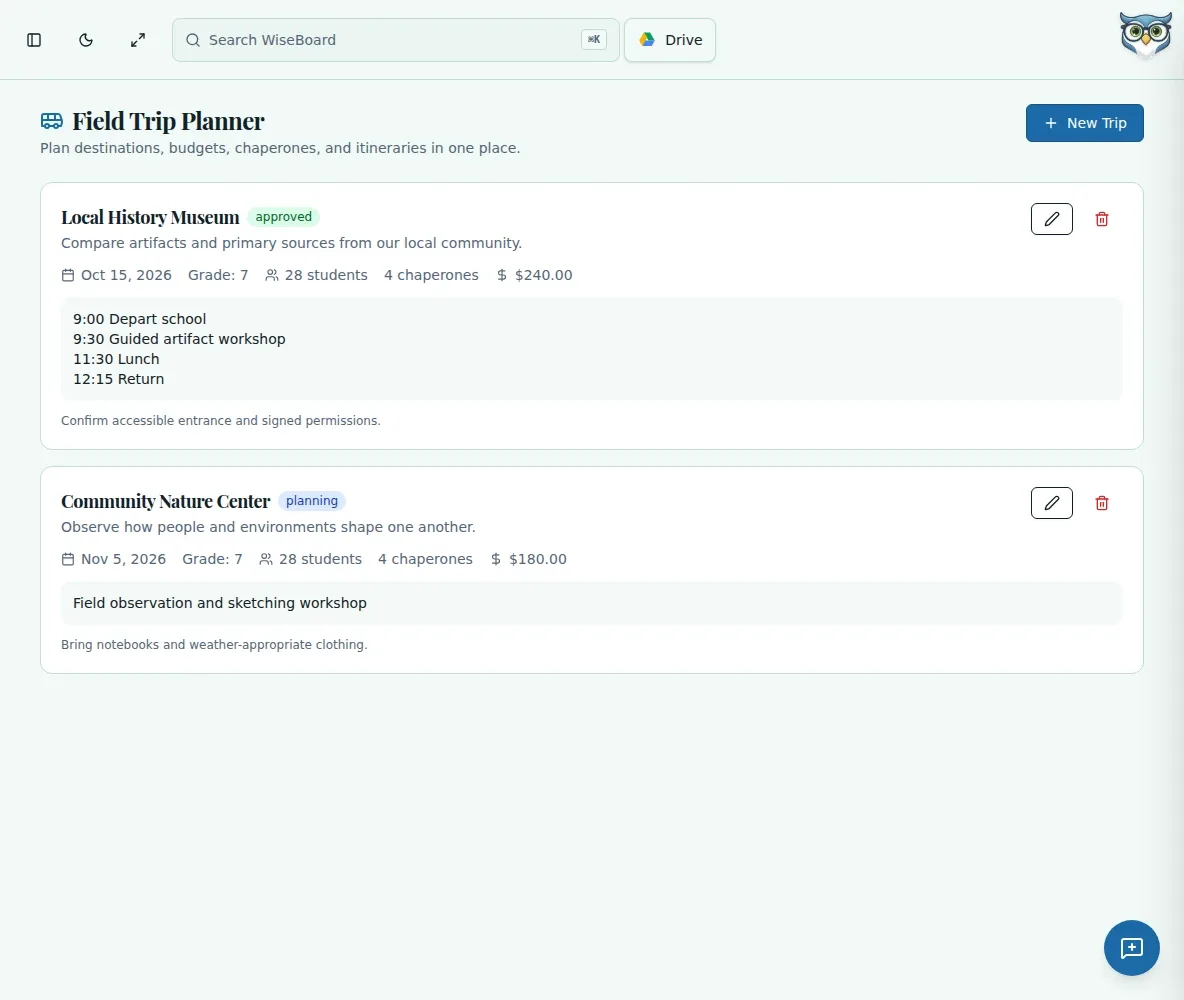
Record the destination, date, grade, purpose, budget and counts in one plan.
Teacher organization
A field trip involves more than a destination. Record the logistics and educational purpose you need to plan, while keeping approved rosters, medical information and chaperone assignments in your school's normal process.
See the workspace before you sign in.
01 / THE DIFFERENCE
Practical tools that leave the decisions with you.
Record the destination, date, grade, purpose, budget and counts in one plan.
Add notes and revise the saved plan as details change.
Counts are teacher-entered, not roster assignments; use school processes for approvals and student details.
02 / IN PRACTICE
A closer look at how this fits into your day.
Explore the interactive app demoChoose New Trip and enter destination, date, grade, purpose, budget and headcounts.
Enter an itinerary and notes, select a status and create the plan.
Edit saved details as the trip develops, keeping official roster and medical records in the school's process.
03 / A CLOSER LOOK
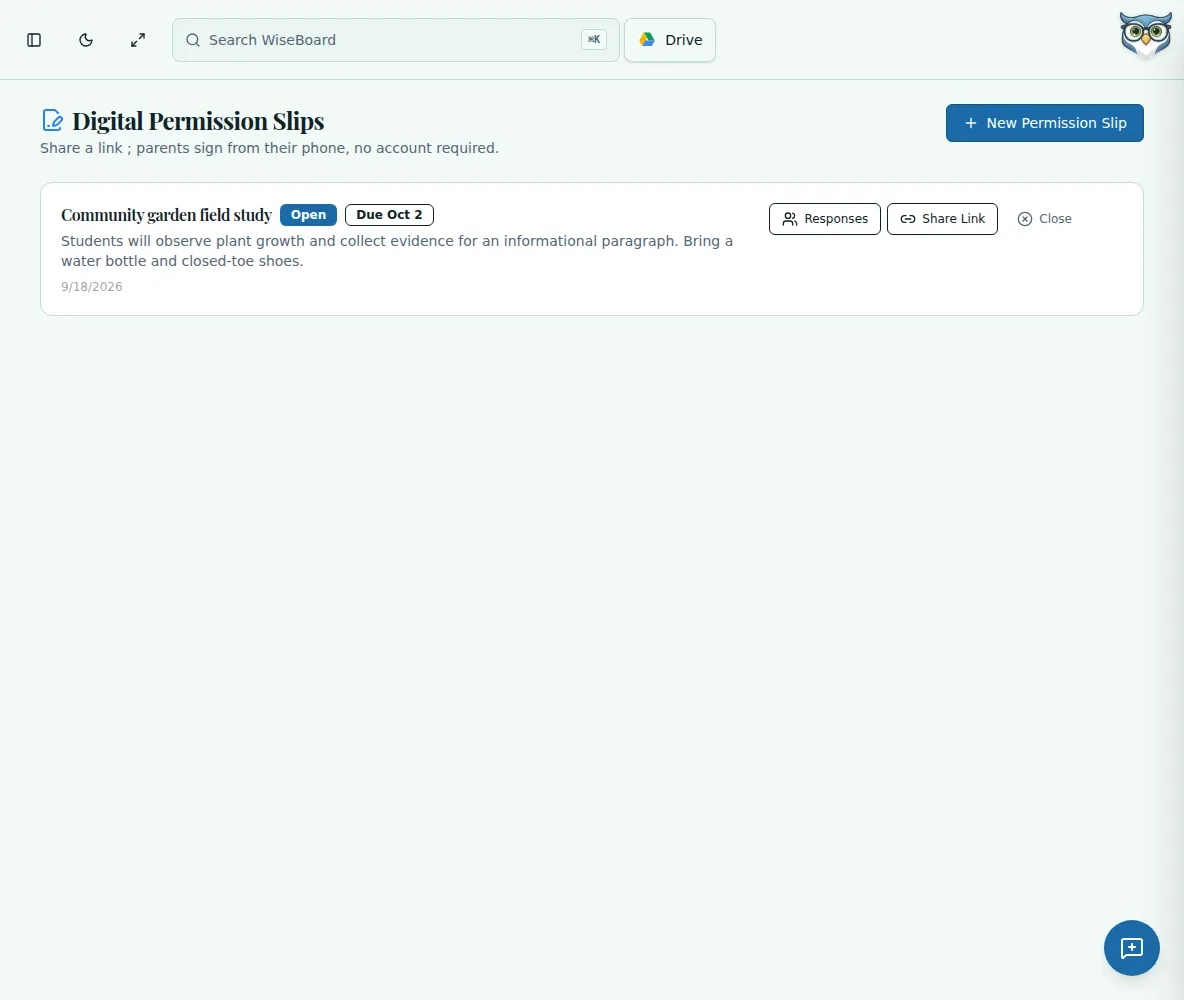
Related workflow view. This is not another screen of the primary feature.
WHAT THIS COULD LOOK LIKE
Record the destination, date, learning purpose, estimated budget and student and chaperone counts. Add the schedule for the exhibits and lunch, then update the plan as transportation details change. Maintain assigned chaperones and medical information through school procedures.
GOOD TO KNOW
A little more detail before you dive in.
No. It records teacher-entered counts, not roster assignments. Maintain approved rosters and chaperone assignments through your school's normal process.
No. The page records planning details; use your school's approval process and keep required records there.
YOUR WORKSPACE AWAITS
Explore WiseBoard on your own terms. Take a look around, or start your free trial.