 WiseBoard
Set the day and classes
Choose the event reason and date, then generate packets for the classes you select.
Classroom continuity
For a closure or other flexible instruction event, create packets for selected classes and review each activity and teacher note. Check attachments and every delivery destination before sending, then inspect the displayed delivery result.
See the workspace before you sign in.
01 / THE DIFFERENCE
Practical tools that leave the decisions with you.
Choose the event reason and date, then generate packets for the classes you select.
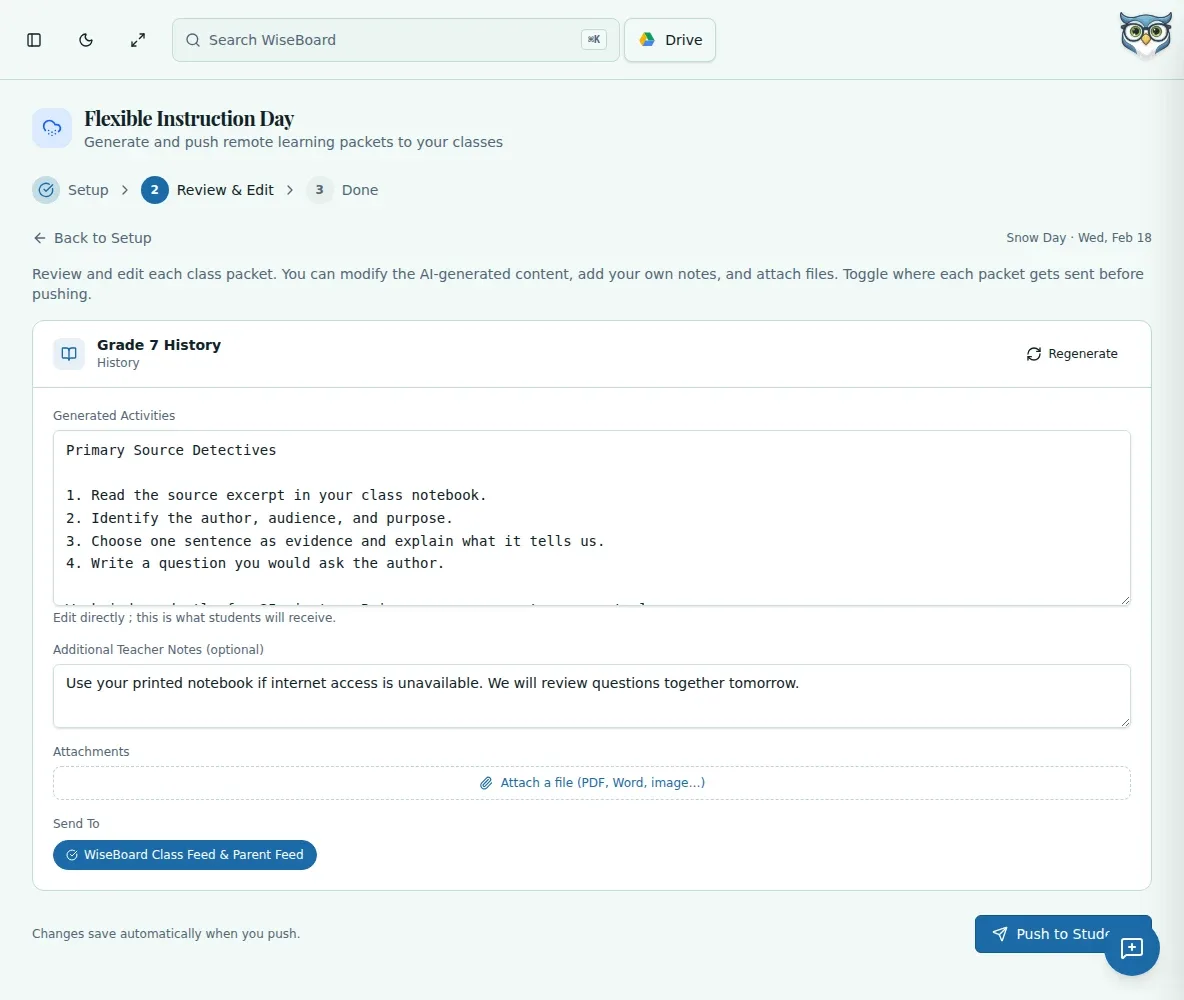
Review and revise Generated Activities and Additional Teacher Notes before delivery.
Inspect attachments and Send To destinations; Google Classroom is offered only for a linked course.
02 / IN PRACTICE
A closer look at how this fits into your day.
Explore the interactive app demoOpen Flexible Instruction Day and select the reason and date.
Choose classes, generate packets, and edit the activity and teacher notes for each.
Add appropriate files, verify destinations, send, and read the displayed result.
WHAT THIS COULD LOOK LIKE
Select the event date and affected classes, generate each packet, and replace any activity that depends on in-person materials. Check attachments and destinations, including whether a Google Classroom course is linked, before sending.
GOOD TO KNOW
A little more detail before you dive in.
No. Review and edit each packet, inspect destinations, and confirm the intended send action.
It is offered only for a linked course. Check the destinations shown for each packet.
YOUR WORKSPACE AWAITS
Explore WiseBoard on your own terms. Take a look around, or start your free trial.