 WiseBoard
Start with the message list
Open an available category or conversation to see what is waiting for your attention.
Family communication
A busy school day can scatter conversations across tools. WiseBoard Inbox collects the conversations and notices available to your account, with controls that depend on the type of message and your permissions.
See the workspace before you sign in.
01 / THE DIFFERENCE
Practical tools that leave the decisions with you.
Open an available category or conversation to see what is waiting for your attention.
Read, reply to or manage a selected item only when its page offers that action.
Inbox is not a guarantee that every external, family or forum conversation appears here.
02 / IN PRACTICE
A closer look at how this fits into your day.
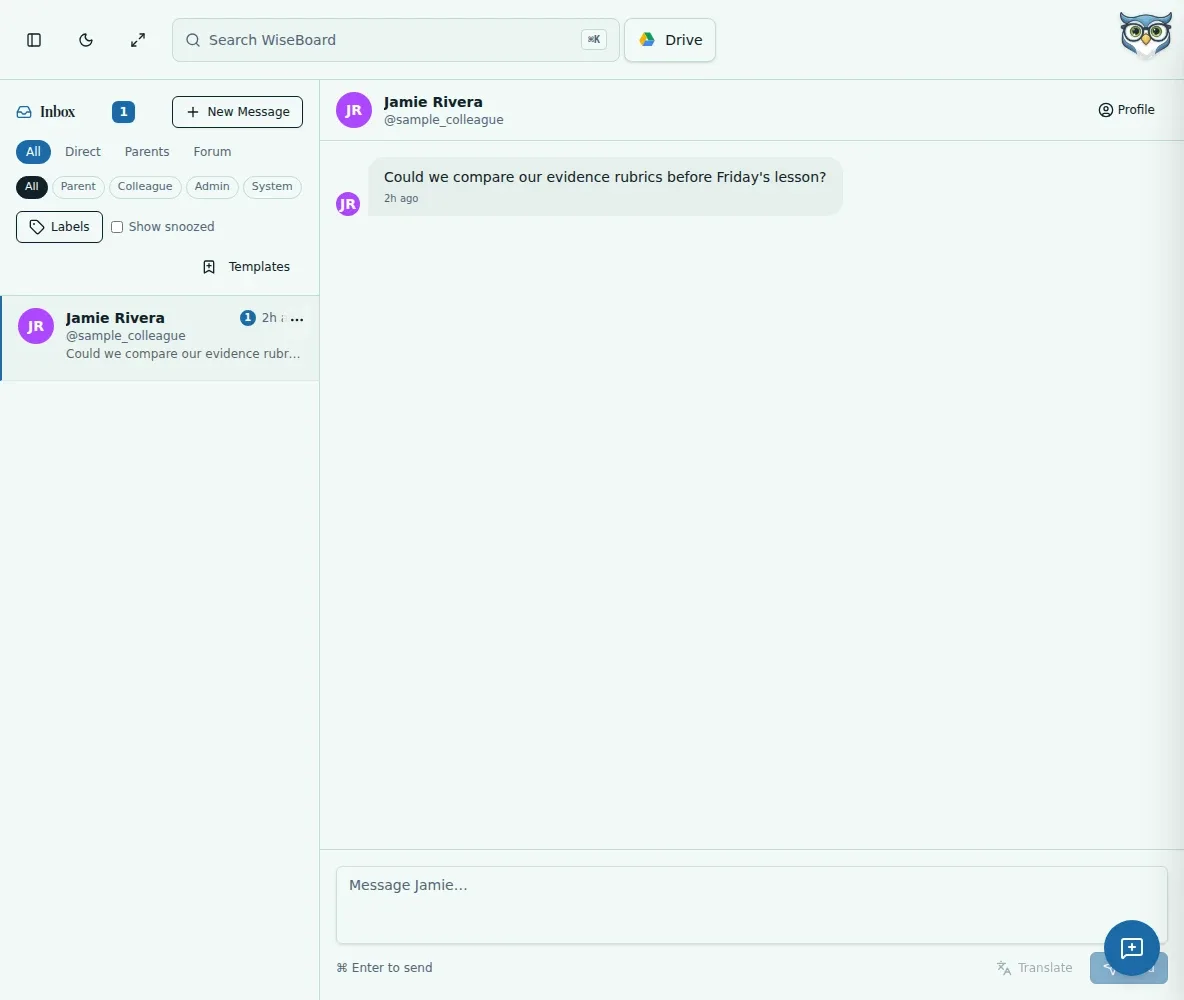
Explore the interactive app demoChoose an available category or message from the Inbox list.
Check the visible details and status before deciding whether a response is needed.
Compose and review your message, then choose Send when the selected item provides Reply.
WHAT THIS COULD LOOK LIKE
Open the available conversation, read the earlier messages and check its status. If Reply is shown, write a response that answers the question in context, review it, and send it from the conversation.
GOOD TO KNOW
A little more detail before you dive in.
Not necessarily. Inbox shows conversations and notices available to your account; it does not guarantee that external or every family communication is included.
Reply is available only for some message types and permissions. Follow the controls shown for the selected item.
YOUR WORKSPACE AWAITS
Explore WiseBoard on your own terms. Take a look around, or start your free trial.