 WiseBoard
Find a saved resource again
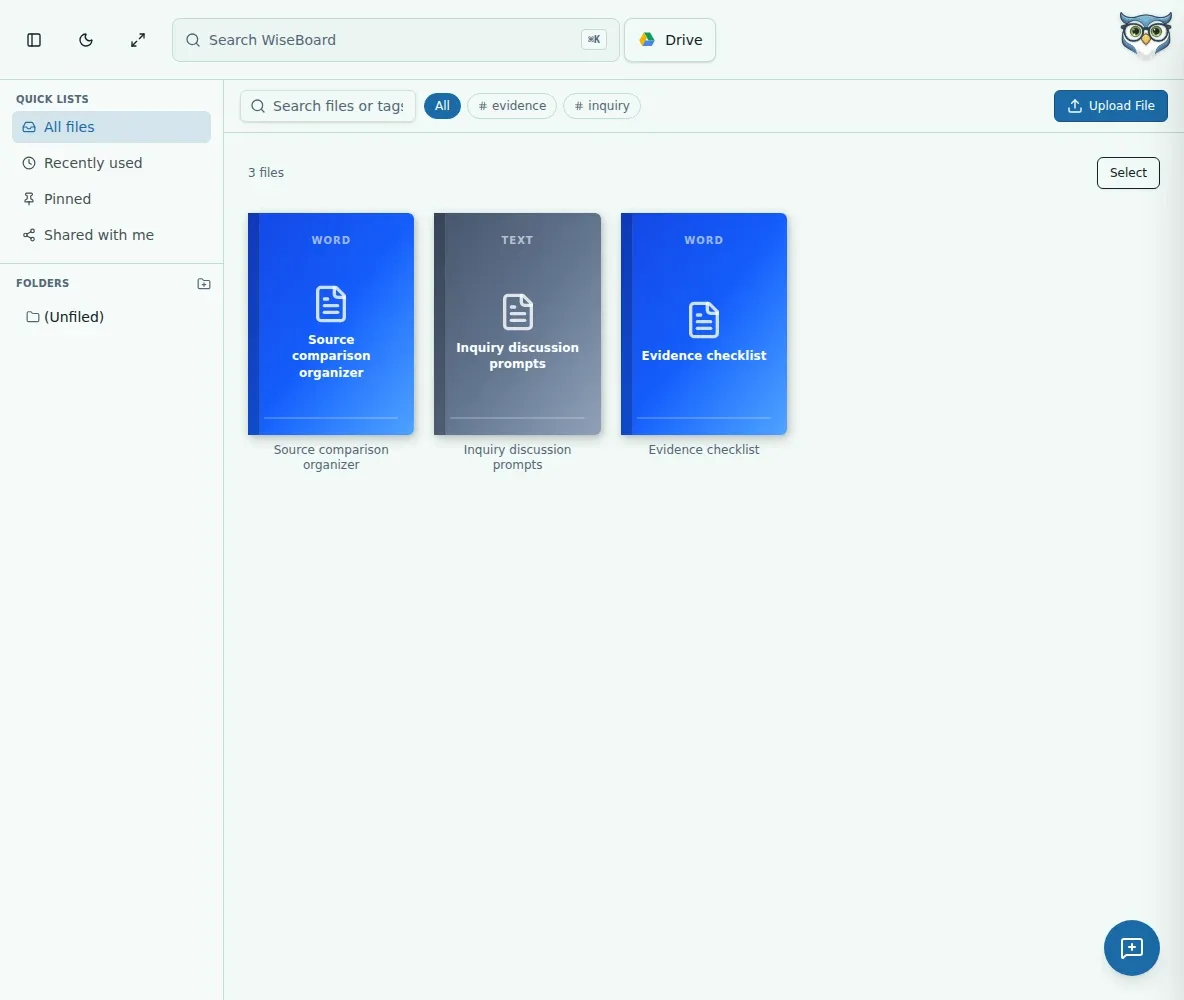
Search stored materials by name, folder or tag, then use the available controls to open, download, rename, pin, share or add a resource to a lesson.
Teaching resources
Save teaching files where you can find them again, then organize them with folders, tags and search. For history planning, Time Machine lets you build a focused sequence of events and reopen it from a linked lesson.
See the workspace before you sign in.
01 / THE DIFFERENCE
Practical tools that leave the decisions with you.
Search stored materials by name, folder or tag, then use the available controls to open, download, rename, pin, share or add a resource to a lesson.
Create named Time Machine collections, add events and reorder them to fit the way you plan to teach.
Link a collection to a lesson and reopen it from that lesson; unlinking keeps the collection in My Collections.
02 / IN PRACTICE
A closer look at how this fits into your day.
Explore the interactive app demoOpen Resource Library, choose a file in the upload area, optionally add tags and select Upload File. Keep the page open until it finishes.
Use search, folders and tags for files, or open Time Machine to create a collection and add events.
Review its event order, link it to a lesson when useful and open the collection from that lesson later.
WHAT THIS COULD LOOK LIKE
Create a Time Machine collection, add the events you want students to examine and arrange them in your chosen order. Link it to the lesson so you can reopen the sequence while teaching. The collection remains in My Collections if you later unlink it.
GOOD TO KNOW
A little more detail before you dive in.
No. Time Machine is in Resources and saves historical event collections. It is separate from the AI Timeline Builder.
A first-page cover may display when available. If it is still processing or cannot be displayed, the library uses a file cover instead.
Collections are private to your teacher account and active organization.
YOUR WORKSPACE AWAITS
Explore WiseBoard on your own terms. Take a look around, or start your free trial.