 WiseBoard
Keep the meeting context
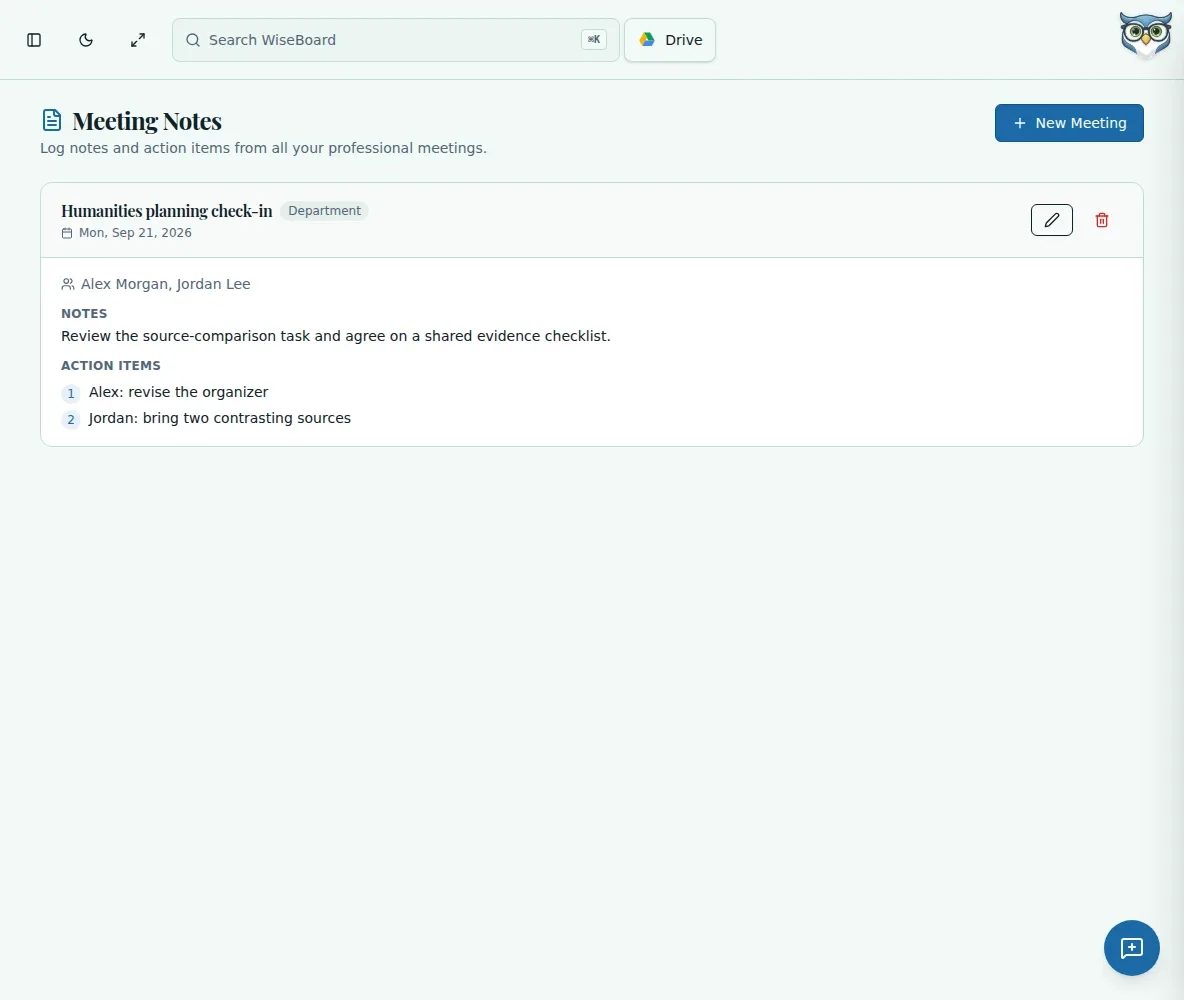
Record a title, date, participants and meeting type with your notes.
Professional learning
A PLC, conference or staff meeting can produce more follow-up than anyone can remember. Meeting Notes gives you a structured place to capture discussion, decisions and action items for your own reference.
See the workspace before you sign in.
01 / THE DIFFERENCE
Practical tools that leave the decisions with you.
Record a title, date, participants and meeting type with your notes.
Use the structured format for discussion points, decisions and action-item text.
Saved notes are organized by date and type and can be expanded, edited or deleted.
02 / IN PRACTICE
A closer look at how this fits into your day.
Explore the interactive app demoChoose New Meeting and enter the title, date, participants and type.
Capture discussion, decisions and action items, including owners or dates in the text if helpful.
Save the notes, then expand them later to review or make edits.
WHAT THIS COULD LOOK LIKE
Enter the meeting date, participants and PLC type. Note the agreed common assessment window and write the next steps as text with owner names and dates so you can revisit the plan before the team meets again.
GOOD TO KNOW
A little more detail before you dive in.
No. Action items are text in your notes. You may include owner names and dates, but the page does not assign tasks or create reminders.
The page does not provide a PDF export action. Use its available note controls to review and edit records.
YOUR WORKSPACE AWAITS
Explore WiseBoard on your own terms. Take a look around, or start your free trial.