 WiseBoard
Group records into a cycle
Create or open a Coaching Cycle, or review records from All Observations.
Professional learning
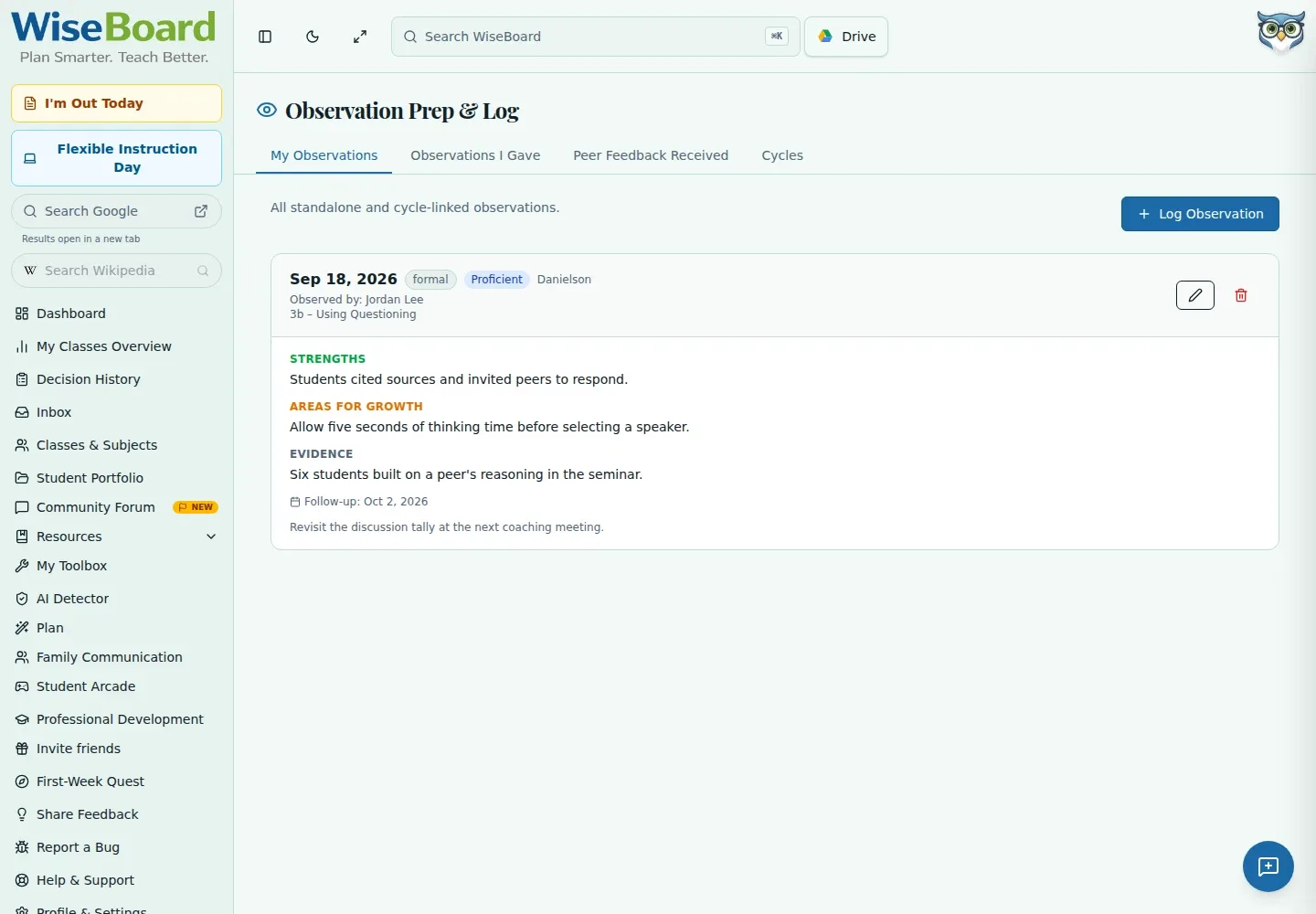
An observation record can hold more than a rating. Use WiseBoard to organize coaching cycles and record the displayed evidence, strengths, growth notes and follow-up while keeping sharing choices explicit.
See the workspace before you sign in.
01 / THE DIFFERENCE
Practical tools that leave the decisions with you.
Create or open a Coaching Cycle, or review records from All Observations.
Record the date, observer, type, framework, rating, evidence and notes shown on the form.
Peer-observation sharing is optional and requires a colleague email; check it before enabling.
02 / IN PRACTICE
A closer look at how this fits into your day.
Explore the interactive app demoOpen Coaching Cycles or All Observations.
Enter the displayed observation details, evidence, strengths, growth and follow-up date as needed.
Save the record, revisit it later and close a cycle with its explicit control when appropriate.
WHAT THIS COULD LOOK LIKE
Record the date and framework, then note the evidence you observed during a partner discussion and one question to explore in the follow-up. Review the colleague email and sharing setting before enabling peer access.
GOOD TO KNOW
A little more detail before you dive in.
Optional peer-observation sharing is available. It requires a colleague email, so review the sharing settings before enabling it.
The page does not provide a PDF export action. Use the available controls to save and revisit observation records.
YOUR WORKSPACE AWAITS
Explore WiseBoard on your own terms. Take a look around, or start your free trial.