 WiseBoard
Return to prior coaching context
Review the week's observation and suggestion alongside its lesson or resource when available.
Professional learning
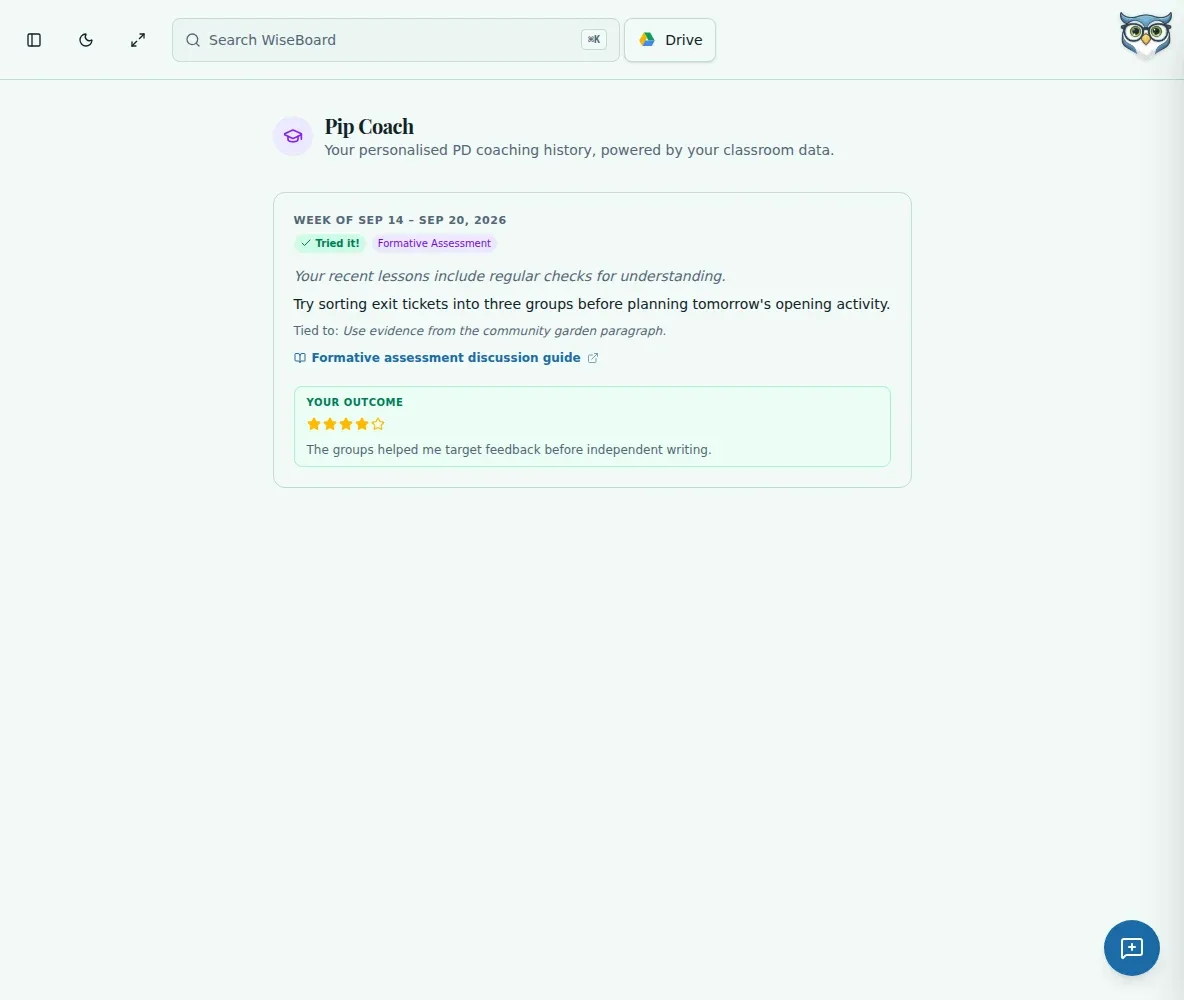
Pip Coach is a read-only history of weekly coaching suggestions. Review the observation, theme, lesson or resource, and any recorded outcome, then decide whether the idea fits your class. It is separate from Pip Notes History.
See the workspace before you sign in.
01 / THE DIFFERENCE
Practical tools that leave the decisions with you.
Review the week's observation and suggestion alongside its lesson or resource when available.
Treat a suggestion as optional guidance to compare with your own classroom evidence.
The history view shows available status or outcome details and does not offer save or dismiss actions.
02 / IN PRACTICE
A closer look at how this fits into your day.
Explore the interactive app demoUse the Pip Coach page or an available Pip Coach card in Classic Dashboard.
Review the observation, suggestion, theme, associated lesson or resource, and recorded status or outcome.
Compare the suggestion with what you see in class and decide whether to try it.
WHAT THIS COULD LOOK LIKE
If a weekly card suggests allowing more wait time, test that one practice during a discussion. Compare it with your own observations; the card is not an evaluation or proof that the change worked.
GOOD TO KNOW
A little more detail before you dive in.
No. Pip Coach is a read-only history view; its displayed cards do not provide Save or Dismiss actions.
No. Pip Coach contains weekly coaching suggestions. Micro-PD Pip Notes History is a separate workflow.
YOUR WORKSPACE AWAITS
Explore WiseBoard on your own terms. Take a look around, or start your free trial.