 WiseBoard
Review evidence in sections
See available professional evidence alongside the records each section summarizes.
Professional reflection
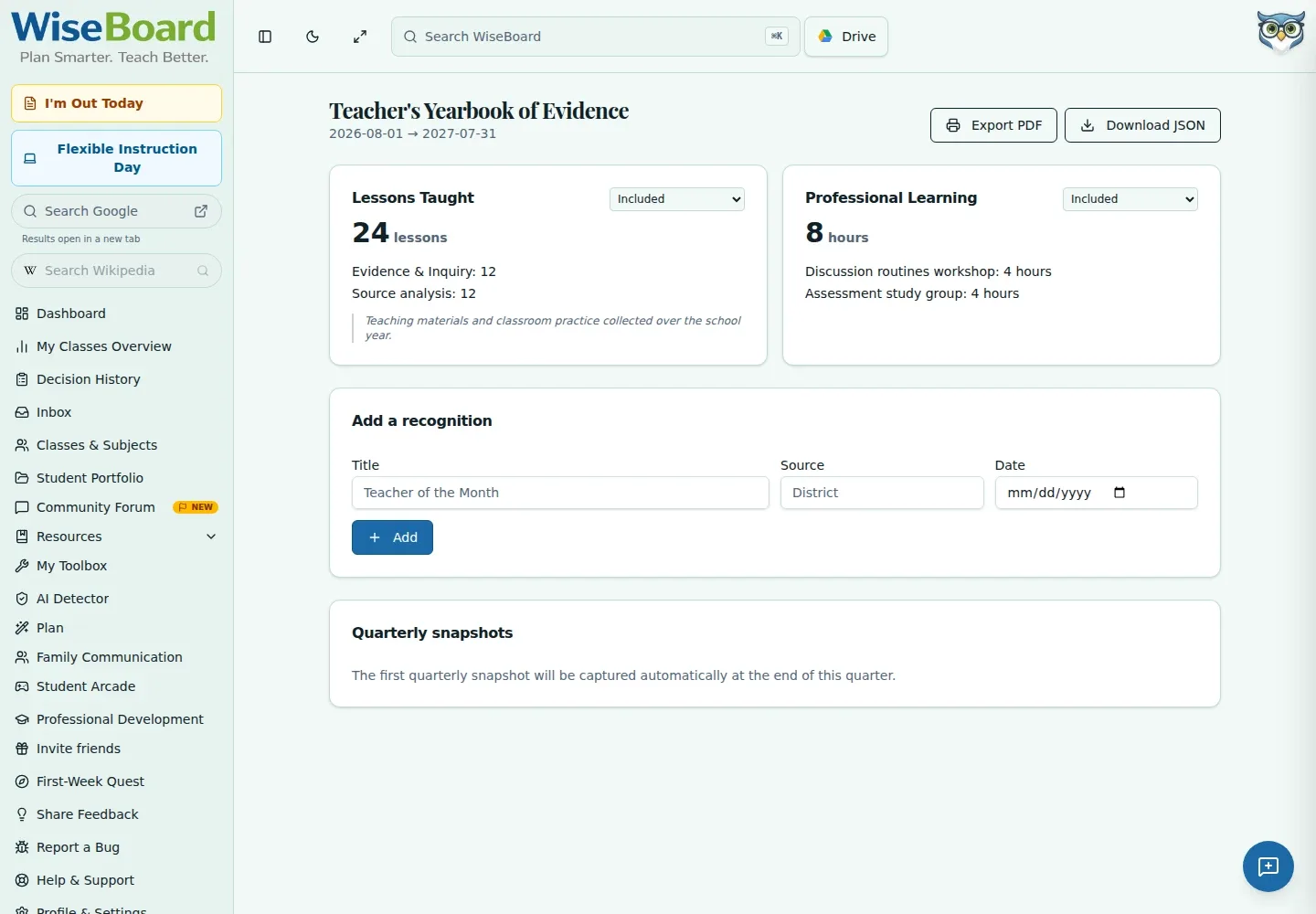
My Yearbook is a teacher's yearbook of evidence, recognitions, and quarterly snapshots, not a photo scrapbook. Review the underlying records, choose section privacy settings, add a recognition with its source and date, and export a PDF when it is ready.
See the workspace before you sign in.
01 / THE DIFFERENCE
Practical tools that leave the decisions with you.
See available professional evidence alongside the records each section summarizes.
Record the recognition title, source, and date as part of your yearbook.
Set section privacy using the displayed options, review quarterly snapshots, and export a PDF.
02 / IN PRACTICE
A closer look at how this fits into your day.
Explore the interactive app demoOpen My Yearbook and review each section and its underlying records.
Choose section privacy options and add a recognition with its title, source, and date.
Check quarterly snapshots and export the PDF when the sections are ready to share or keep.
WHAT THIS COULD LOOK LIKE
Review the evidence sections against their source records, add a recognition with its date and source, then set the privacy of each section. Check the quarterly snapshots before exporting your PDF.
GOOD TO KNOW
A little more detail before you dive in.
No. It is a yearbook of available teaching evidence, recognitions, and quarterly snapshots, not a photo scrapbook.
Set section privacy using the displayed options and review the contents before exporting.
YOUR WORKSPACE AWAITS
Explore WiseBoard on your own terms. Take a look around, or start your free trial.