 WiseBoard
Keep unit dates and targets together
Record the start and end dates alongside foundational standards and mastery thresholds.
Planning tools
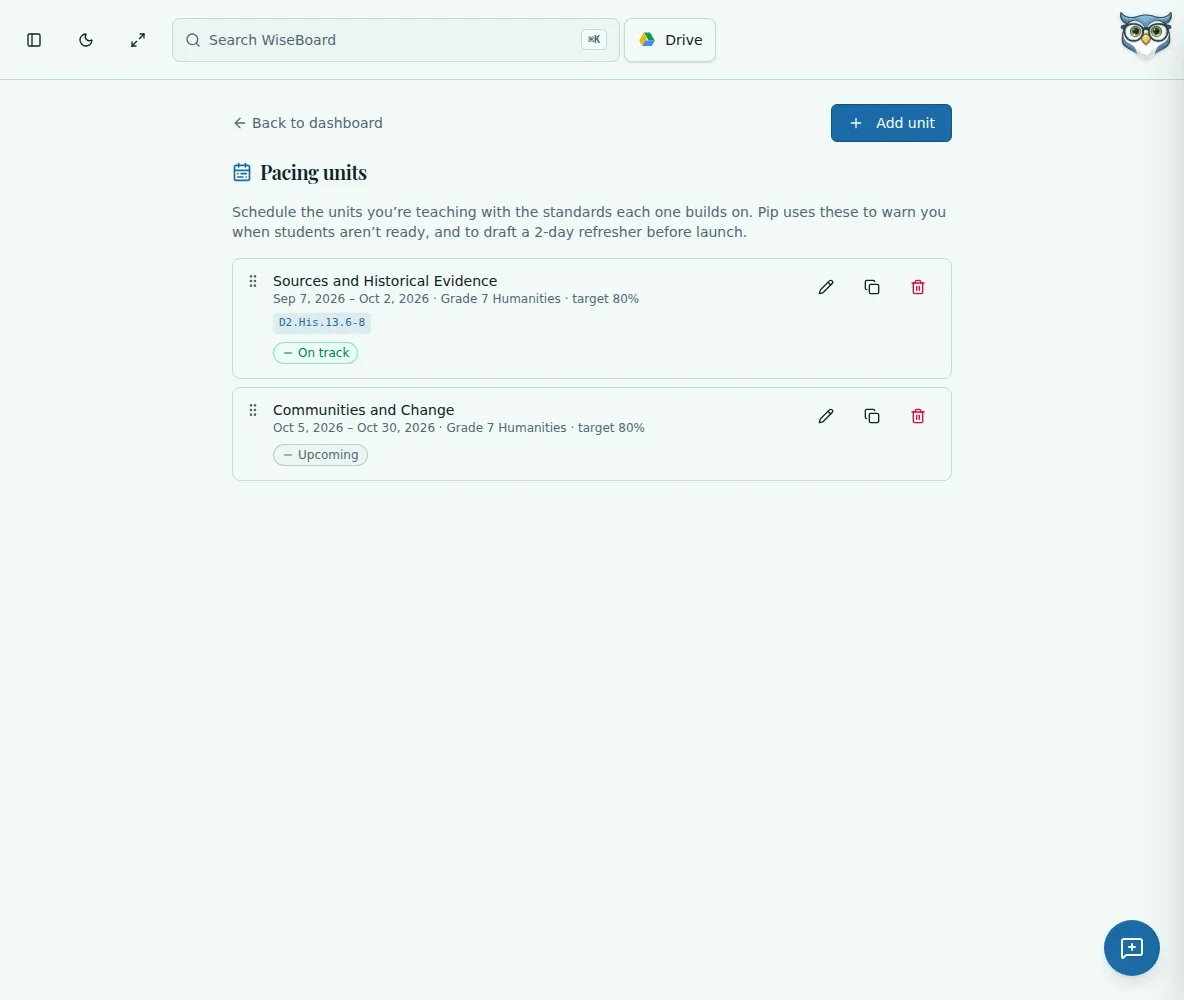
Pacing Units lets you define a unit's date range and optional class, attach foundational standards, and set mastery targets for lookahead. Review overlap warnings before relying on the sequence; changing a pacing definition does not remove calendar lessons already added.
See the workspace before you sign in.
01 / THE DIFFERENCE
Practical tools that leave the decisions with you.
Record the start and end dates alongside foundational standards and mastery thresholds.
Optionally associate a pacing unit with a class and use the class filter to focus your view.
Review overlap warnings after saving or moving a unit's date window.
02 / IN PRACTICE
A closer look at how this fits into your day.
Explore the interactive app demoOpen Pacing Units and use the class filter if you want to narrow the list.
Add a unit name, start and end dates, optional class, standards, target percentage, and mastery-level cutoff.
Review overlap warnings, edit or duplicate units, and check warnings again after moving date windows.
03 / A CLOSER LOOK
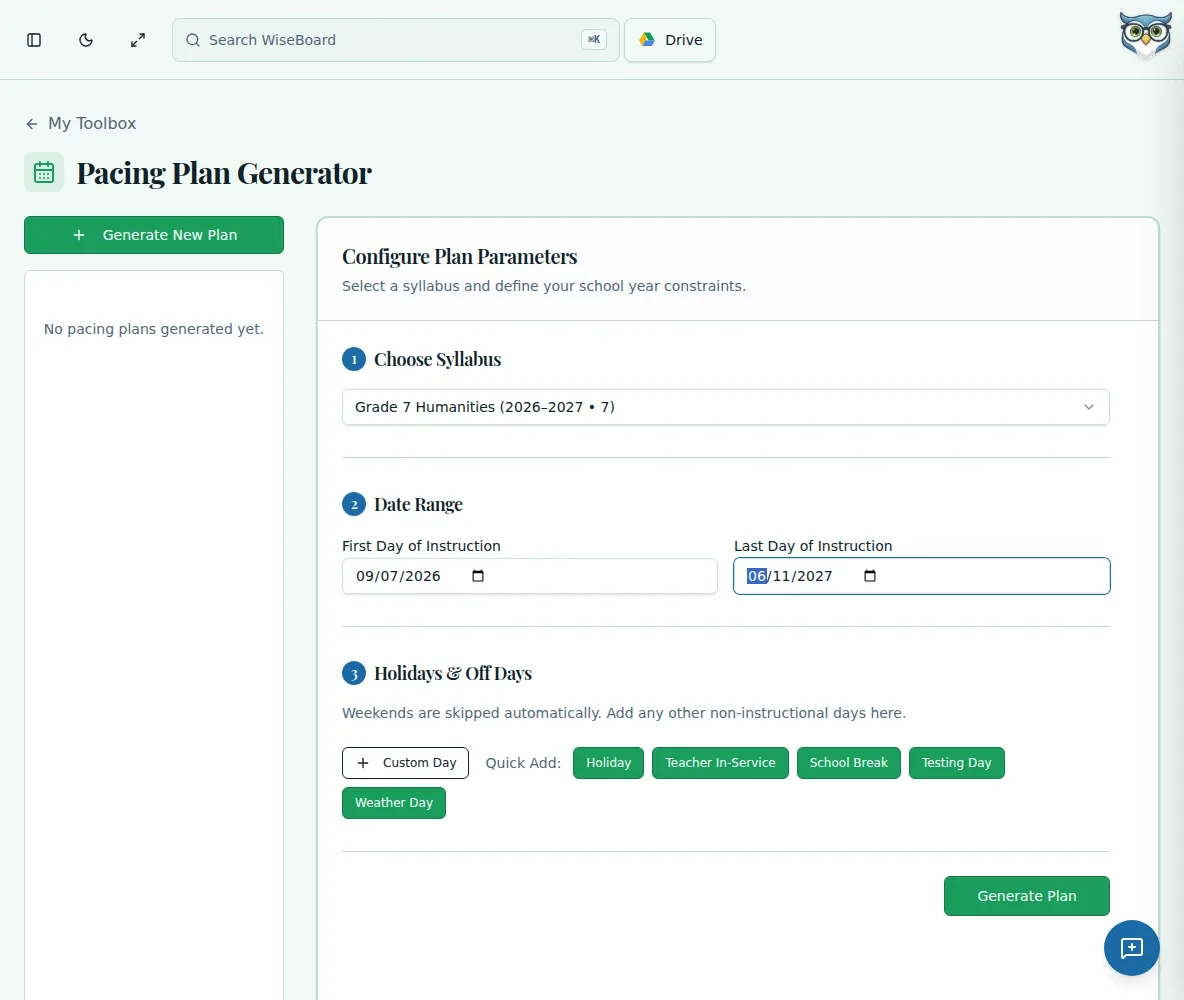
Related workflow view. This is not another screen of the primary feature.
WHAT THIS COULD LOOK LIKE
Create unit windows for the term and inspect any overlaps. Add a buffer between units for testing or assemblies, then confirm that lessons already on the calendar still make sense after the change.
GOOD TO KNOW
A little more detail before you dive in.
No. Deleting a pacing definition does not delete calendar lessons already added.
No. It shows overlap warnings for teacher review. Adjust date windows and inspect the resulting schedule yourself.
YOUR WORKSPACE AWAITS
Explore WiseBoard on your own terms. Take a look around, or start your free trial.