 WiseBoard
Capture session details
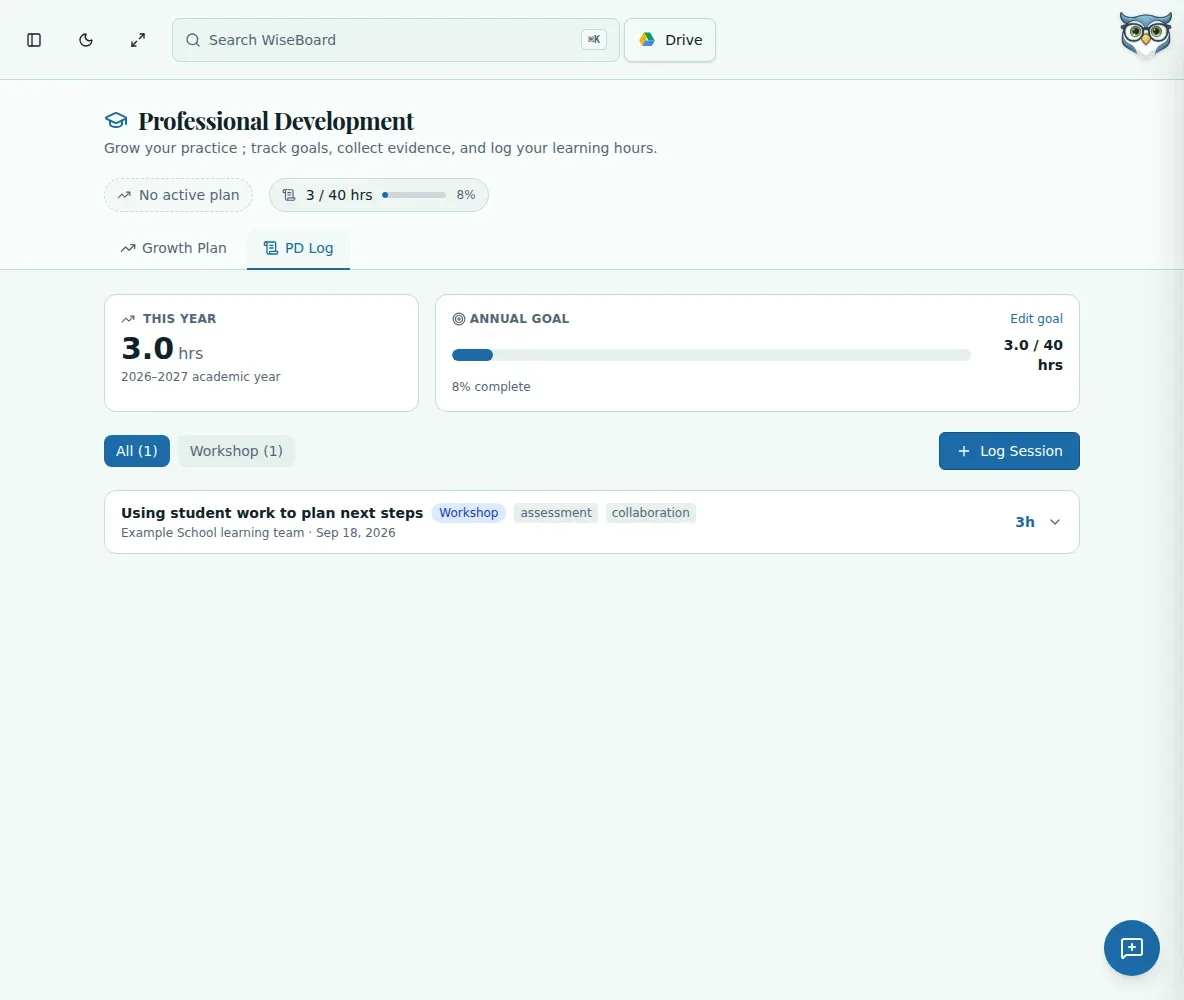
Record the title, type, hours, provider and date, with optional tags and reflection.
Professional learning
Workshop details are easy to lose between renewal deadlines. PD Log lets you record sessions and hours as you go, while reminding you to keep any documentation required by your district or licensing authority separately.
See the workspace before you sign in.
01 / THE DIFFERENCE
Practical tools that leave the decisions with you.
Record the title, type, hours, provider and date, with optional tags and reflection.
Check academic-year progress and filter by session type.
Add an annual hours goal to compare with your logged progress.
02 / IN PRACTICE
A closer look at how this fits into your day.
Explore the interactive app demoGo to Professional Development and choose PD Log.
Choose Log Session and enter its details, optional tags and reflection.
Save the entry, check academic-year totals and set an annual goal if you want one.
WHAT THIS COULD LOOK LIKE
After a district literacy session, record its title, provider, date and hours, then add a short reflection on a strategy to try. Review the type filter and academic-year progress later, while retaining any official attendance proof separately.
GOOD TO KNOW
A little more detail before you dive in.
No. This page records sessions and progress but does not provide a PDF export. Retain documentation required by your district or licensing authority separately.
You can set an annual hours goal if desired. Verify the applicable requirements with your district or licensing authority.
YOUR WORKSPACE AWAITS
Explore WiseBoard on your own terms. Take a look around, or start your free trial.