 WiseBoard
Revisit the full card
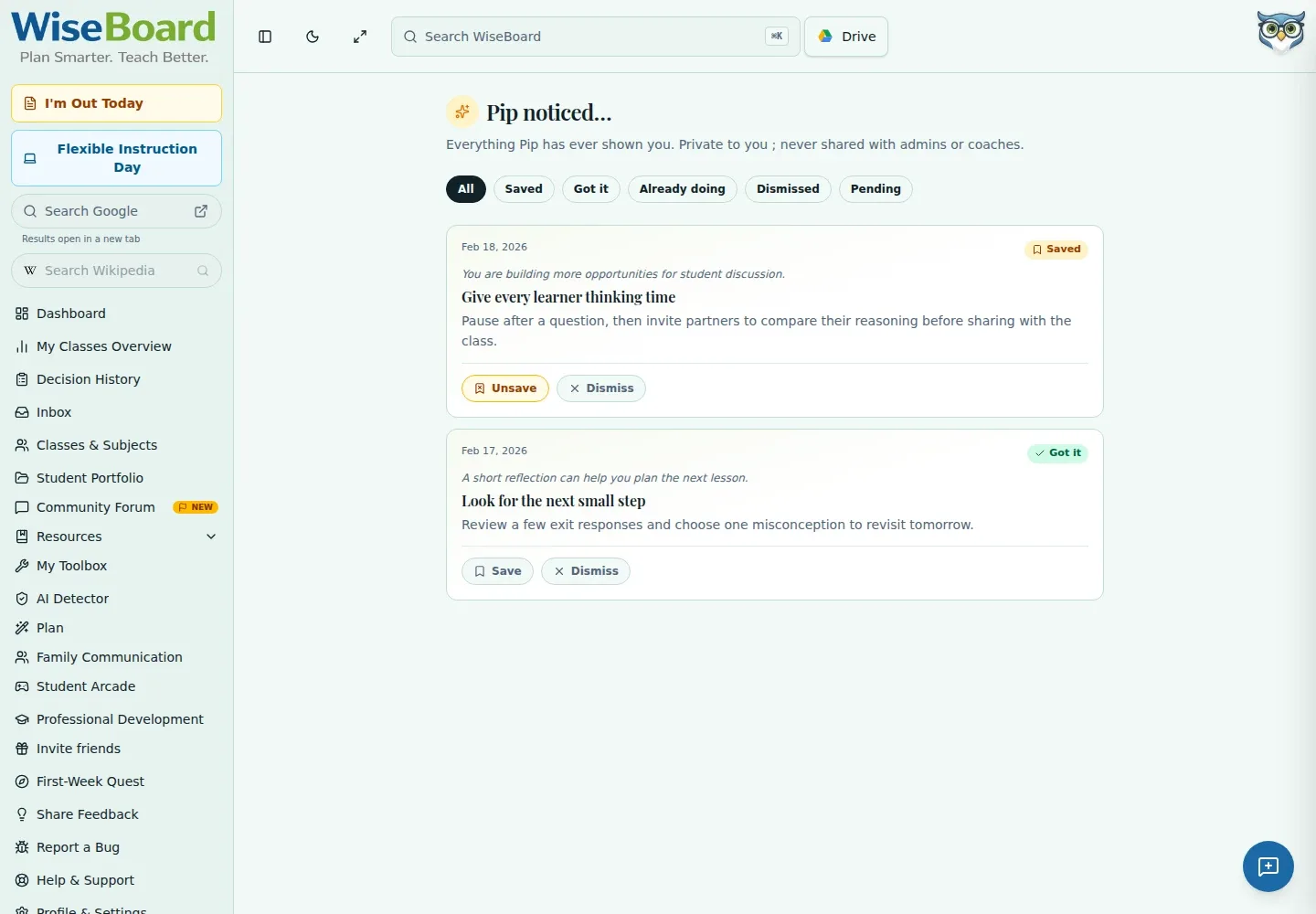
Read an observation and suggested technique after it leaves the dashboard widget.
Professional learning
A teaching suggestion is more useful when you can revisit it on your terms. Pip Notes History keeps available micro-coaching cards together, with controls to save or dismiss them rather than requiring an immediate response.
See the workspace before you sign in.
01 / THE DIFFERENCE
Practical tools that leave the decisions with you.
Read an observation and suggested technique after it leaves the dashboard widget.
Filter by status, save a card for later or dismiss one that does not fit your context.
Open the 90-second clip link when a card includes one.
02 / IN PRACTICE
A closer look at how this fits into your day.
Explore the interactive app demoGo to Pip Notes History or find it in the command palette.
Choose All, Saved, Got it, Already doing, Dismissed or Pending.
Save a useful card, dismiss one that is not relevant, or watch an included clip.
WHAT THIS COULD LOOK LIKE
Revisit a card about giving students wait time, compare it with what you see during class discussion and decide whether to try it in one lesson. Save the card if you want to return to it; treat it as an optional suggestion, not a judgment of your teaching.
GOOD TO KNOW
A little more detail before you dive in.
The notes history is described as personal to you and is not visible to admins or coaches.
Yes. Dismissals can be undone. Unsave or Undo changes a card to Got it (read), not back to Pending.
YOUR WORKSPACE AWAITS
Explore WiseBoard on your own terms. Take a look around, or start your free trial.