 WiseBoard
See what supports a material version
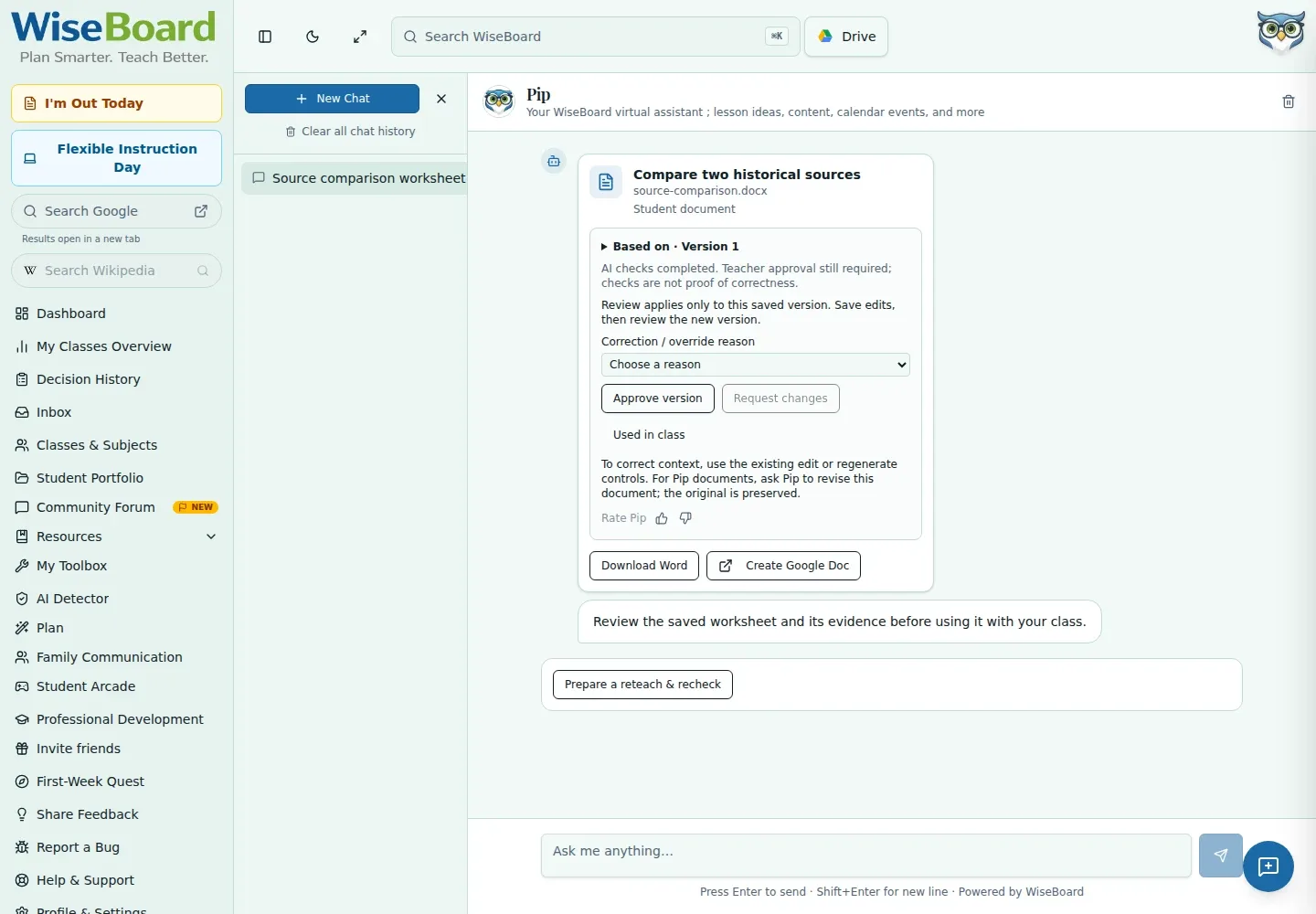
Review context, version information, and quality warnings where review controls are available.
Teacher-reviewed AI
In saved Pip conversations, review available material versions, source context, and quality warnings. Eligible verified checks can support a reteach and recheck proposal, but approval, delivery, teaching, and inspection of new student evidence are separate steps. A completed teaching record is not proof of improvement.
See the workspace before you sign in.
01 / THE DIFFERENCE
Practical tools that leave the decisions with you.
Review context, version information, and quality warnings where review controls are available.
Use a verified source check, class, date, time zone, and planned reteach and recheck times to prepare a proposal.
Edit the activity while keeping the original recheck prompt and scoring fixed.
02 / IN PRACTICE
A closer look at how this fits into your day.
Explore the interactive app demoIn Ask Pip, inspect the generated document's context, version, and warnings; approve or request changes using available controls.
In a saved conversation, select an eligible source check and class, add source date and time zone, and enter reteach and recheck times.
Review and edit the proposal, acknowledge warnings, use separate delivery and teaching controls, then inspect evidence after students respond.
WHAT THIS COULD LOOK LIKE
Select an eligible source check and class, enter its date and time zone, and set separate reteach and recheck times. Review source quality and the activity, keep the recheck prompt intact, and inspect student responses after the recheck rather than treating approval or teaching as proof of improvement.
GOOD TO KNOW
A little more detail before you dive in.
No. Approval, delivery, teaching, and evidence review are separate actions. A teaching record is not verified evidence of improvement.
No. Regenerating changes only the activity; the original recheck prompt and scoring remain fixed.
Raw source responses and the answer are teacher-only. Do not project the review panel to students.
YOUR WORKSPACE AWAITS
Explore WiseBoard on your own terms. Take a look around, or start your free trial.